Plan Viewer turns a folder of Markdown daily plans and tasks into a fast, keyboard-driven app. It also shows the code those plans touch: worktrees, open PRs, commits, and a full diff viewer for review. The viewer never edits your files. The Markdown stays the source of truth, and agents make the changes.
- Source: byronwall/plan-viewer
Interface
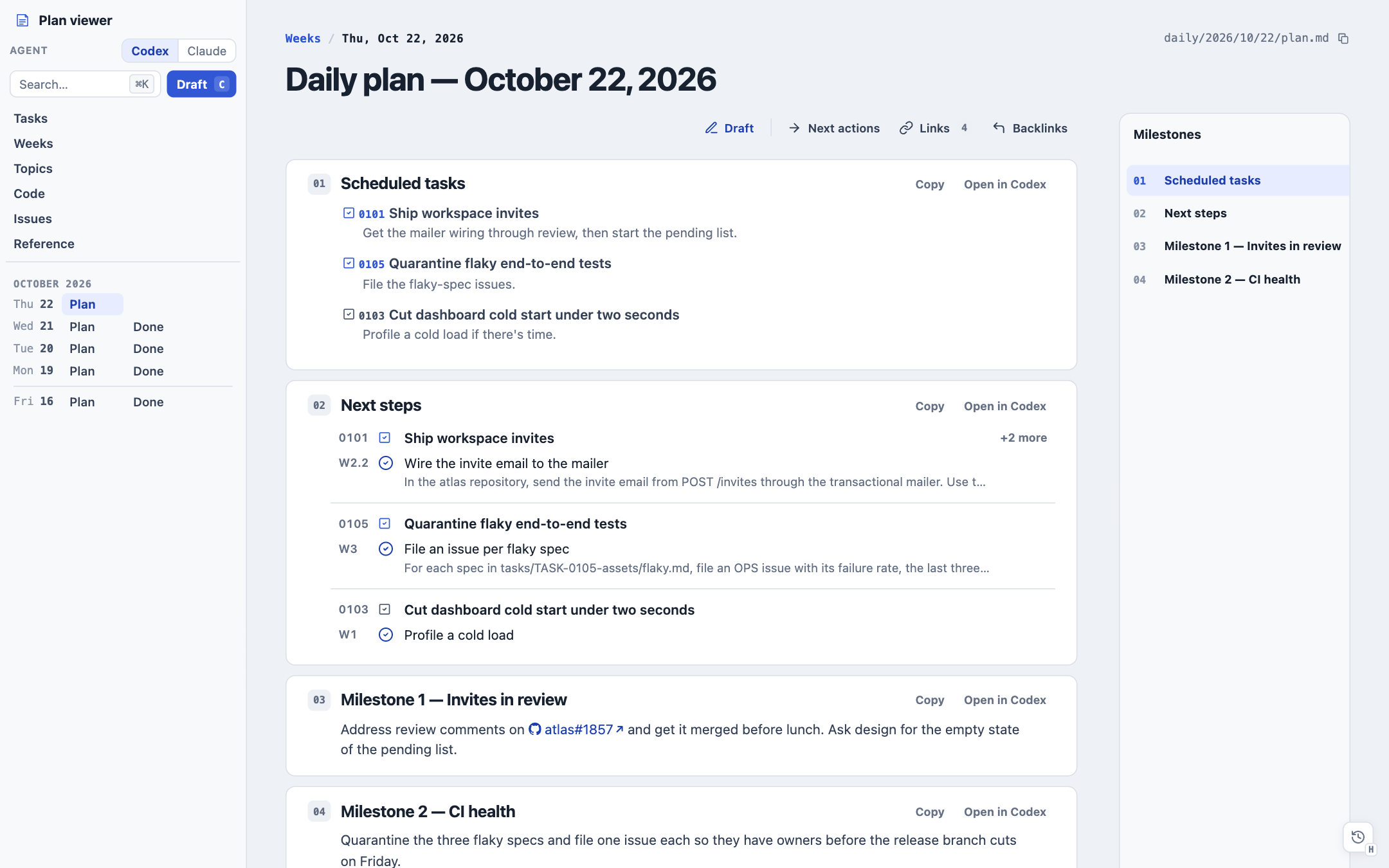
Today's plan opens on launch. Each section is a card, and each card or next action can open as a draft in Codex or Claude Desktop.
Reviewing pull requests
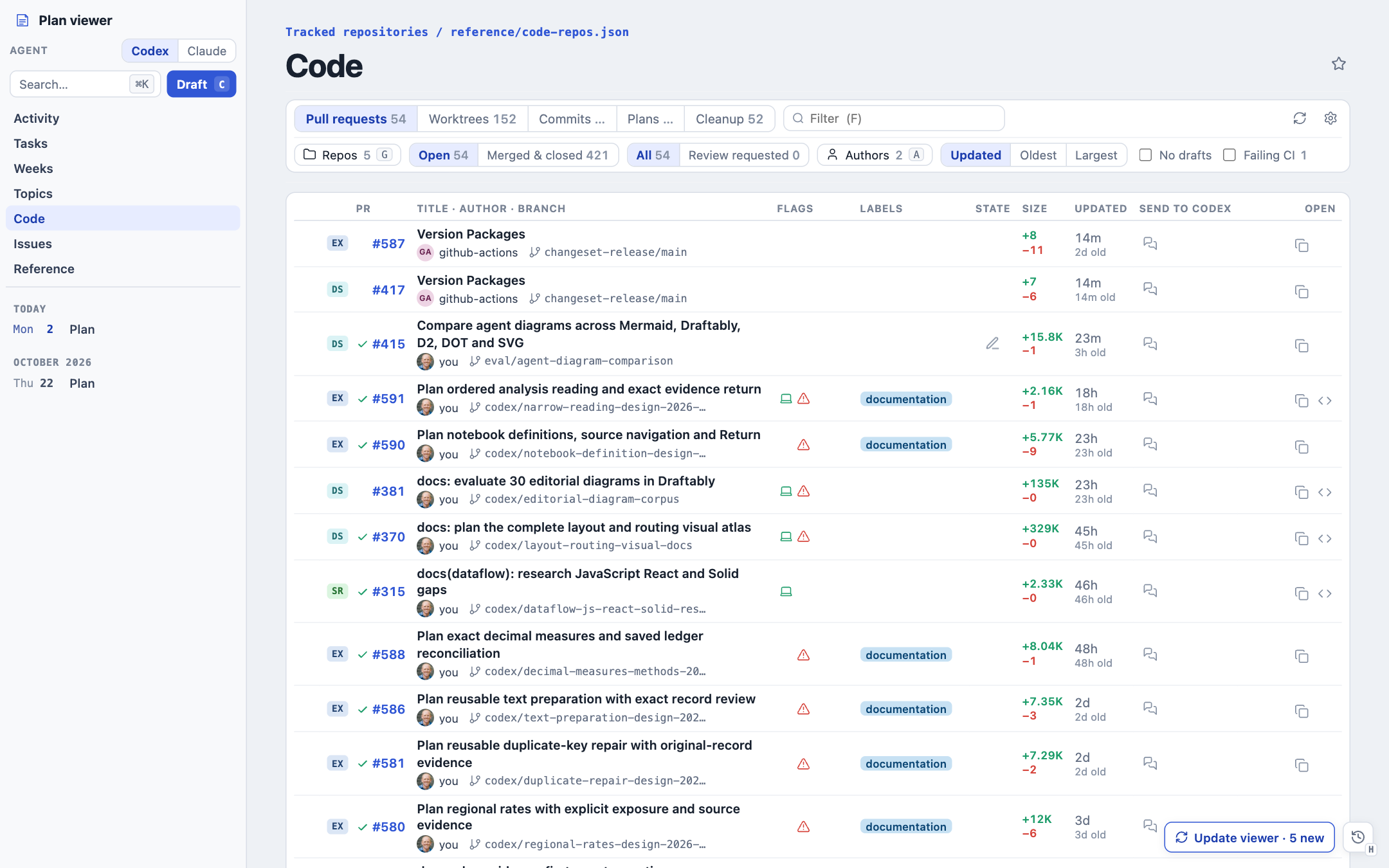
The Code view lists open PRs across every tracked repository, with CI state, size, and a stack rail for stacked branches.
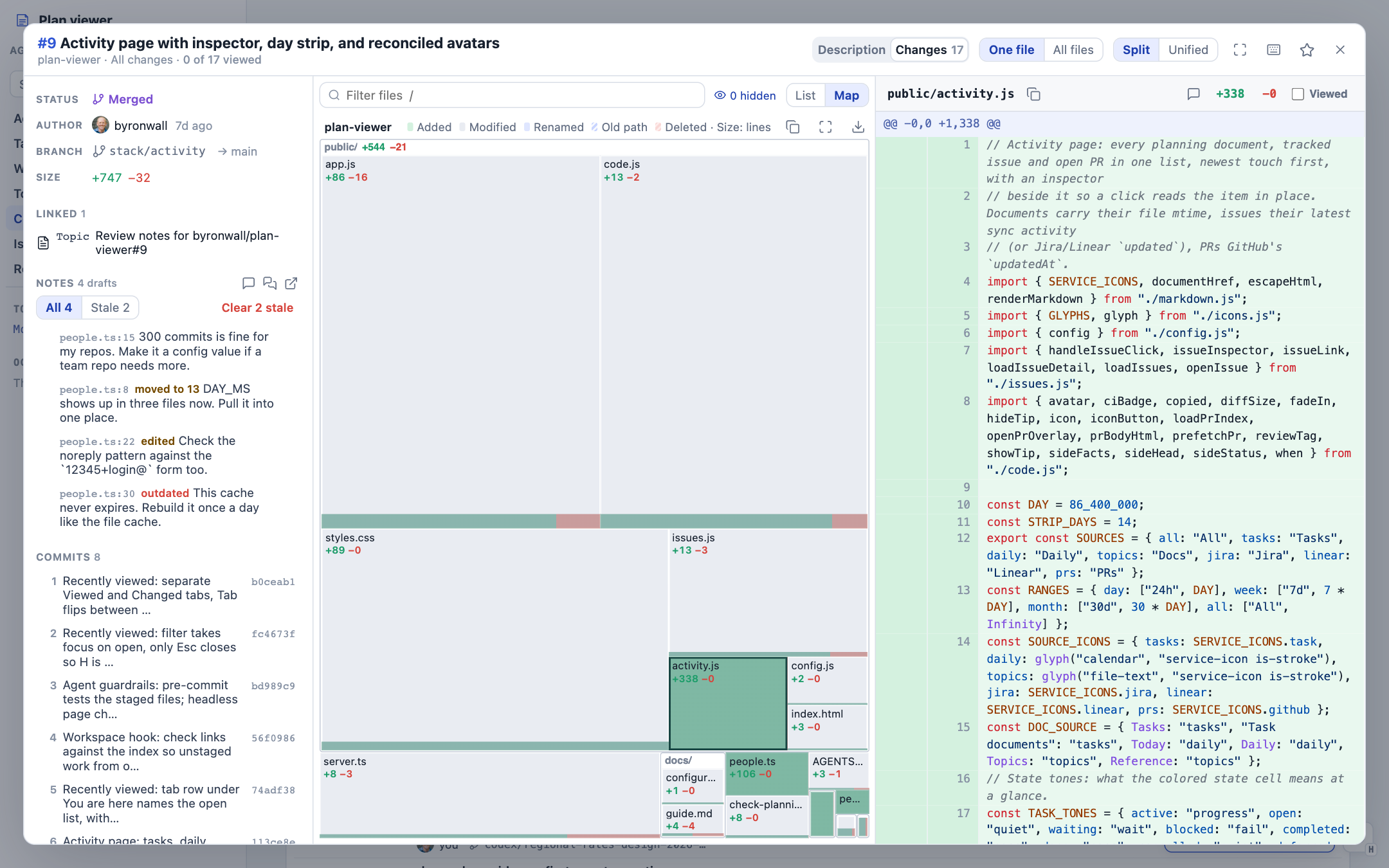
A PR opens in an overview with three columns: facts, notes, and commits; the file list; and the diff. The file list can switch to a treemap. Each tile is a file sized by changed lines, with the green and red bar at its foot showing additions and deletions. One look tells you where the weight of a change is before you read a line of it.
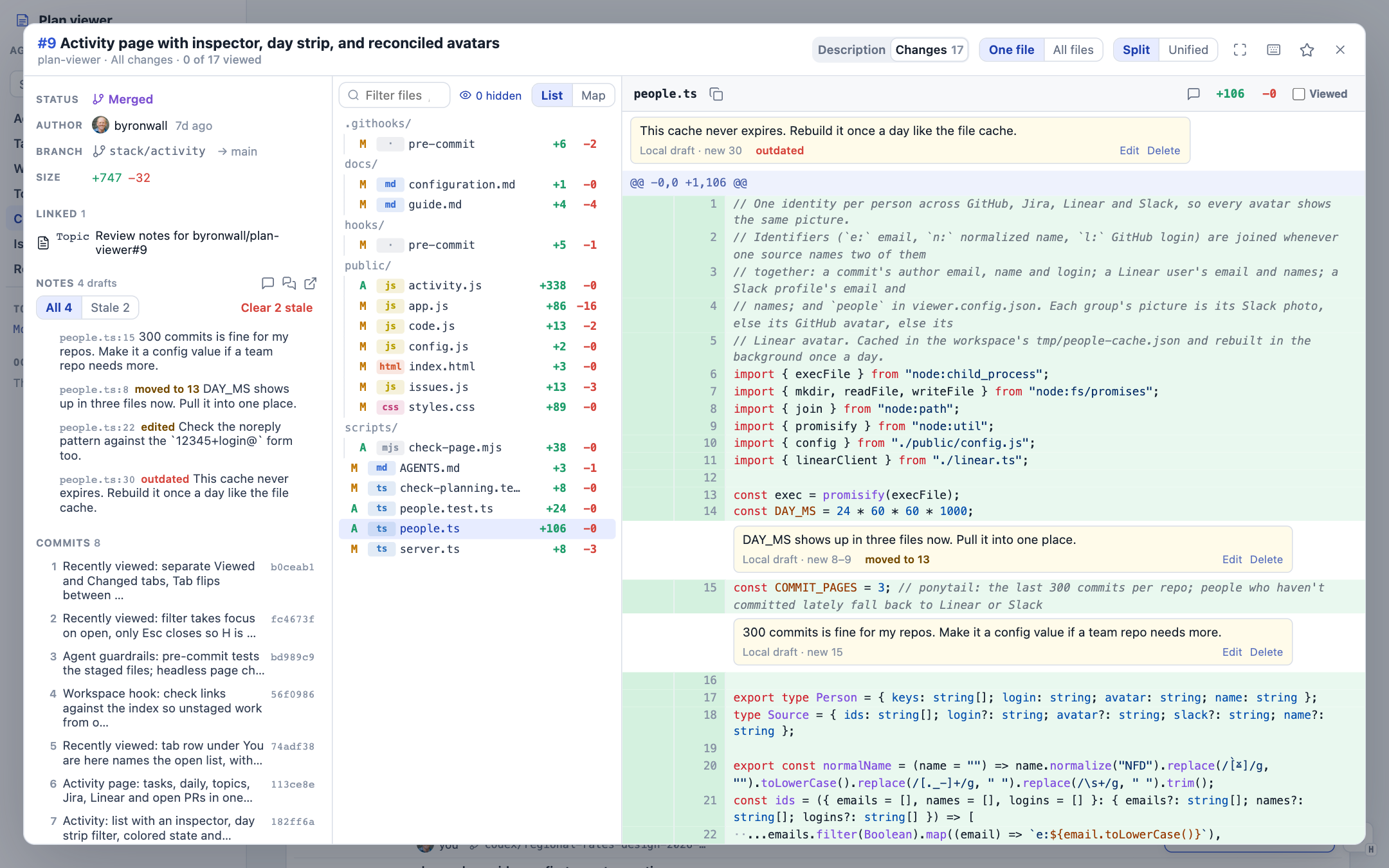
Review notes are local Markdown files in the planning repository. Each note keeps the code it quotes. When new commits land, the note follows that code: it shows as moved to its new line, edited when only part of the quote survives, or outdated when the code is gone. Clear stale removes the ones that no longer apply.
How it works
- A Node server with no dependencies reads the planning folder and serves a plain JavaScript front end.
- PR files, refs, and diffs come from the tracked local clone first, so large PRs and whole stacks open fast, even when GitHub's diff view gives up.
- Review notes live in
plans/pr-notes/as Markdown. An agent can read them, post them as a GitHub review, or work through them. plan-viewer lintandplan-viewer linkskeep task front matter, work breakdowns, and links valid.
Highlights
- Plans, tasks with dependency graphs, a week calendar, and an issues page for Jira and Linear
- One-click handoff of any card or next action to a Codex or Claude draft
- Change treemap with PNG export, split and unified diffs, and Viewed marks that remember when
- Keyboard review flow:
Dfor the description,Gto widen,Xto mark a file viewed and go to the next one ⌘Ksearch across documents, tasks, PRs, and issues