My current system for working with agents, mostly coding but also general research, is to build my own interface for it. I think you have to create a dedicated interface for the task at hand. I have done this a few times now. The most recent one is Plan Viewer (now Planboard), which is my daily coding UI.
The goal was to bring as much of the software development lifecycle as possible into one place. That does not mean replacing the tools that already hold the information. Issues lived in Linear, and later in Jira. Code lives on GitHub. Some of the conversation happens in Slack. Plan Viewer integrates those places instead of copying them.
On top of that, I wanted my own notes, working files, and some sense of work breakdown and tracking. And I wanted that stuff to be private to me. A lot of the files that help me break down work are scratch material. They should not litter the issue tracker or the PR.
Plan Viewer is a web app, but it runs off a local server, so it is local to my machine. You could run it on a server. I have gone back and forth on doing that.
Every reference opens in place
The part that matters most is removing every bit of friction around related information. Here is a daily plan. It is Markdown on disk, and the viewer renders it as cards:
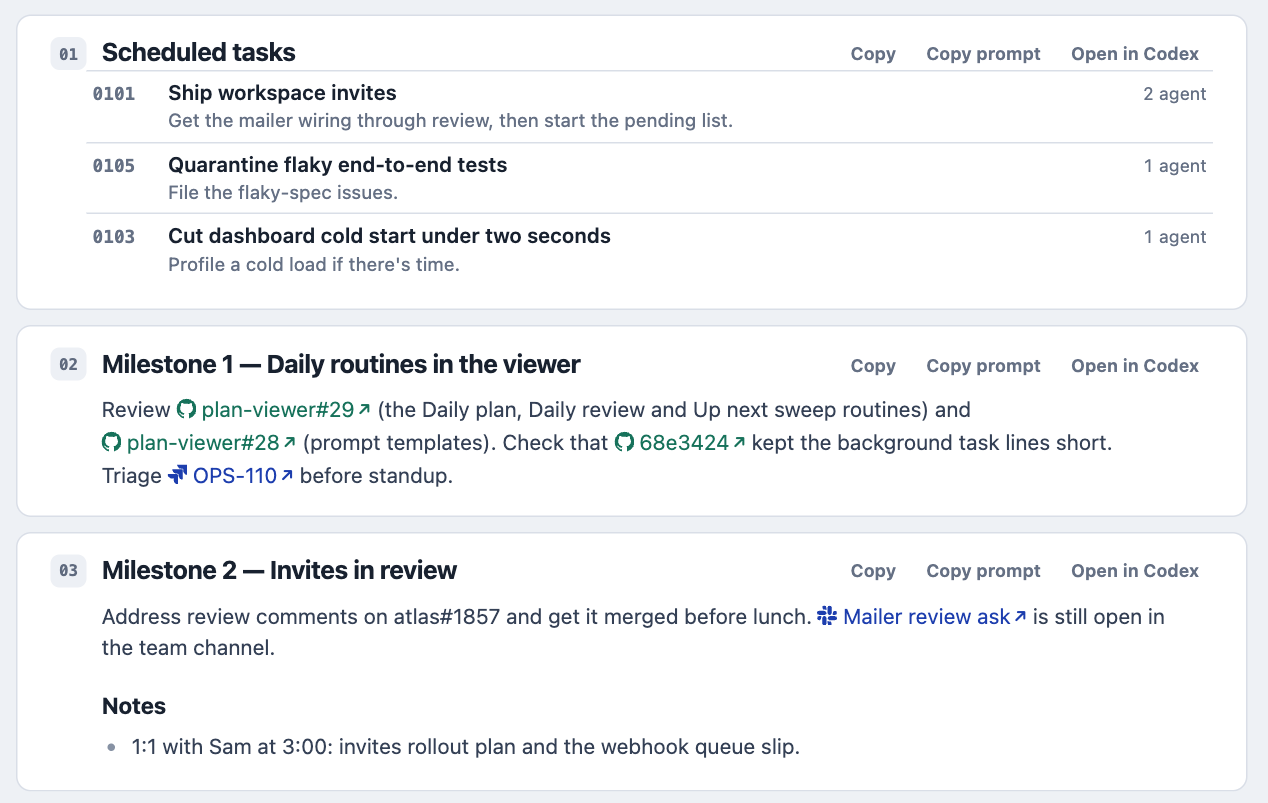
The viewer aggressively detects known objects in the text. PR numbers, commit hashes, Jira keys, and Slack links all become links with an icon. Click one, and it opens in a modal. You never navigate away from the page.
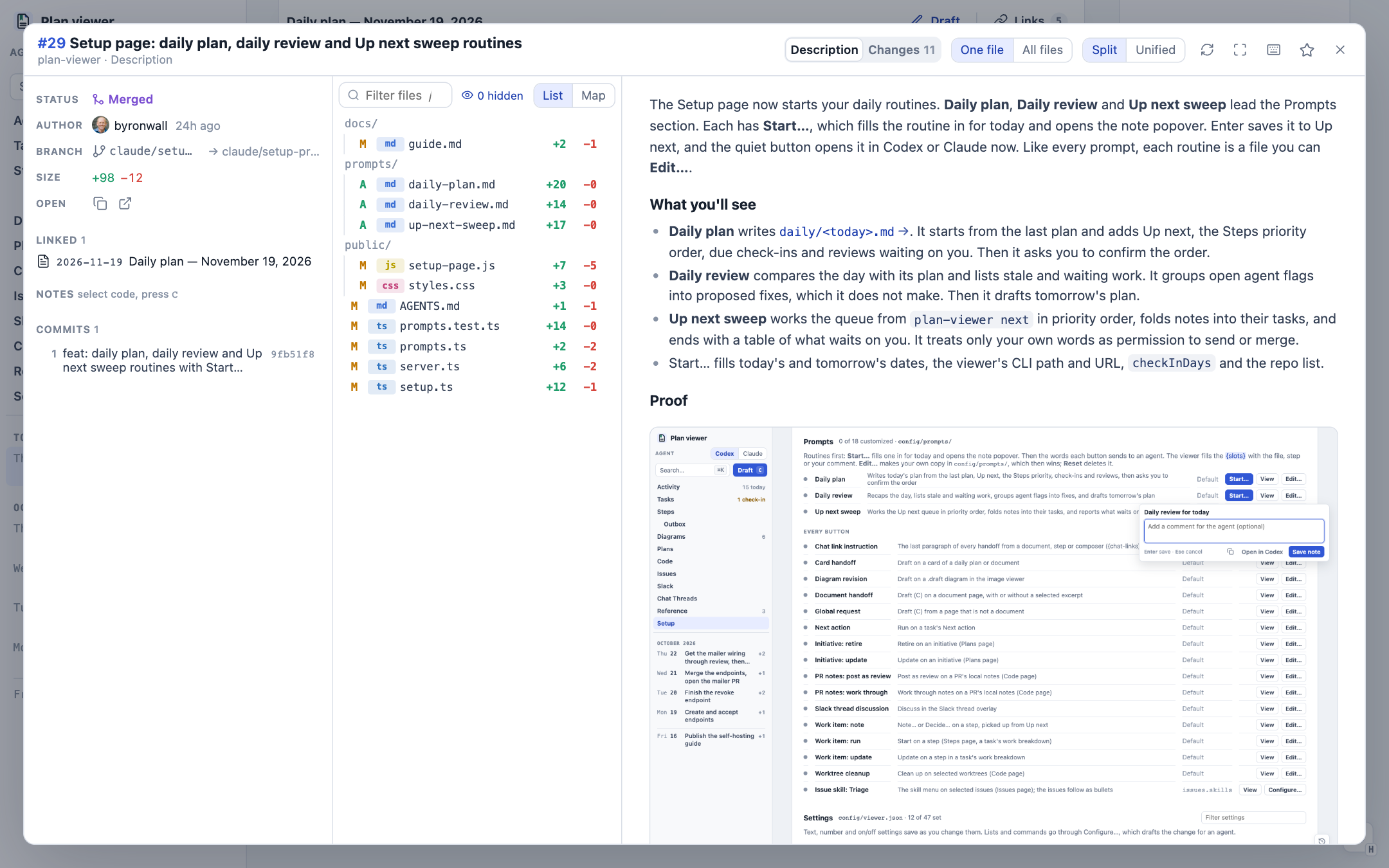
A PR opens in my own view of it, not GitHub's. The description, the files, the commits, and the diff are all there. The left column also shows what links to the PR, so this one points back to the daily plan that mentions it.
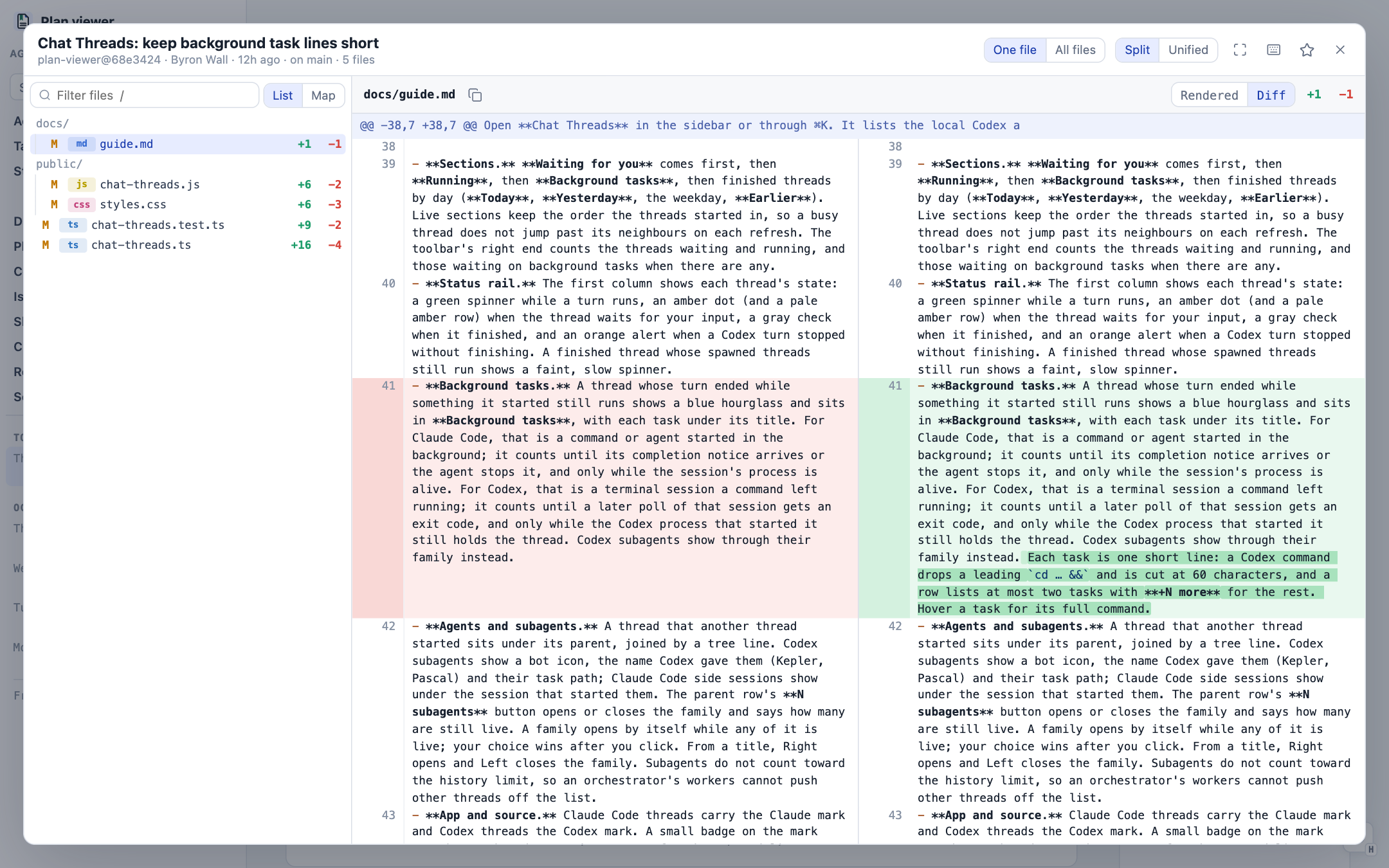
A commit hash opens the commit with its diff:
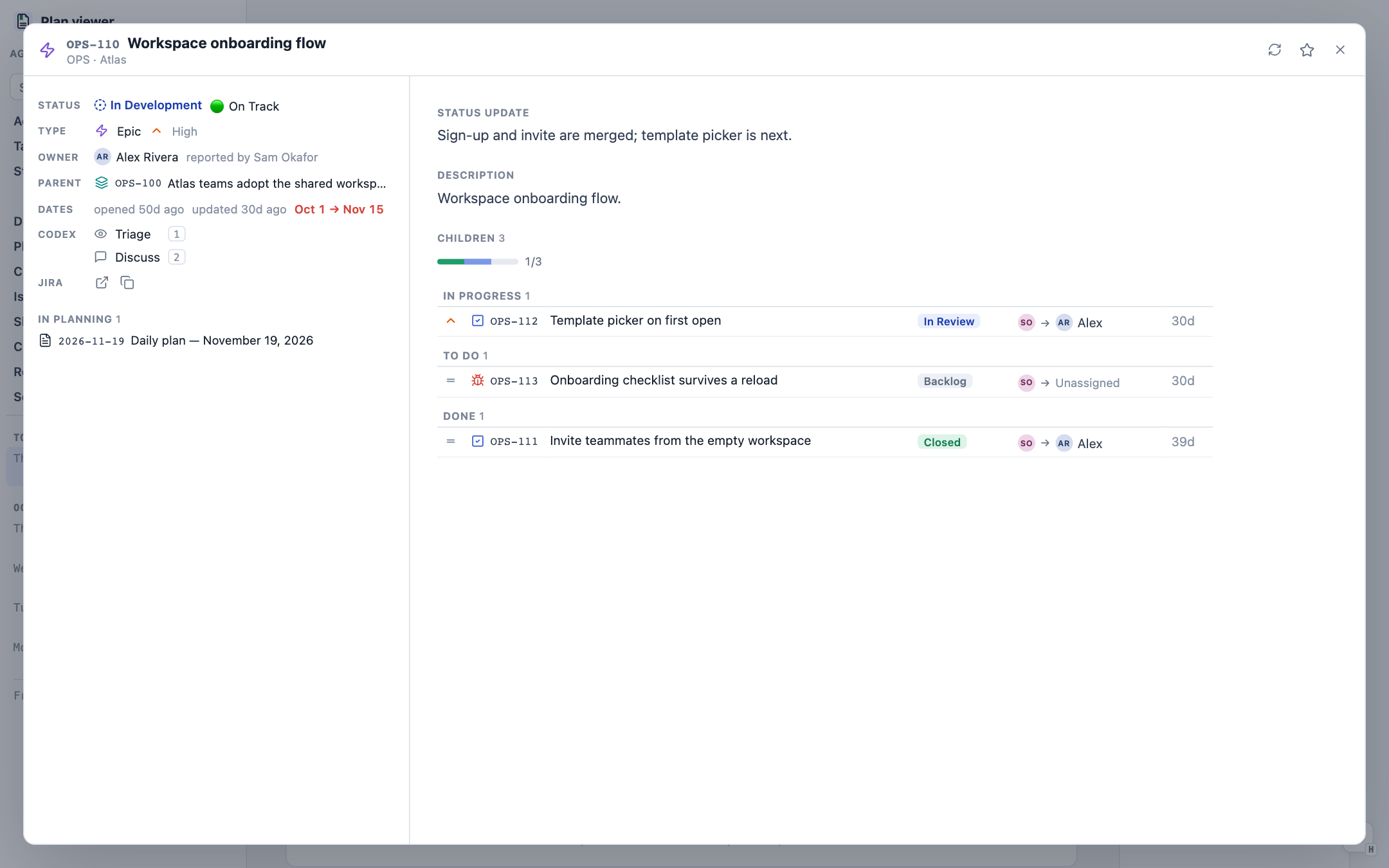
A Jira key opens the ticket, with its status, parent, children and latest status update:
A Slack link opens the thread in a modal too. The demo workspace in these screenshots has no Slack token, so there is no Slack shot here.
The key thing is that everything is tightly interlinked. I can go look at the primary source quickly, but I never leave the context I am in. When the plan says "review the PR and check that commit", the PR and the commit are one click away, and closing the modal puts me back on the same line of the plan.
The system improves itself
Once a system like this exists, you can use its own machinery to change how it works.
One morning I was having a hard time keeping track of all the chat threads running on my machine. I was telling Claude to invoke Codex itself, so Claude was driving Codex. But those Codex threads were just running. They did not show up in any UI.
So I had it update Plan Viewer to list all of the active threads, with a click that opens each one in its desktop app. A nuisance became a feature. That page has since grown into Plan Viewer's Chat Threads page, with subagents nested under their parents and a status for threads that wait on a background task.
That is the pattern now. If I am clicking around for something or struggling to find it, I ask the agent to put it on this surface. Each fix makes the interface a little more specific to how I actually work, which is the point of having a dedicated one.
The interface is also where agent work starts. Every card and step can hand its context to an agent. How that works, and how the rest of the day runs through one orchestrating thread, is in how my agents run the day.
The screenshots use the fictional example workspace that ships with Plan Viewer. The PR and commit are real ones from the Plan Viewer repository.