Plan Viewer (now Planboard) is the interface I built for my daily coding work. The first post is about the interface itself. This one is about how it hands work to coding agents, and how a day of agent work actually runs.
One thread per click did not work
Where I started: at various points in the UI you could click a button and get a prompt box. Say you are looking at a PR. You click "discuss this PR", type a note, and hit Enter. That opened a new chat thread in the Claude or ChatGPT desktop app, and you went and ran it.
What I found is that this created a new thread for every work item. Each thread loaded some amount of context, the contexts often overlapped, and it was very hard to keep track of which threads had been started.
So I changed what Enter does. Instead of starting a chat, it queues a note. The note is stored on disk, with the context of the thing you clicked on.
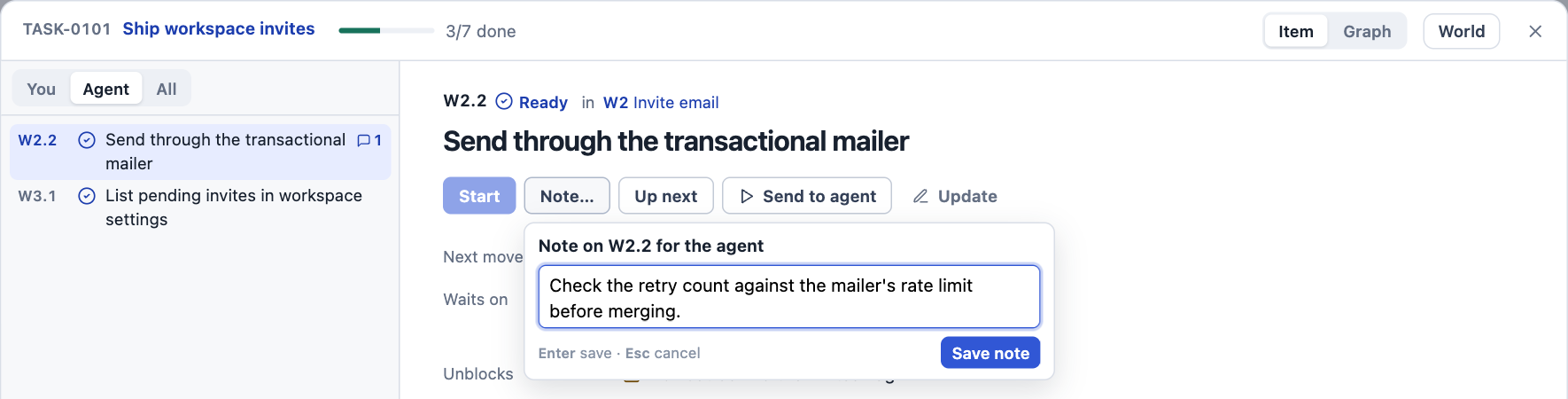
Sending straight to an agent is still there, one button over. But the default is the queue.
Two scheduled runs
Each morning I start a daily orchestration thread. The prompt is basically "please be the orchestrator". Two scheduled tasks feed it.
The first runs once, at about 6:30 a.m., before I get in. It sweeps GitHub, Jira, Slack, yesterday's items, anything that happened overnight, and the production telemetry. From that it puts together a plan for the day.
The second runs every 10 minutes while I am working. It is a task sweep. It wakes up and checks for items that were marked for the agent. So when I click buttons in the web UI, what I am actually doing is queuing items, and every 10 minutes they get swept.
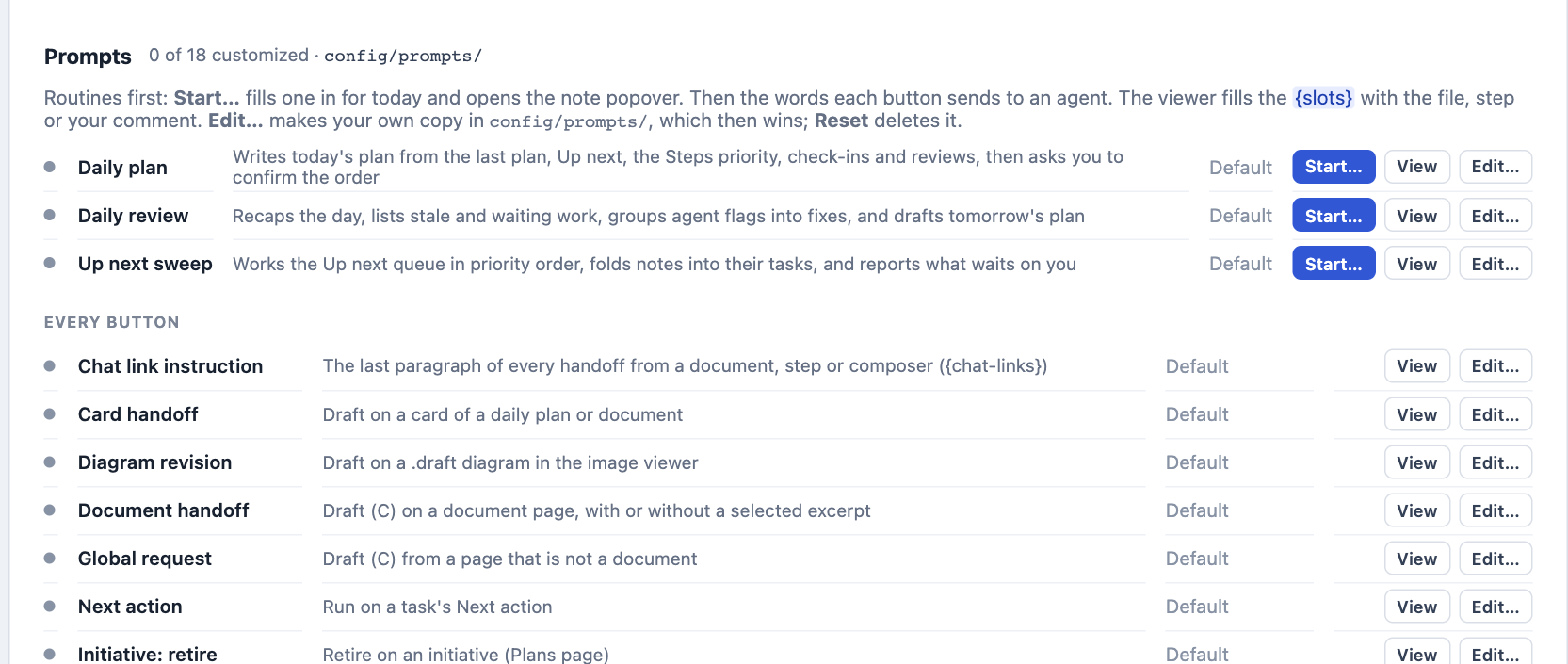
Plan Viewer's Setup page keeps the prompts for these routines, next to the prompt behind every other button:
The orchestrator reuses threads
When the sweep picks up an item, the main orchestrator thread handles the first message. Its instructions say that its job is to create a new thread, or find the existing thread, for any work it is given.
Some of the work in a day is wholly new. The orchestrator starts a new child session, loads it with what it needs, and it works.
But very often I come back to the same task a couple of hours later. Then the orchestrator finds the earlier thread that has the relevant context and sends the message there. If that thread is still working, same thing: the message goes to it. Each task file also lists the chats that worked on it.
Read the children directly
I have gone back and forth on whether to talk only to the orchestrator, or also to the children.
At first I sent every message to the orchestrator. It was very hard to keep track of all the threads in flight from the way it described them. It was a game of telephone. It tells you part of the story, you give it information, it sends part of that information back down, and the message does not reliably get to the right place.
What works better is to go look at the child threads, especially when they are done. A finished child gives a fairly detailed summary of the work it did. I read that, and I can follow up or ask for more right there. Plan Viewer's Chat Threads page lists those children under the orchestrator, and the titles tell me which ones wait on me.
The model matters
This seems to depend a lot on the model. I get much better results with Opus 5.5 as the orchestrator than with the GPT models I have tried in that seat: 6.1 Astra, 6.1 Sol, and the newer 6.2 Sol and Astra. Something about Opus is radically better at inferring intent, understanding the overall context, and understanding what the next unit of work is.
Tasks keep their own context
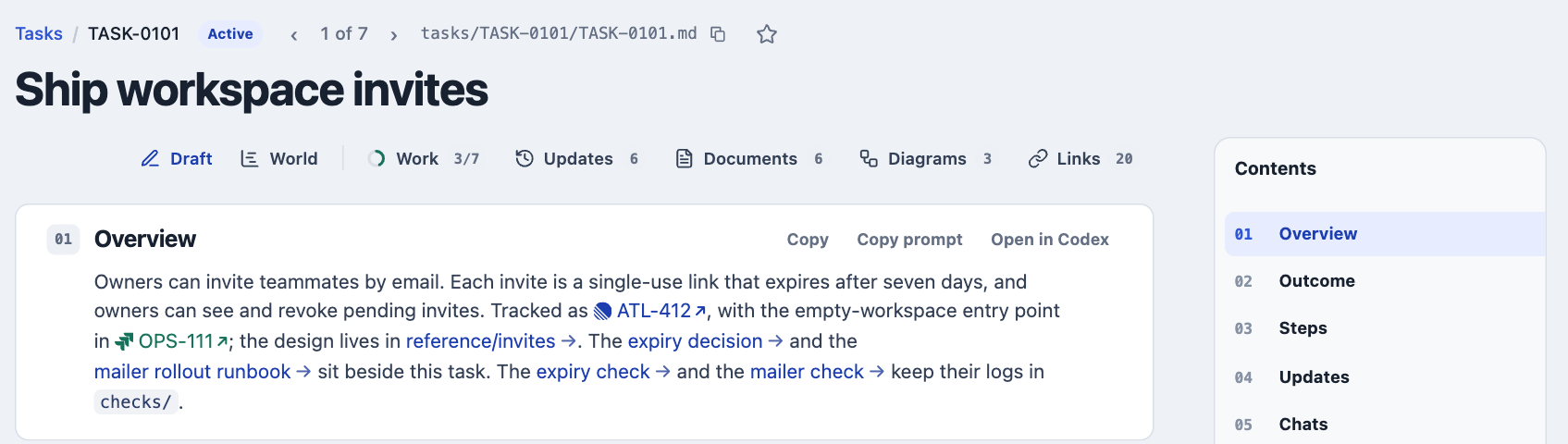
The other thing that helps is that everything is written to Markdown files in my planning repository. It is a dedicated repo on disk, and every task has a folder.
Say a task is to implement something. The task describes it in good detail. The agent starts implementing, and as part of that it takes screenshots, which get saved in the task folder. Then it reviews its own work, and the review report goes in the folder too. Very quickly the task builds up a rich set of context.
Some tasks end up spawning 10, 20, 30, even 50 steps of execution, and the work breakdown is tracked explicitly. Whenever I ask for something on a task, it creates a step. The viewer renders the steps as what still needs to be done, and the steps form a real dependency graph: this step depends on that one, which depends on another.
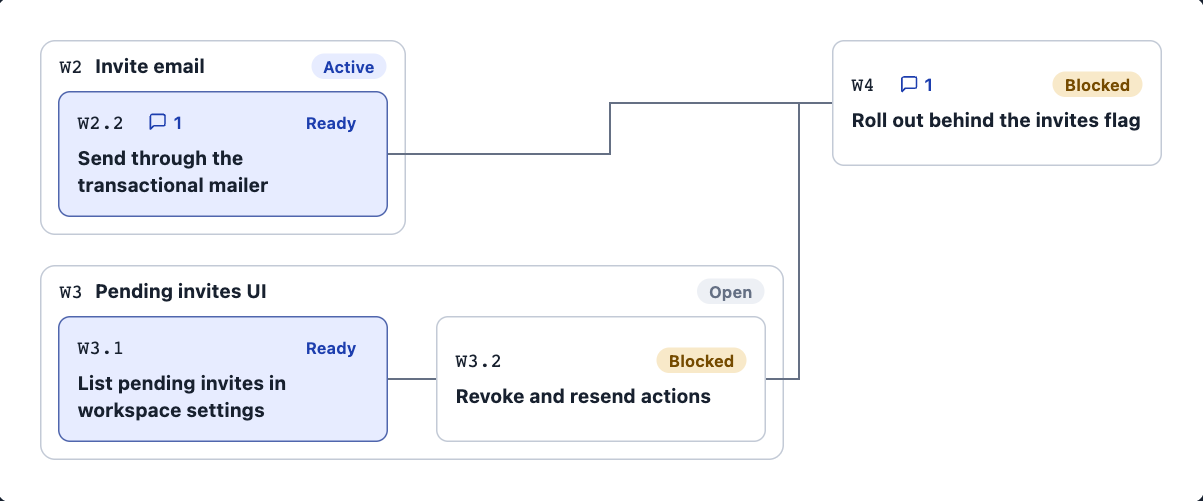
That makes it easy to see which step needs to go first. A step that blocks a bunch of other work is the important one, even if it looks small. I have written before about a live ticket graph and about a ticket tool that gave my agents a graph but weakened the plan. Here the steps live in the task file itself, next to the plan and the evidence.
The screenshots use the fictional example workspace that ships with Plan Viewer.