Video to Context is a local-first processing pipeline for screen recordings, voiceovers, and Apple Voice Memos. What began as a transcription CLI has grown into an ongoing voice memo workflow: it finds new recordings, builds one durable context package per memo, transcribes the audio locally, optionally runs structured transcript analysis, and presents the results in a browser-based review workspace.
- Source: byronwall/video-to-context
- Daily voice memo workflow:
npx v2ctx voice-memos
Interface
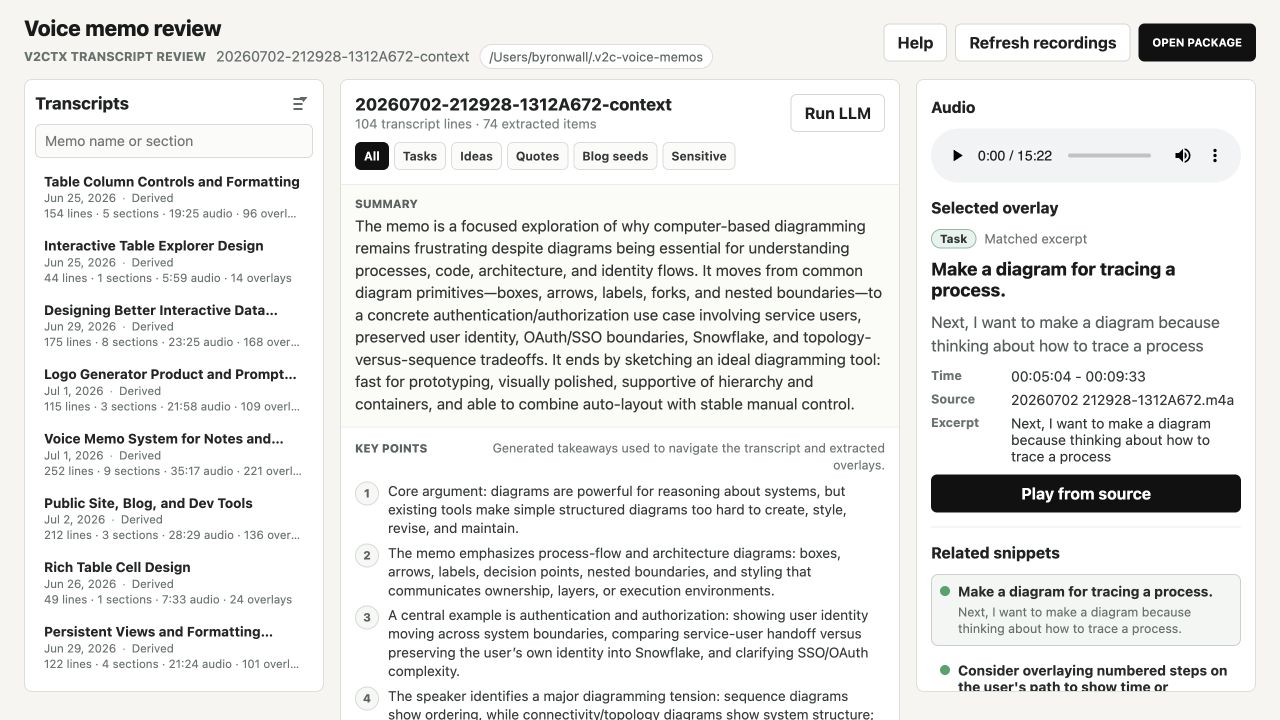
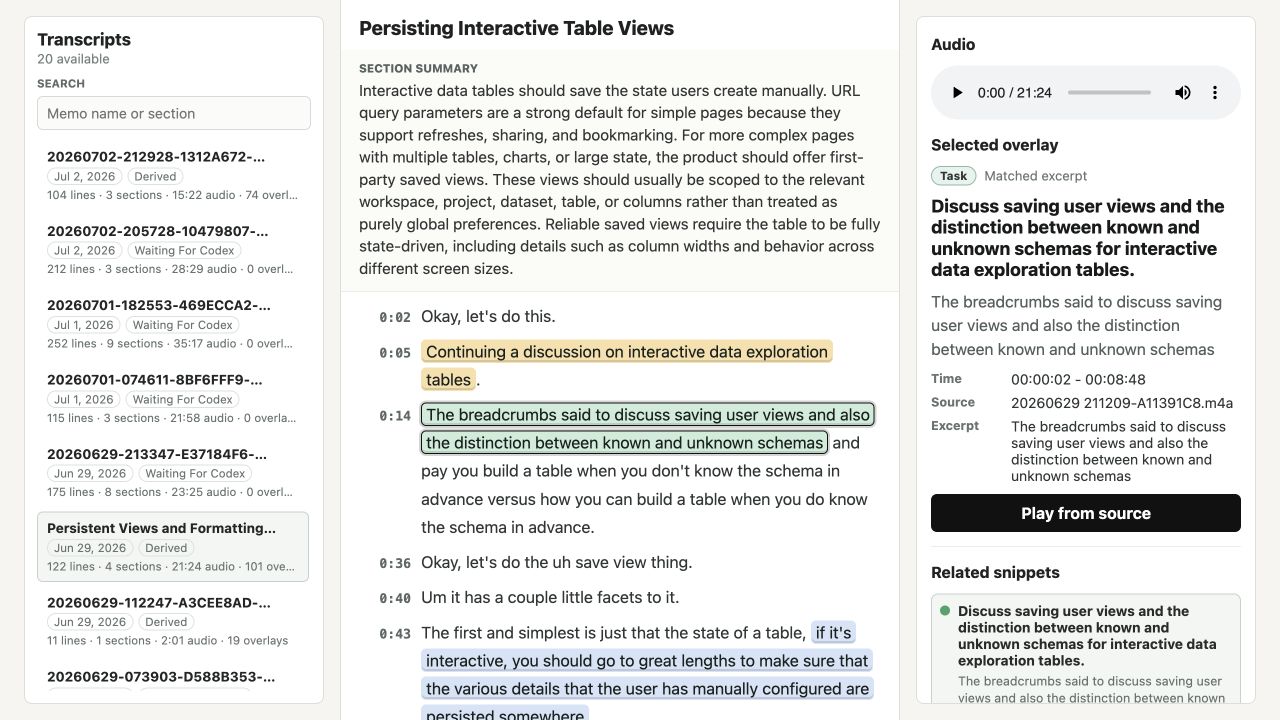
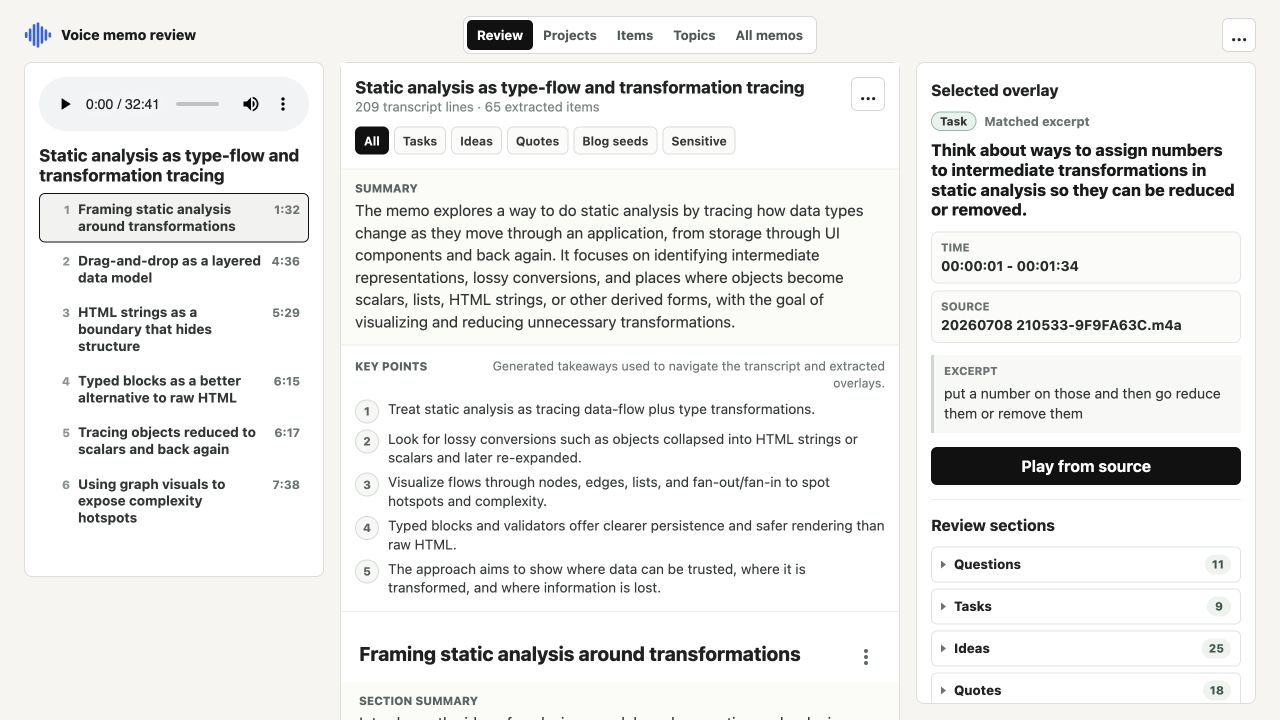
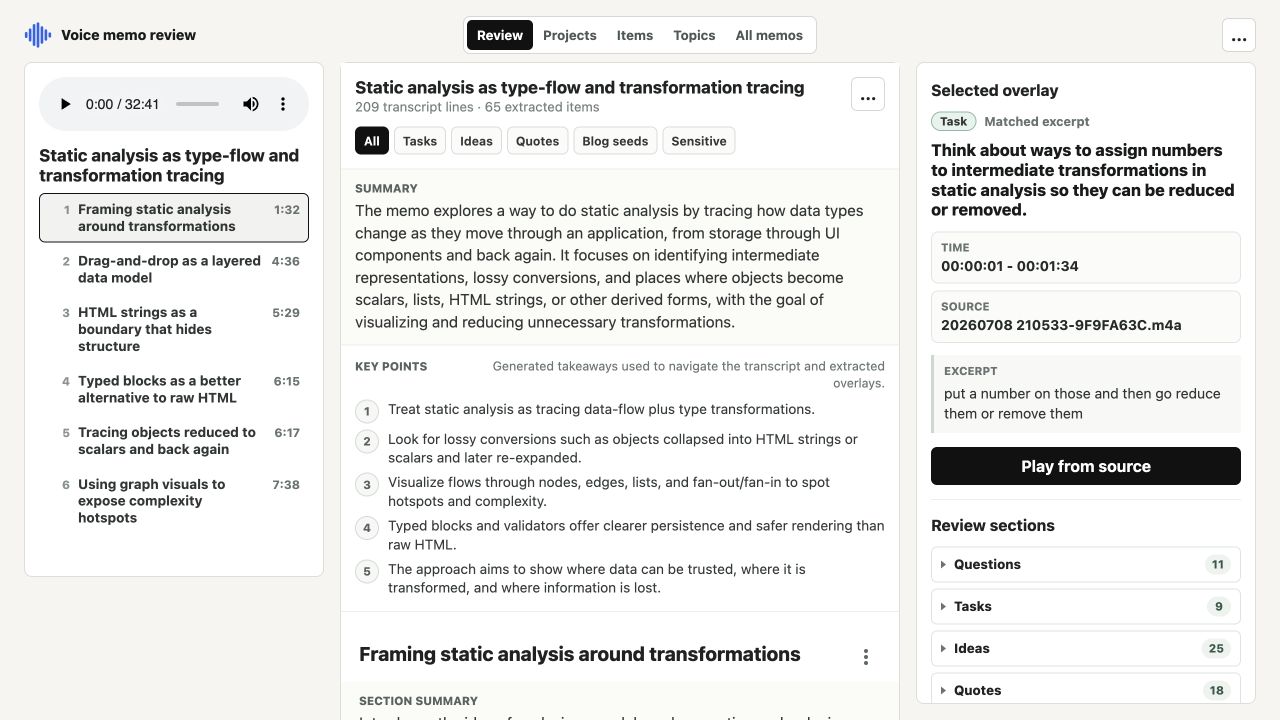
The Review view keeps the memo outline, sectioned transcript, inline extracted evidence, audio controls, and the selected item's source details visible together.
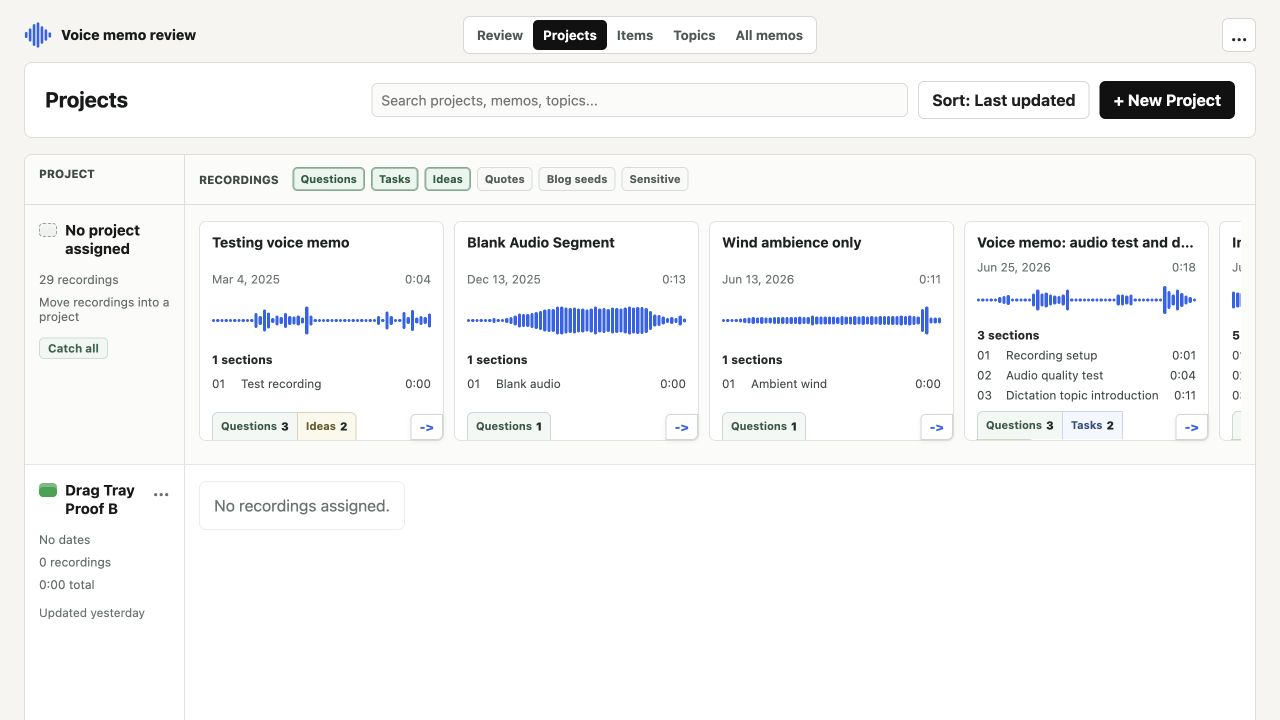
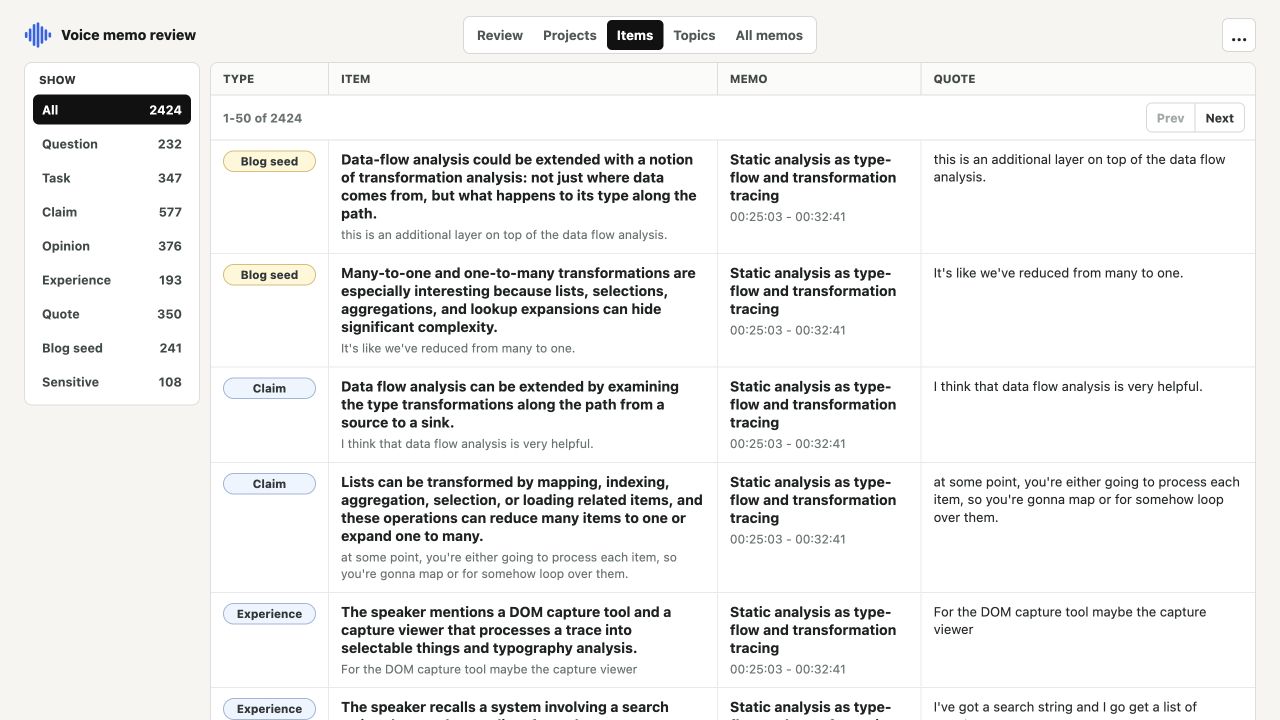
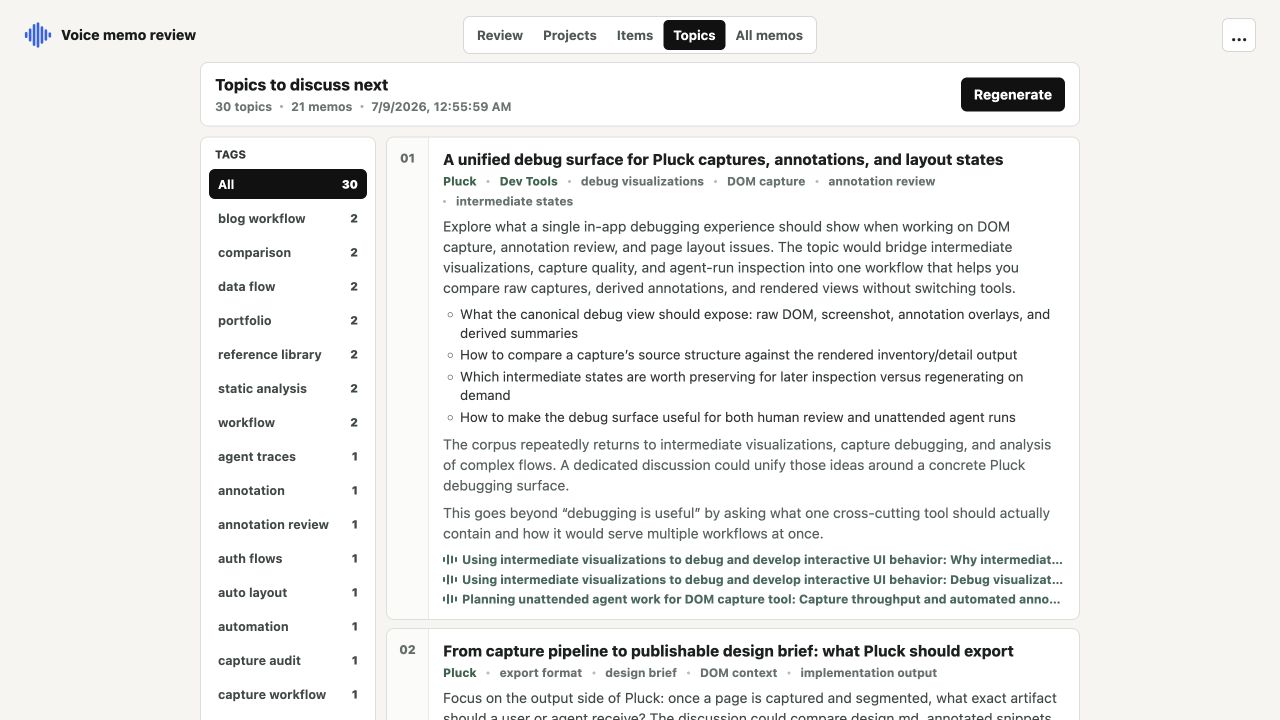
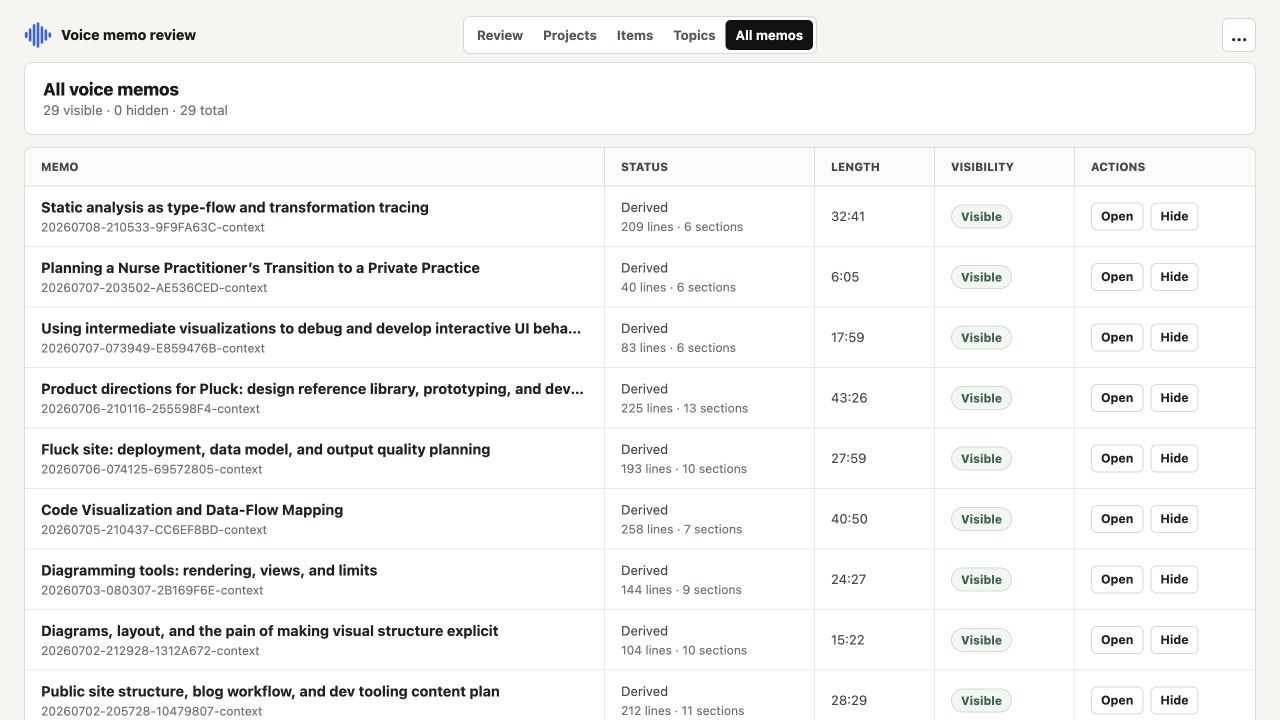
The same memo library can be explored through four additional views: Projects groups related recordings, Items collects every extracted question and review item, Topics synthesizes possible discussions across memos, and All memos manages the complete local catalog.
How voice memo processing works
The daily command is intentionally small:
npx v2ctx voice-memosBehind that command, the pipeline:
- Finds the likely Apple Voice Memos library and scans for supported recordings.
- Creates one context package per memo under
~/.v2c-voice-memos. - Skips packages that already contain the required transcript and analysis artifacts, so repeat runs focus on new or incomplete work.
- Transcribes locally with Parakeet by default, with whisper.cpp available as an alternative.
- Preserves timestamps, source lineage, package metadata, semantic segments, and resumable intermediate files.
Adding --run-llm runs the optional OpenAI-backed transcript stage:
npx v2ctx voice-memos --run-llmThat stage reads the full transcript, plans semantic sections, and performs focused extraction passes for tasks, claims, opinions, experiences, quotes, blog seeds, sensitive material, and follow-up questions. It then writes transcript and section summaries, review overlays, a session digest, and the derived files consumed by the UI. The source audio remains part of the local workflow; the API-backed step operates on transcript text.
The repeated model calls share one long transcript prefix. The OpenAI prompt caching implementation keeps that prefix stable, uses a transcript-derived prompt_cache_key, and records cached tokens separately so the cost reduction is visible rather than assumed.
More than voice memos
The original recording workflow remains available for a file or directory. Video inputs can produce timestamped transcripts, screenshots, a contact sheet, copied source media, and a self-contained HTML report. Audio-only inputs automatically skip visual extraction. Every run records meaningful inputs and options in a manifest so an identical rerun can reuse the existing package.
Highlights
- Incremental Apple Voice Memos ingestion designed for repeated daily use
- Local Parakeet or whisper.cpp transcription with timestamped source lineage
- Optional OpenAI analysis with semantic sectioning and excerpt-backed extraction
- Durable JSON, JSONL, markdown, and transcript artifacts that can be inspected outside the UI
- SolidJS review workspace with deep links into transcripts and selected evidence
- Cross-memo Projects, Items, Topics, and library-management views
- Original screen-recording pipeline with screenshots, contact sheets, and HTML reports