The first version of the voice memo review UI had a reasonable loading state and a bad product feel. While the local library scan was running, the page rendered the masthead and then one giant empty loading card. When the data arrived, the real interface appeared all at once: memo list, transcript pane, audio, selected evidence, and related snippets.
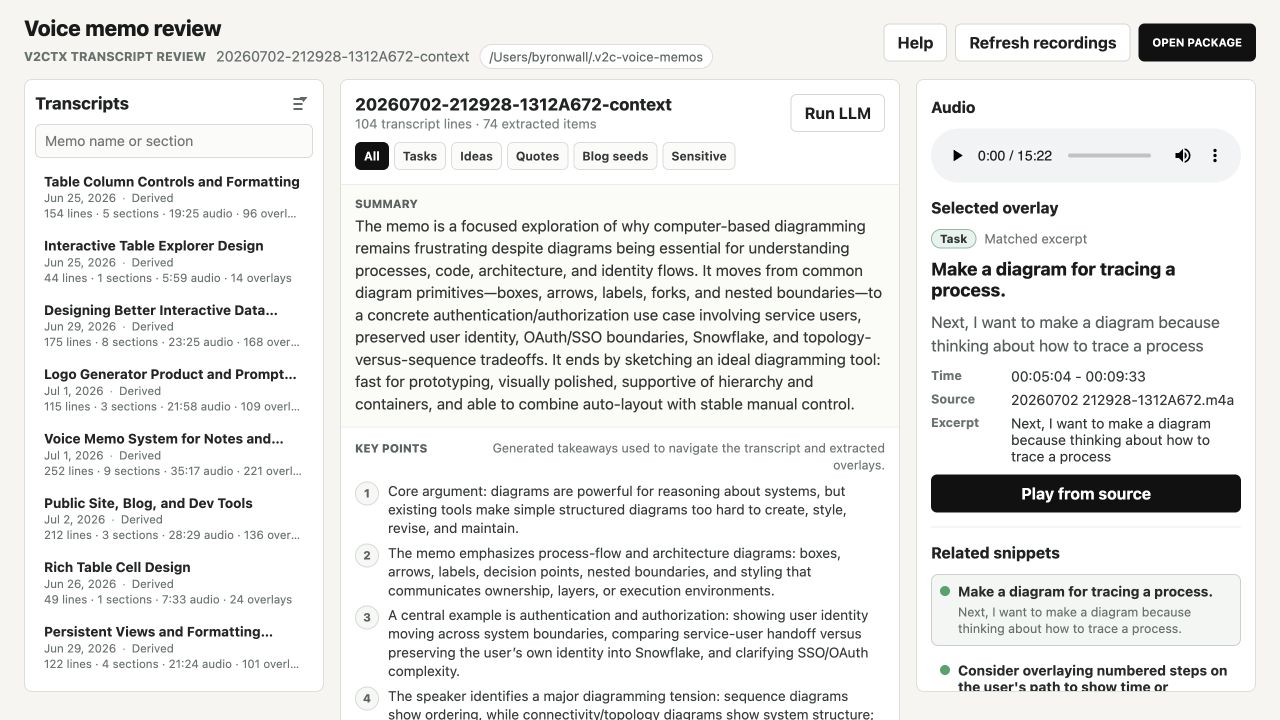
That worked technically, but it made the app feel like it was doing a full page swap. The loaded UI is a three-rail workspace. The loading UI should have been the same three-rail workspace, just waiting for the data inside each rail.
This is the before state:
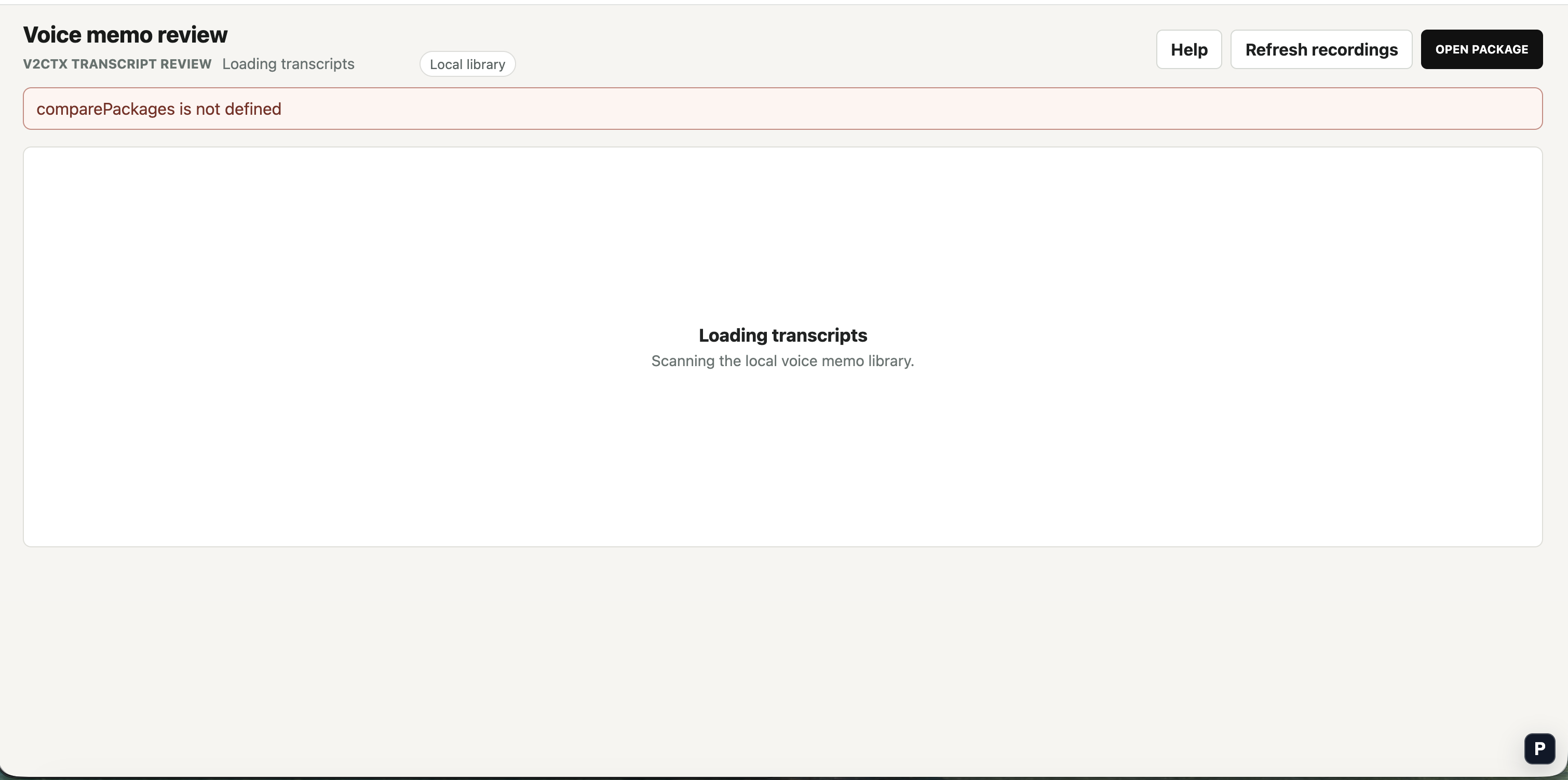
The fix was not to make the spinner prettier. It was to move Suspense down.
The shape of the problem
The page already had a clear final layout:
<section class="transcript-workspace">
  <aside class="memo-list">...</aside>
  <section class="transcript-pane">...</section>
  <aside class="evidence-pane">...</aside>
</section>
But the loading gate lived above that layout:
<Show when={isLoading() && !packages().length}>
  <LoadingState />
</Show>

<Show when={!isLoading() || packages().length}>
  <section class="transcript-workspace">
    ...
  </section>
</Show>
That means the first render and the loaded render were different products. The browser did not get to reserve the left rail, center document, and right rail. It got a large loading rectangle, then a completely different grid.
In Solid terms, this also meant the async concern was owned too high in the tree. The UI did not need to suspend the whole workspace. It only needed to suspend the parts of each rail that read from the initial library resource.
Move the resource read closer to the component
I changed the initial fetch into a resource:
const [initialLibrary] = createResource(fetchVoiceMemoLibrary);Then the page shell renders immediately. Each rail gets its own boundary:
<section class="transcript-workspace" aria-busy={isLoading() && !packages().length}>
  <aside class="memo-list">
    <Suspense fallback={<MemoListSkeleton />}>
      <AwaitResource resource={initialLibrary}>
        <MemoList />
      </AwaitResource>
    </Suspense>
  </aside>

  <section class="transcript-pane">
    <Suspense fallback={<TranscriptPaneSkeleton />}>
      <AwaitResource resource={initialLibrary}>
        <TranscriptPane />
      </AwaitResource>
    </Suspense>
  </section>

  <aside class="evidence-pane">
    <Suspense fallback={<EvidencePaneSkeleton />}>
      <AwaitResource resource={initialLibrary}>
        <EvidencePane />
      </AwaitResource>
    </Suspense>
  </aside>
</section>
The important part is not the helper component. It is where the read happens. A Solid resource only participates in Suspense when something under a boundary reads it. Keeping that read inside the rail boundary lets the rail own its own fallback.
function AwaitResource(props: {
  resource: () => LibraryLoadResult | undefined;
  children: JSX.Element;
}) {
  props.resource();
  return <>{props.children}</>;
}
This is intentionally small. The resource effect still handles applying the loaded library to local signals. The component exists to make the Suspense boundary see the first load.
Skeletons should match the final layout
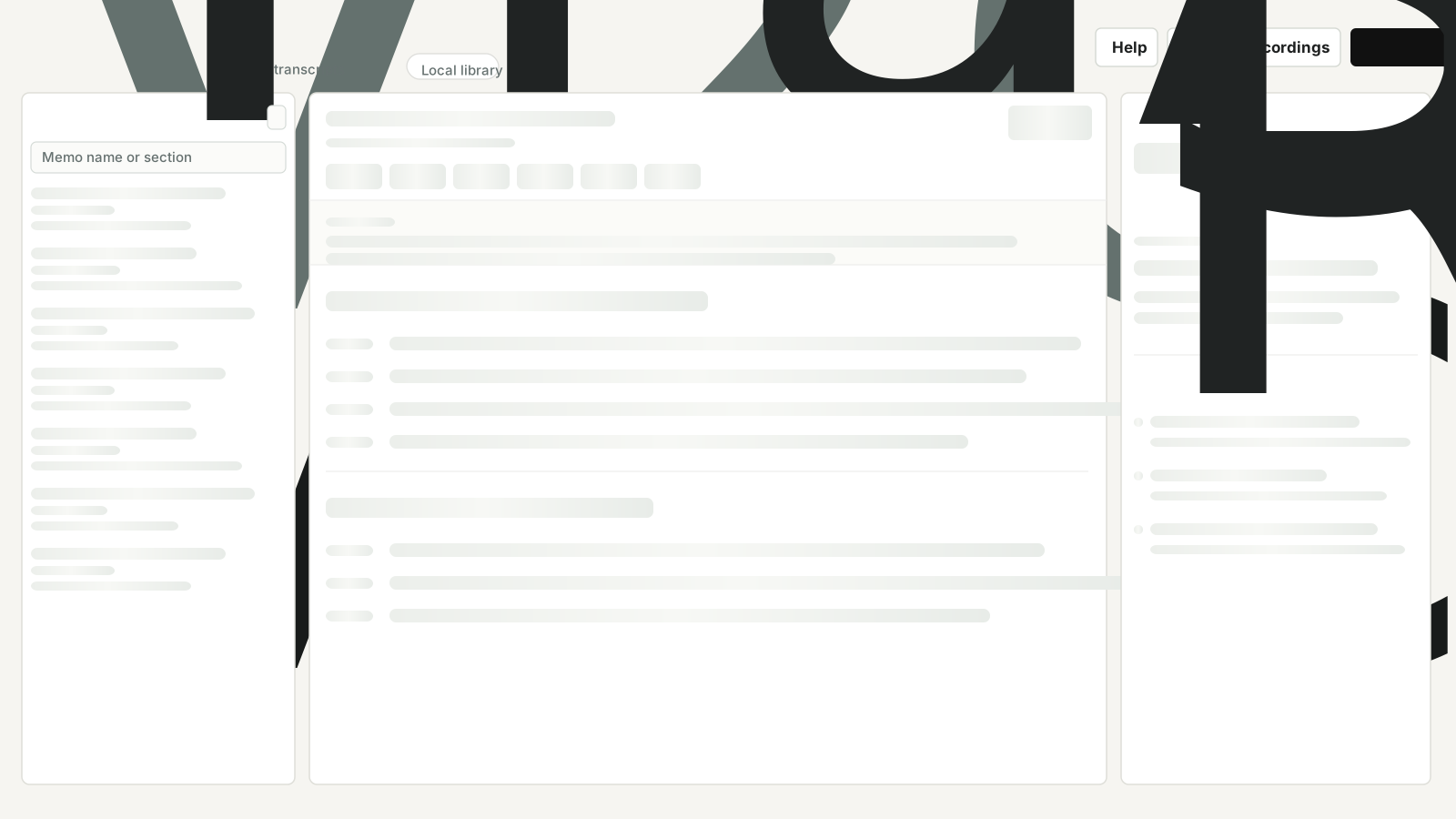
The fallback should not invent a new surface. The memo rail fallback is a stack of memo-card shaped rows. The transcript fallback has a toolbar, filter pills, summary band, section title lines, timestamps, and transcript text lines. The evidence fallback keeps the audio, selected overlay, and related snippets structure.
That makes the final transition much quieter. When real data arrives, the page is replacing placeholders inside known rails rather than adding the rails themselves.
Here is the missing middle state: the workspace is already three columns, but each rail is still waiting on content.
The loaded state now occupies the same workspace the loading state reserved:
Keep refreshes different from first load
There is a useful distinction between first load and later refresh. On first load, there is no content yet, so skeletons are fine. On refresh, the user probably wants to keep reading the current transcript while new data is scanned.
For this UI, the first load uses createResource and local Suspense boundaries. Manual refresh stays as an explicit action that updates the package list after the server responds:
async function refreshVoiceMemoLibrary() {
  setIsRefreshingLibrary(true);
  const response = await fetch("/api/voice-memos/refresh", { method: "POST" });
  const payload = await response.json();
  applyVoiceMemoLibrary(payload.library, {
    preferredPackageName: selectedPackageName(),
    preferredOverlayId: selectedOverlayId(),
    highlightNewPackages: true,
  });
  setIsRefreshingLibrary(false);
}
That avoids turning every refresh into a skeleton event. The first load reserves the workspace. Refreshes preserve the current workspace.
The rule I took away
Top-level Suspense is useful for route transitions and true whole-page loading states. It is a blunt instrument for data that belongs to a specific pane, card, or panel.
My default now is:
- Render the durable layout shell immediately.
- Put a Suspense boundary around the component that actually reads the resource.
- Make the fallback occupy the same geometry as the loaded component.
- Keep stale content visible during refreshes unless there is a reason to clear it.
That last point is the real product improvement. Loading states are not just messages. They are layout promises. The closer the fallback is to the component it replaces, the easier it is to keep that promise.
Related: