A GitHub diff tells you which lines changed. It doesn't tell you whether the codebase got better or worse. Did the PR add a new import from one package into another? Did one file's complexity climb while the rest of the change looked tidy? Is this 40-file PR really one change, or three?
I wanted Srcly to answer that in one glance. Pick two commits, usually the PR's base and head. Srcly scans both and shows them side by side. Two rules mattered from the start:
- Deterministic. The same two commits always produce the same picture, straight from the code and the git diff. No LLM summary standing in for the analysis.
- Focused on the changed files. A 12-file PR in a 2,000-file repo should read like a 12-file PR, not like two full dashboards I have to diff by eye.
Scanning a commit without touching your checkout
The first piece is headless: srcly compare [base] [head]. It checks each commit out with git worktree add --detach into Srcly's cache folder, scans it with the normal pipeline, and removes the worktree in a finally. Scans are cached by SHA. Your branch, status and stash are left alone, and a test checks that.
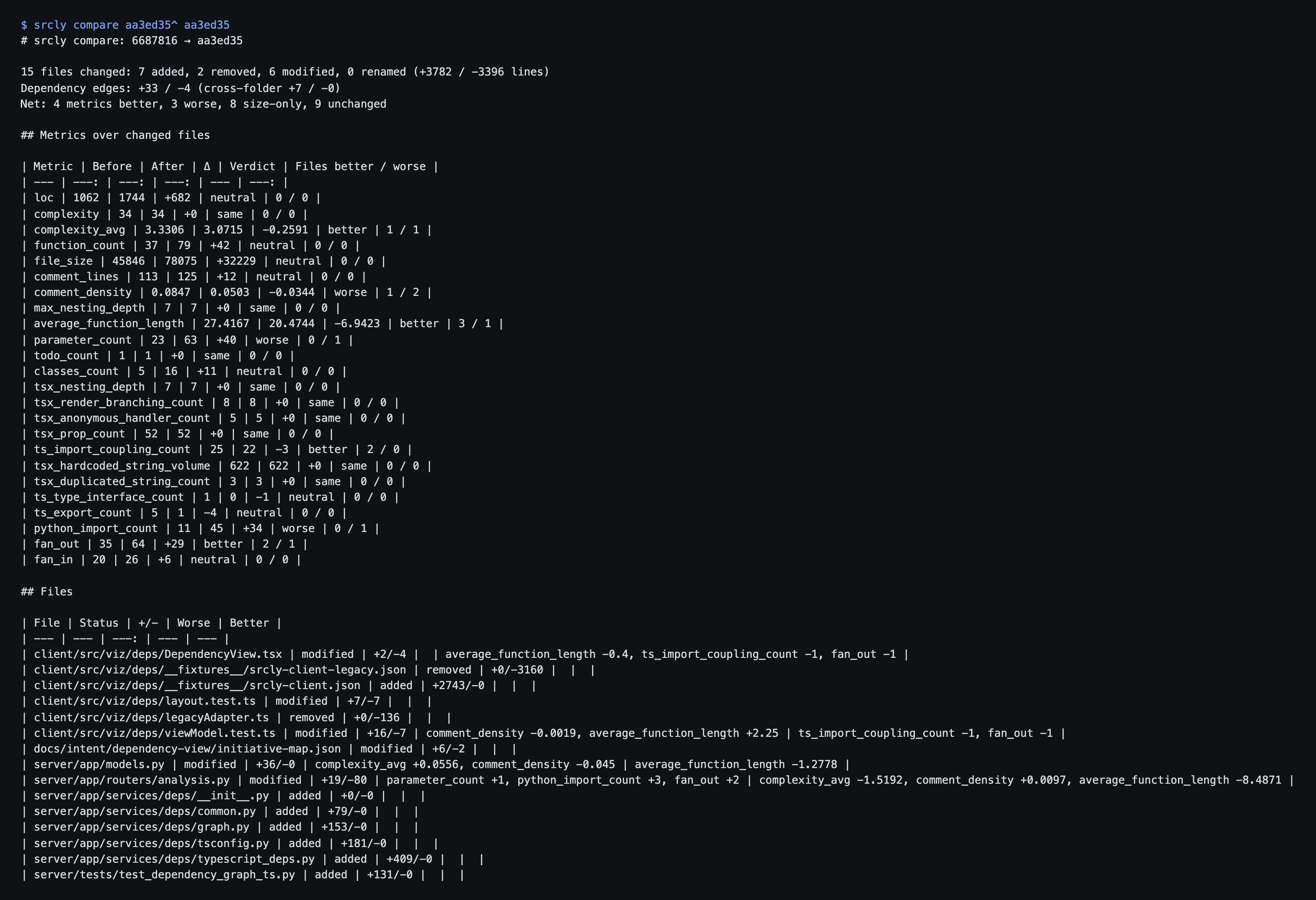
The verdicts take some care. Size metrics like LOC, functions and exports are neutral, since a PR that adds a feature is supposed to grow. Summed metrics are compared only over files that exist on both sides, so adding files doesn't count as "worse". Max metrics use the totals, so a new very complex file does raise complexity.
On a real 15-file commit, scanning both sides took 3.7s cold and 0.5s cached.
The files view
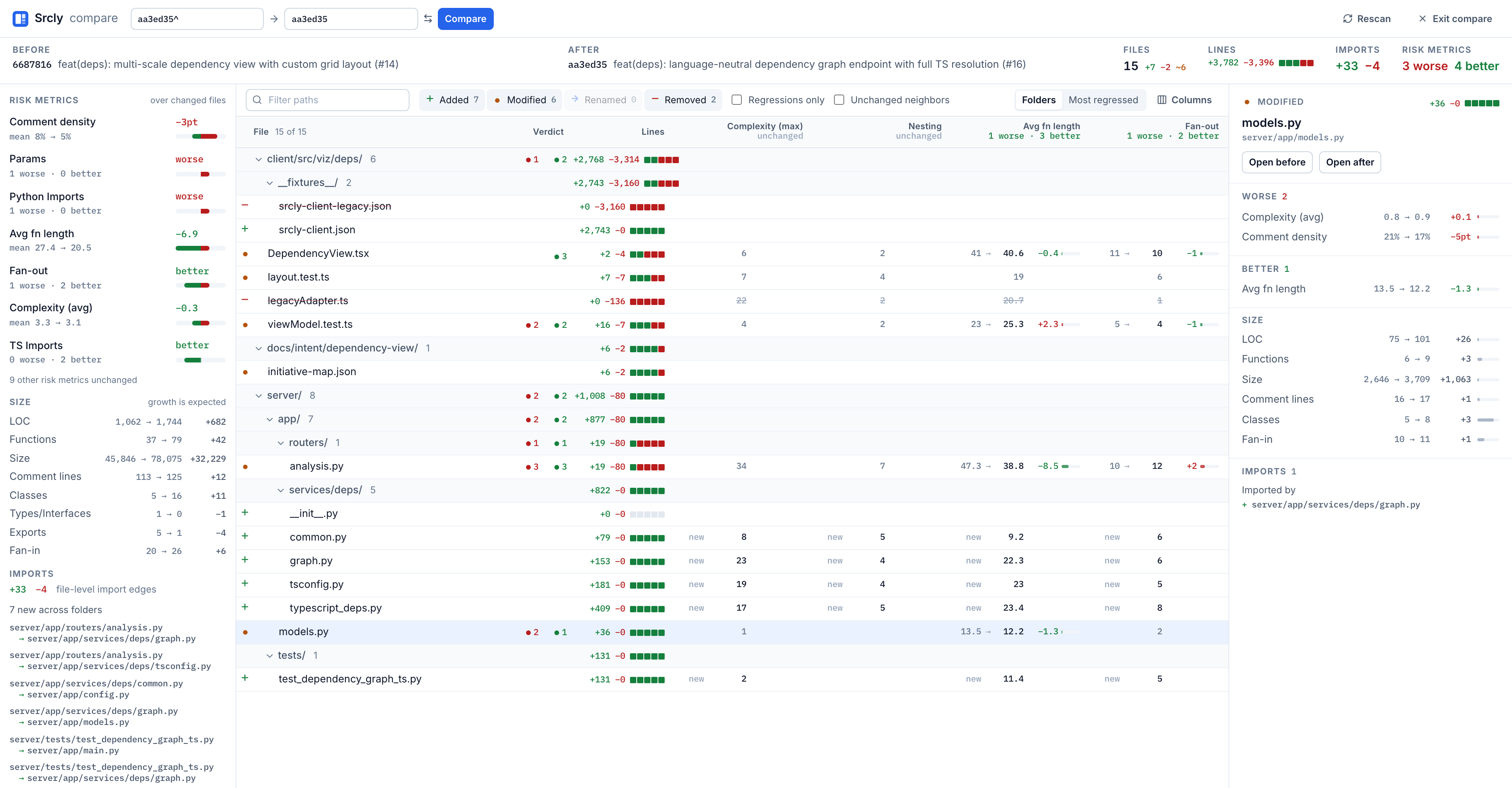
The default view is a table of the changed files, plus a scorecard of every risk metric that moved, worst first. Clicking a metric ranks the table by it. Most regressed with Regressions only turns it into a review queue you can walk with the arrow keys.
One layout, drawn twice
The treemap is the part I care most about, and the decision that makes it work is the layout. The treemap is laid out once, over the union of both commits, and then drawn twice. Every file sits in the same place on both sides, so your eye can jump between panes.
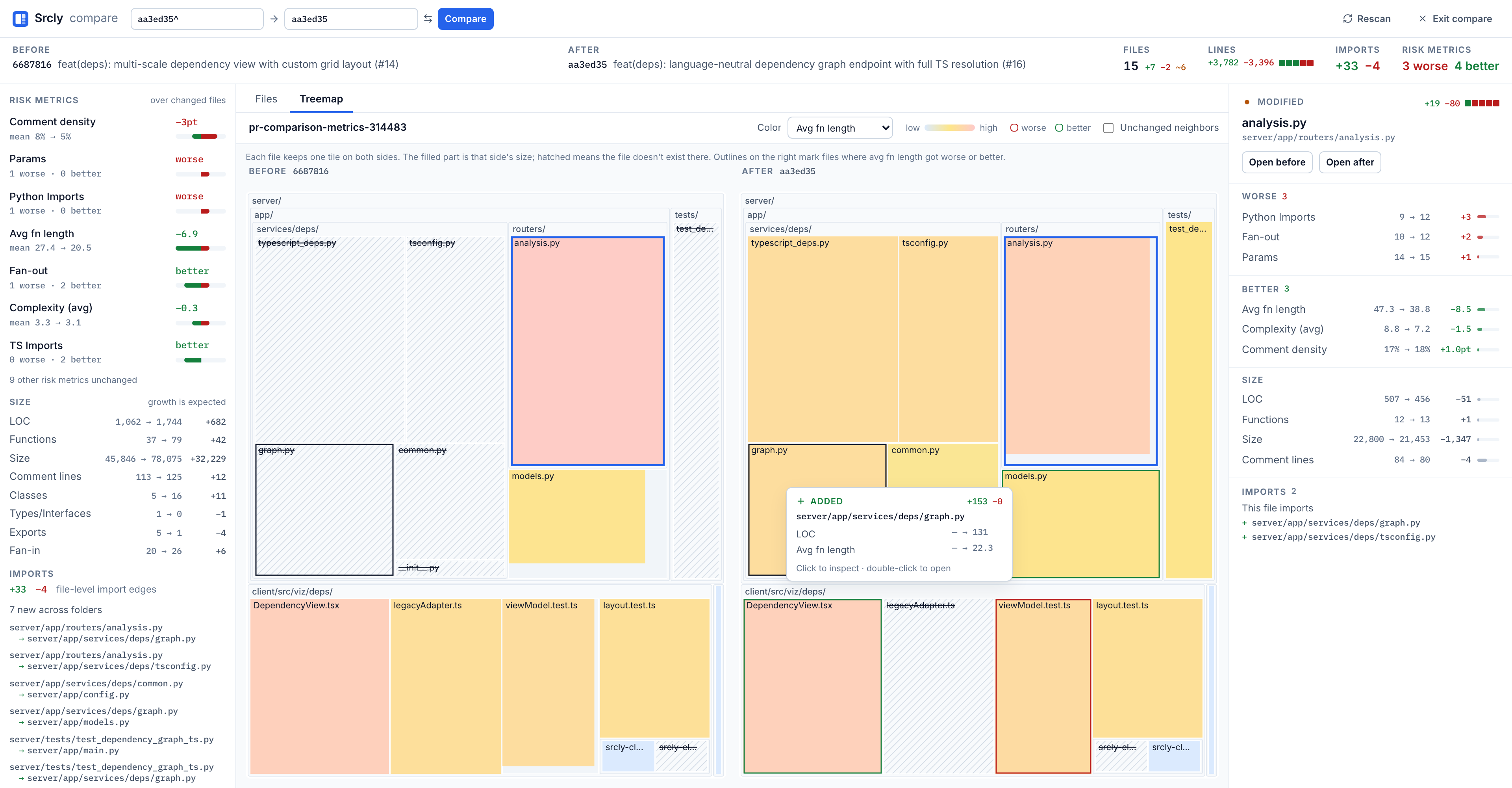
A few choices make it readable:
- Tiles are sized by √max(before LOC, after LOC). The square root keeps a 3-line change visible next to a 3,000-line file.
- Each pane fills a tile to that side's own size, so a file that grew is visibly fuller on the right.
- Added files are hatched on the left. Removed files are hatched on the right, with their names struck through.
The plan had a fallback ready in case PRs that add a lot of files turned into mush. I tested a commit that added 15 files:
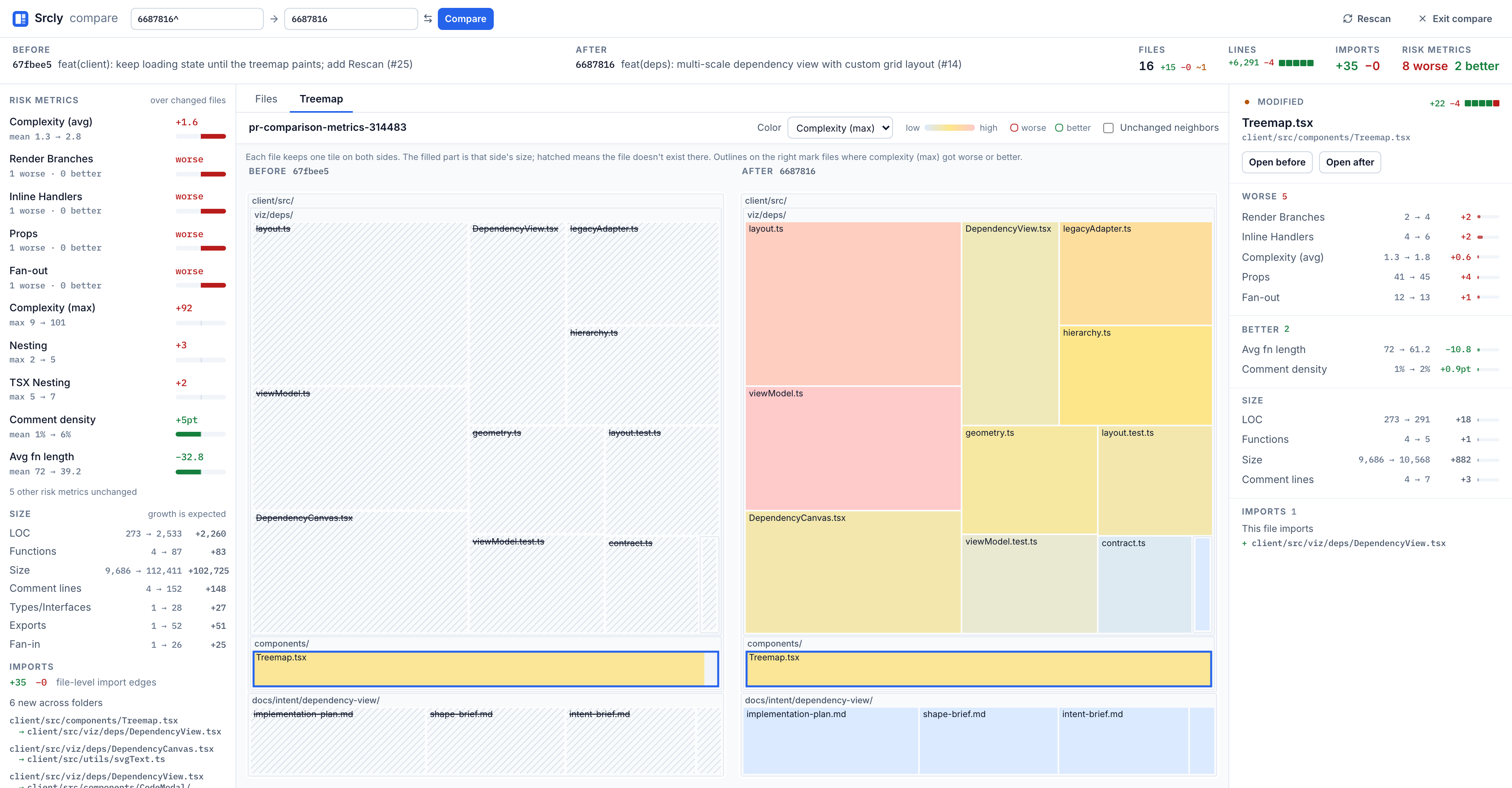
viz/deps".That reads fine. The fallback wasn't needed.
Imports gained and lost
The dependency tab uses the same idea. Changed files go in the center, unchanged importers on the left, and unchanged imports on the right. The layout covers both commits, and each pane draws only what exists on its side. Added imports are green on the after side, and removed imports are red on the before side.
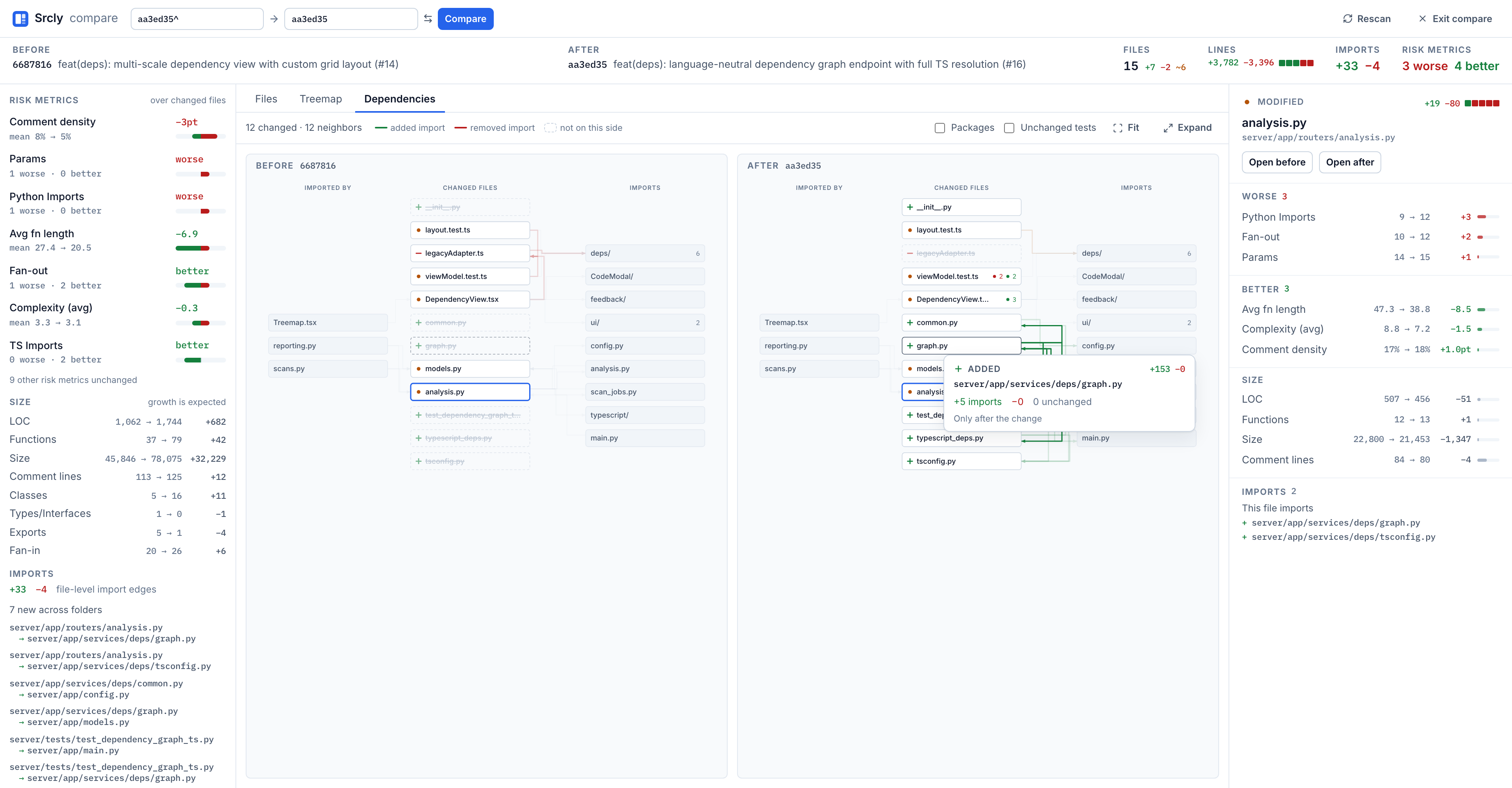
When a widely used file changes, its unchanged importers collapse into a single "used by N files" box. Otherwise one edit to a shared utility would light up the whole graph and bury the actual change.
Picking what to compare
Typing refs gets old. The picker lists open PRs (through gh), worktrees and branches. Picking a stacked PR uses its own base, so you see only its changes, not the whole stack. Picking another worktree compares the files on disk there, including uncommitted and untracked edits. That's useful when other agent sessions are working in their own worktrees. I checked every open PR's file count against gh pr view --json changedFiles, and all of them matched.
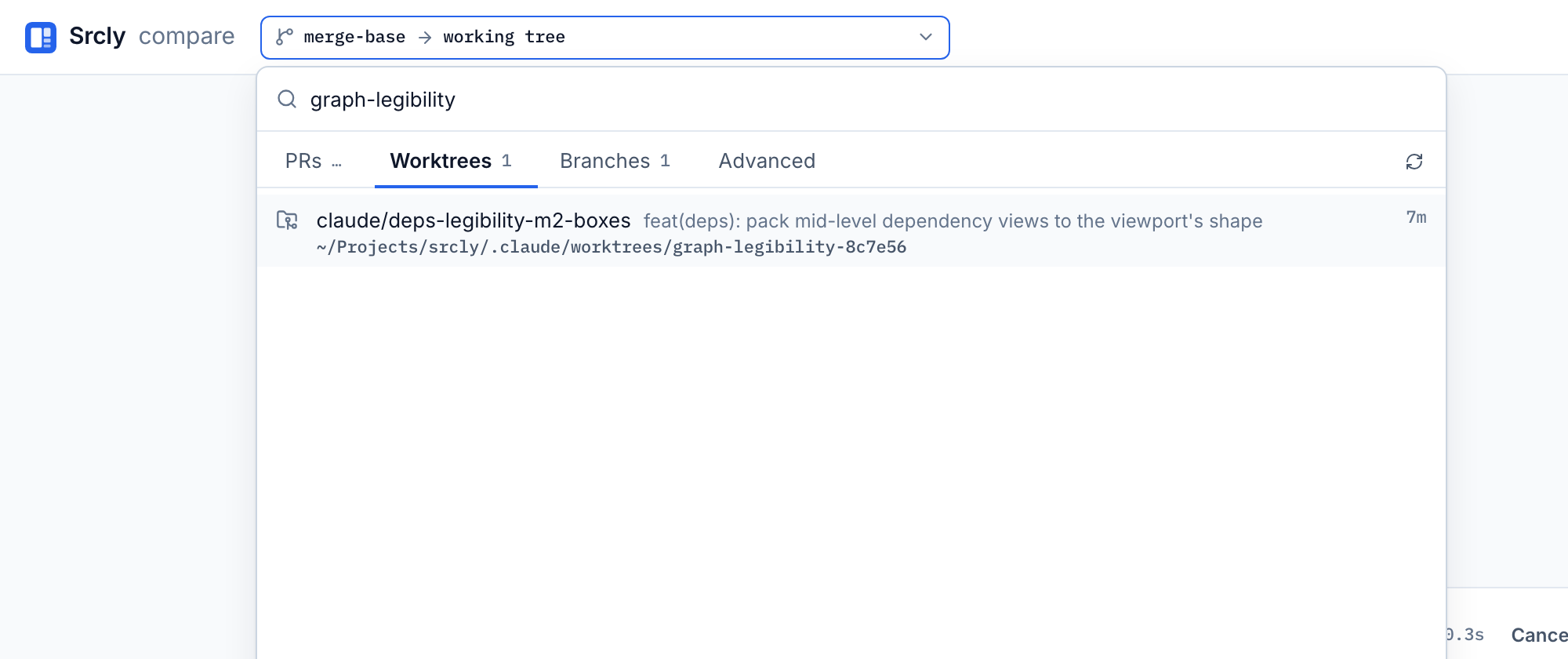
gh isn't installed, the PR tab says so, and worktrees and branches still work.Stepping through a PR one commit at a time
The last piece is a commit strip. Whole PR shows the full range, and [ and ] step through the commits one at a time.
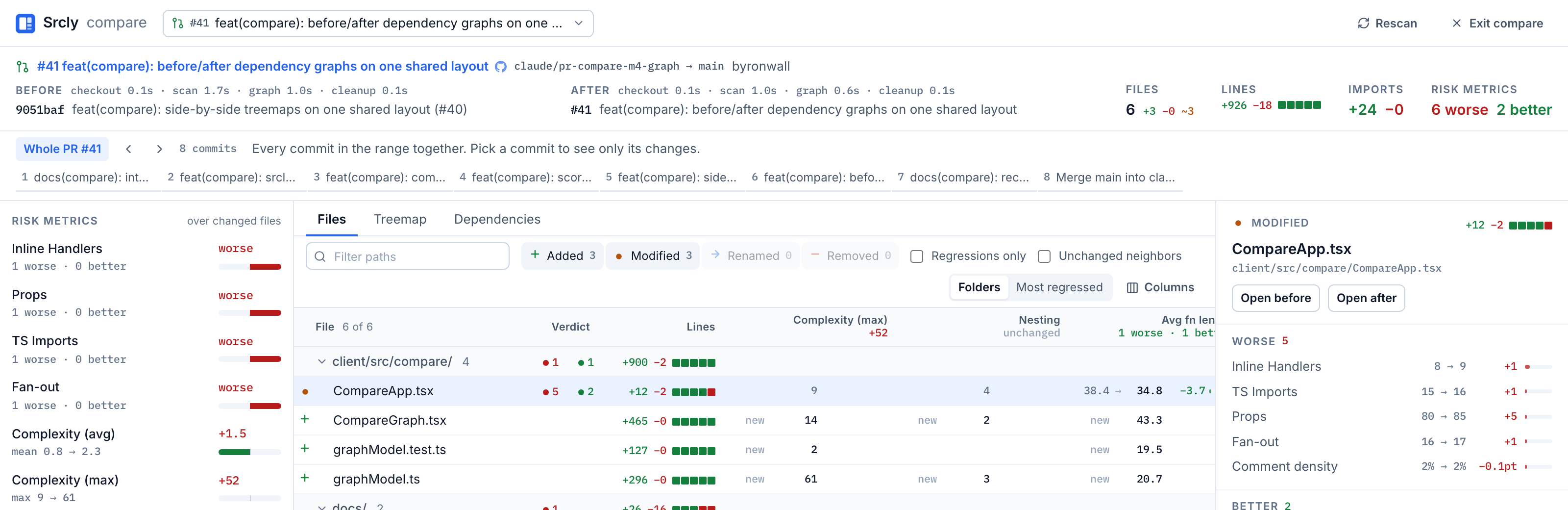
The plan said step i should compare commit i with commit i−1, using the merge-base for the first step. On PR #41 that showed 50 files for step 1. The branch had merged main partway through, so the merge-base was newer than step 1's real parent, and the diff ran backwards across unrelated commits. Comparing each commit with its first parent fixed it. Every step's file count now matches git diff --name-only exactly.
Speed was the other surprise. Running the two sides in parallel was slower in both repos I tried. The sides share one scan process pool, and the dependency graph build is GIL-bound. On explorEDA (about 2,500 files), the graph build, not the scan, was the biggest cost. So sides run one at a time, and Srcly scans the next commit in the background after each step lands. Pressing ] usually lands on a step where both sides are already cached.
What's next
The longer-term question behind this is whether a PR's changes hang together or should be split. My idea is to find islands of changed files that don't connect, and to measure how far an edit ripples through the call chain. The compare mode now has the data for that. It doesn't try to answer it yet.
Source: byronwall/srcly. Run srcly compare from a repo, or click Compare in the app.