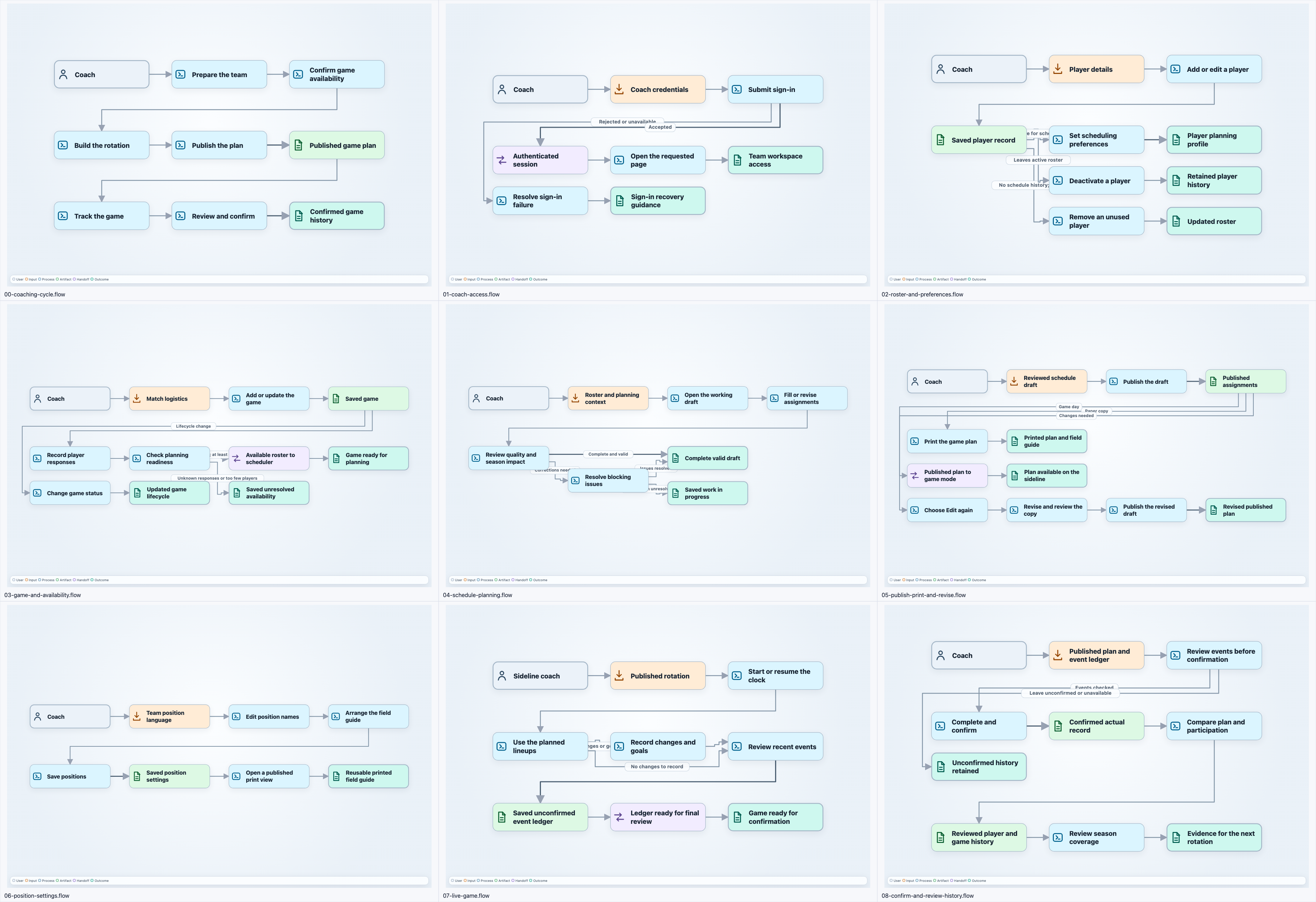
I asked an agent to create nine soccer coaching flows with the Flow CLI and the author-flow-diagrams skill. The first result looked like a good test of whether the tool worked. The more useful question was what the execution evidence could tell me about the tool and the skill.
The earlier post covers why User Flow Workbench has a schema-first model and a small text format. This is the follow-up: what happened when I used that workflow for a real batch of diagrams and then reviewed the run.
The diagrams were valid. That was not enough.
The review found nine structurally valid flow files. The CLI could parse them, check their relationships, and produce the expected graph data. Only one overview image had been checked visually, though. Structural validity had become a stronger signal than the thing I actually wanted to inspect: whether the diagrams were readable and useful.
The execution review also exposed some workflow cost. The discovery output included repeated full reads of the source and specification, totaling about 208,000 characters. Two slow pnpm failures overlapped, at roughly 140 and 131 seconds. A docs-only check that verified the full application took 61 seconds.
Those numbers do not prove a benchmark or a savings claim. They do show where the workflow was spending time. The agent had good instructions, but the instructions did not yet give it a compact path through the repository, a cheap check for documentation-only changes, or a native way to render every flow.
I turned those findings into four work areas:
- the CLI should render flows natively;
- the skill should point to a compact reference and explicit validation commands;
- soccer documentation changes should have a docs-only check gate;
- the reusable authoring workflow should separate structural, source, and visual evidence.
That division mattered. A single large instruction file could describe all of this, but it would not make each check easy to run or easy to review.
Rendering became part of the command
I asked whether there was a way to get a rendering from the CLI. The first contact sheet was an SVG. When I asked for native PNG output, the first PNG sheet was 1080 by 750 and used reduced 1200 by 800 source images. Each tile was only about 315 by 210 pixels, so the nine diagrams were present but blurred and too small to inspect.
I called that out and changed the output instead of treating the contact sheet as good enough. Each PNG tile now preserves the source pixels. The finished sheet is 3720 by 2550, and the CLI supports a scale factor when more detail is useful. The commands are now:
flow check docs/flows
flow render docs/flows --output-dir previews --contact-sheet
PNG is the default. SVG remains available when I explicitly need it. flow check docs/flows runs first, so a rendering does not hide a malformed flow behind a pretty image.
Open the full-resolution contact sheet.
The native path also removed an awkward handoff through an image converter. It still depends on a local Chrome or Chromium installation. A one-off conversion worker hit five Chrome startup aborts under restricted execution; later approved CLI runs succeeded, but I did not prove the exact cause. That is a useful boundary to leave visible.
The skill needed to describe the evidence
The skill had been good at explaining how to author a flow. It needed to be more specific about how to know that the work was complete. I tightened its reference material and added commands that map to distinct evidence. flow check docs/flows tests structural validity. Reviewing the source against the soccer app behavior and supporting repository source tests whether the flows describe the intended work. flow render docs/flows --output-dir previews --contact-sheet produces an image, and inspecting that image tests visual clarity and coverage.
This is a small change in wording, but it changes the task. An agent can now finish a batch with nine valid files and nine rendered artifacts that someone can inspect. The tool executes repeatable checks. The skill guides the process that connects those checks to a decision.
The final package was user-flow-workbench@0.2.0. I published it after 35 tests passed, then verified its npm checksum. That confirms the package and test path. It does not prove that every diagram is visually clear. Some dense edge labels still overlap cards, which is exactly why the rendered artifact belongs in the review loop.
The useful lesson for this project is narrow. When an agent produces a visual artifact, validity is only one part of the result. I need a fast way to inspect the source, a fast way to render the output, and a clear record of which evidence was actually checked. Once those gaps appeared in a real run, they were easier to fix in the CLI and the skill than to explain away in another prompt.