The old landing page at exploreda.dev asked you for data before it showed you anything. The first screen offered a CSV import and a saved-analysis JSON, and the example dashboards sat below that.
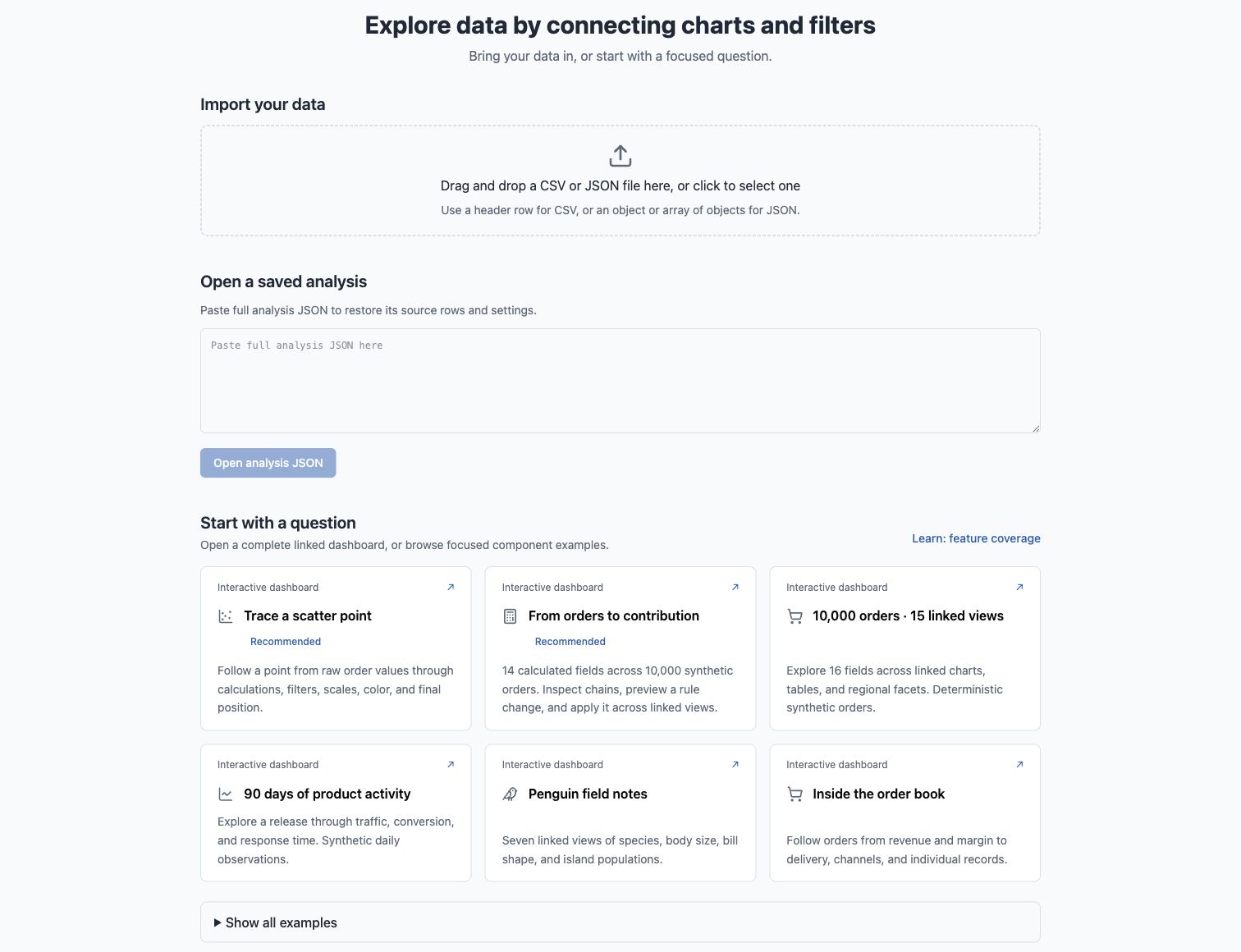
That works for someone who already uses the tool and has a file ready. It does very little for a developer who wants to know what the package is and whether it belongs in their app. That person has no file to import. They need to see the workspace running and then see the code that produces it.
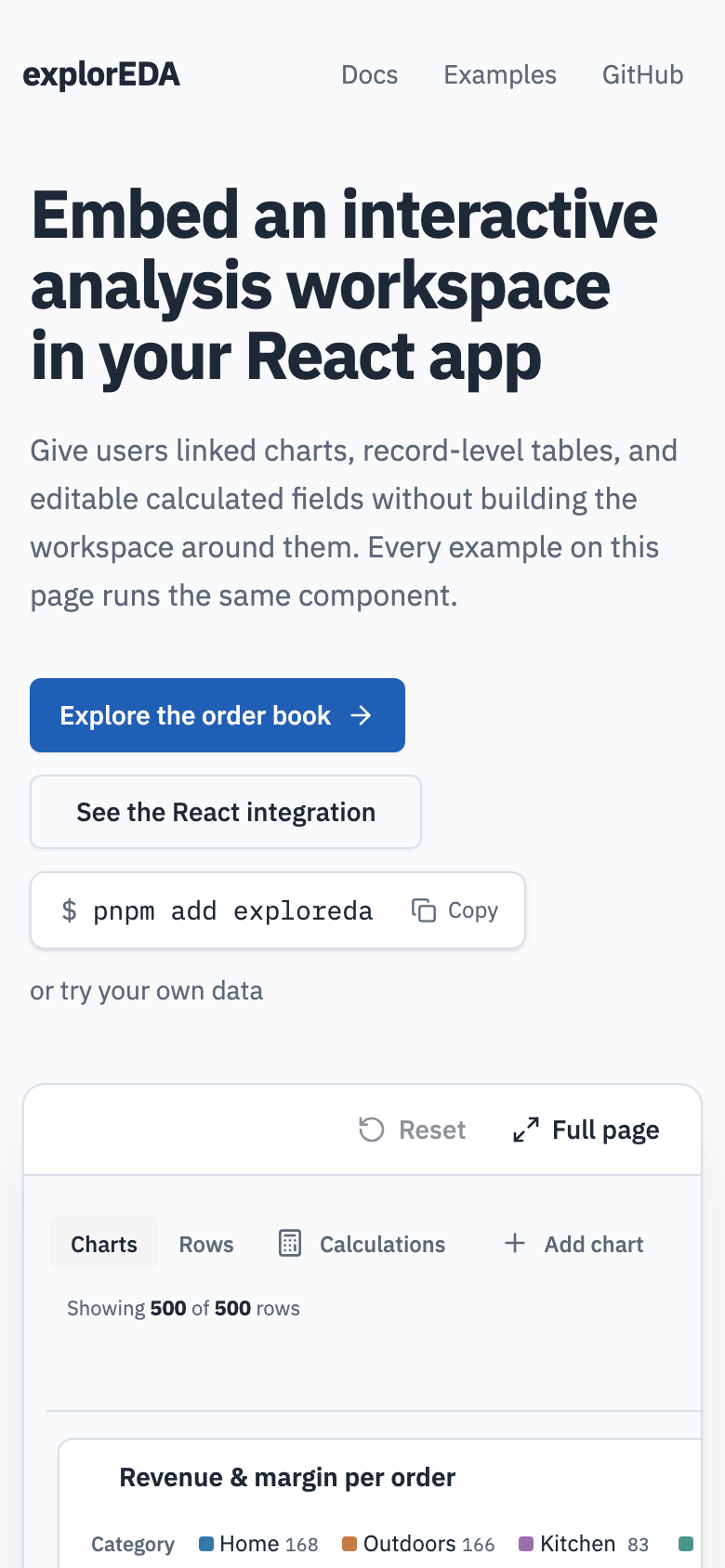
After
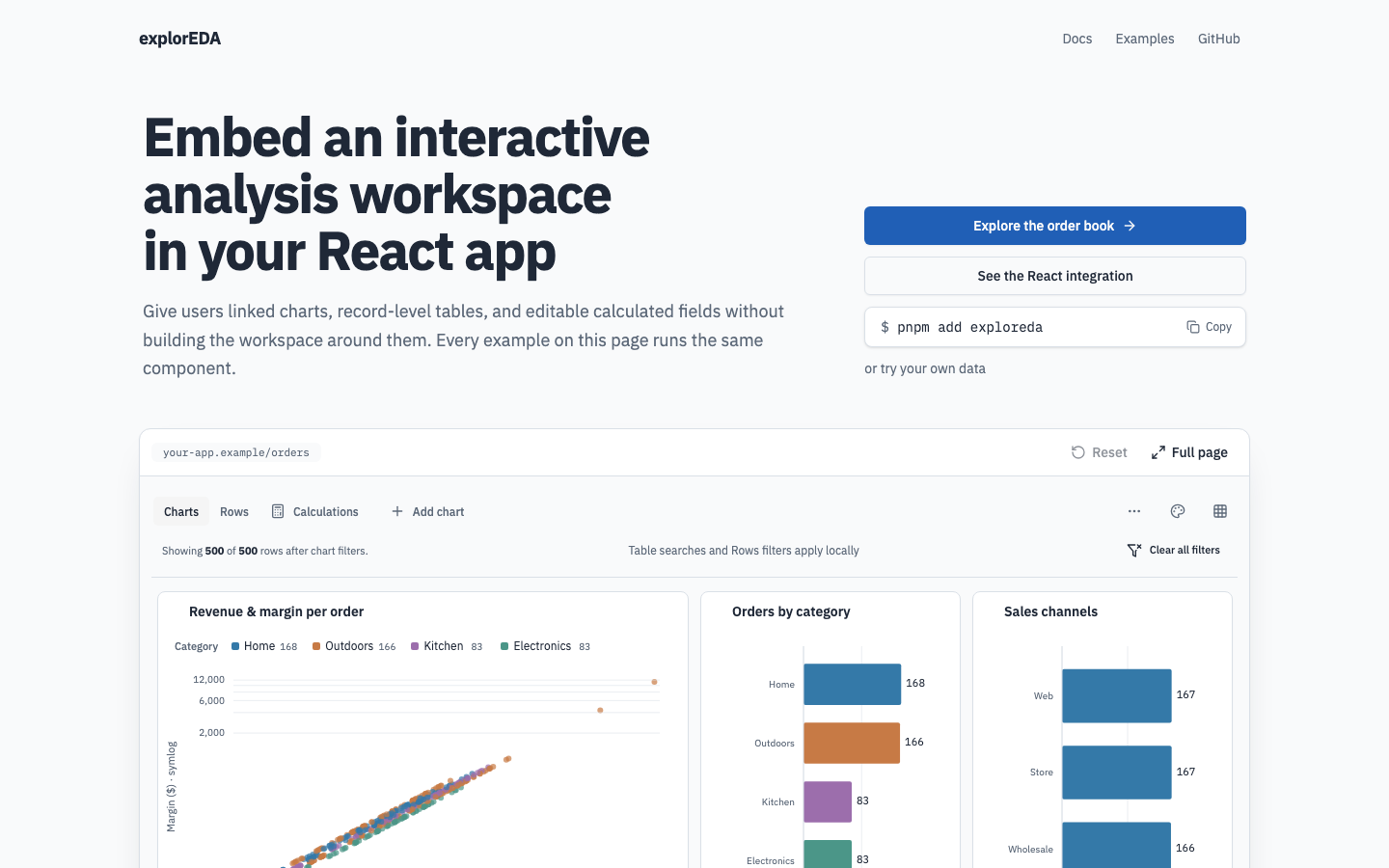
The new page reads like a library site. The headline says what the package is, the calls to action sit beside it, and the order book example runs live right under the hero. It is the real workspace in a bounded frame, not a screenshot. Click Web in the sales channel chart and the other views filter from 500 rows to 167. Reset puts it back.
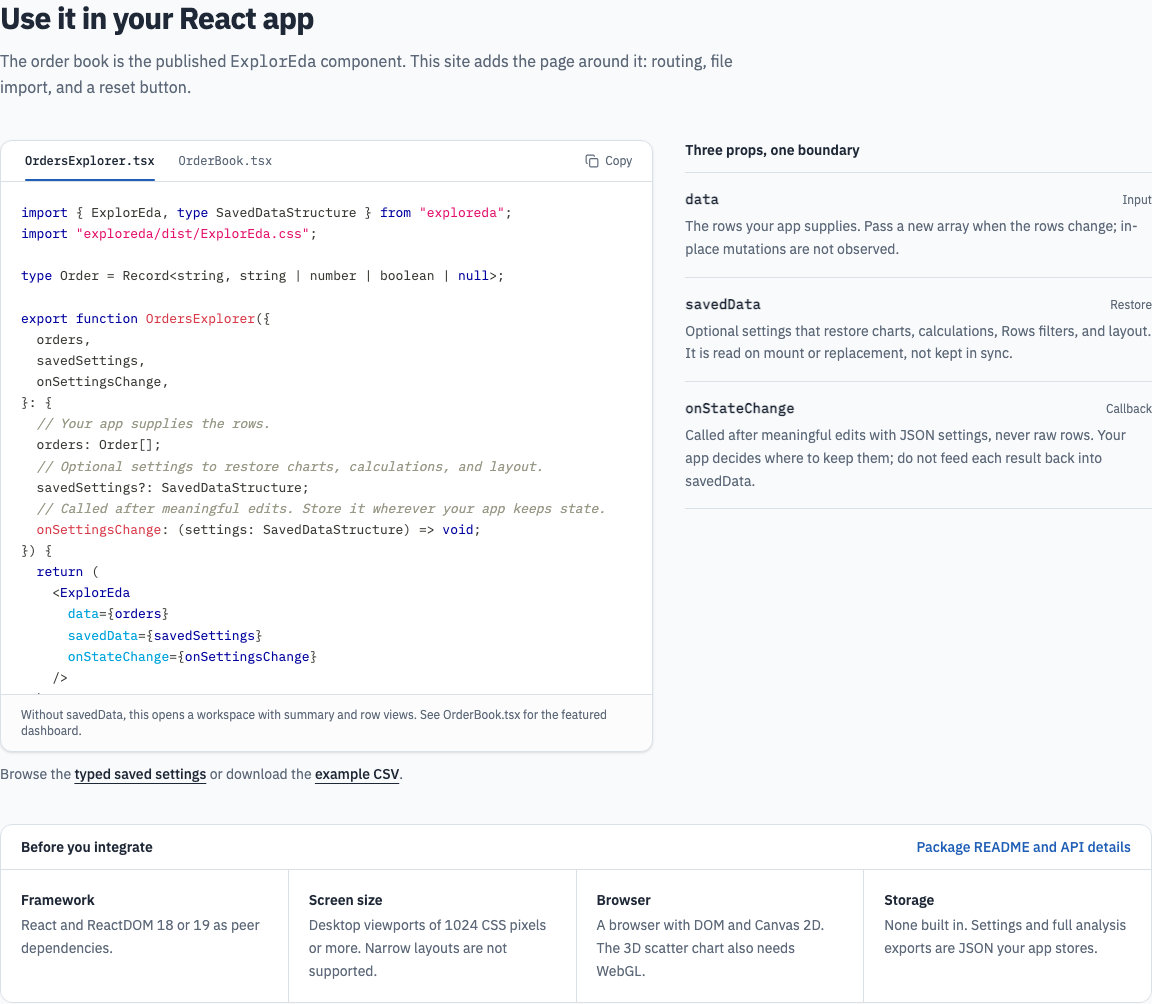
Below the example is the React integration. The code panel shows real files from the repo, imported with ?raw, so the snippet has to typecheck against the current API. Beside it are the three props that make up the host boundary: data, savedData, and onStateChange. A "Before you integrate" grid lists the peer dependencies, the screen size limit, browser requirements, and the fact that there is no built-in storage.
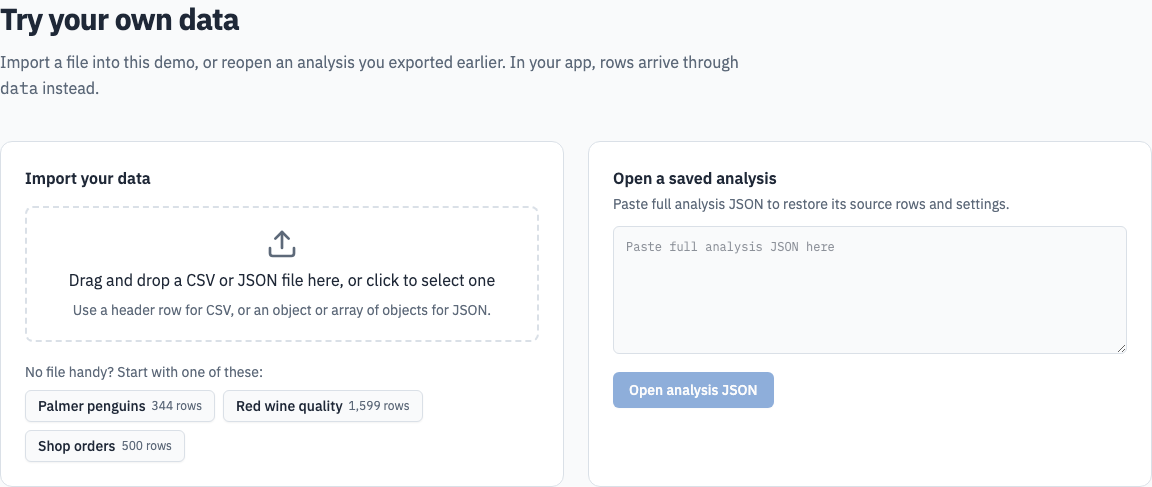
Importing your own data is still there, near the bottom. It has three sample datasets alongside the CSV upload and restore. You can also drop a CSV or JSON file anywhere on the page, and it opens straight into the workspace.
At phone width, the hero stacks and the live frame scrolls inside itself. The workspace still needs a desktop viewport of at least 1024 px, and the integration section states that limit.
How it got built
All of this came out of one Claude Code project on the web, pointed at the explorEDA repo. A project holds several threads. Each thread runs in the cloud on its own claude/... branch and opens its own pull request, and the pull request links back to the thread that requested it.
The landing page was not the first step. The intent, shape, and implementation plan already existed in docs/intent/developer-adoption-page/ from an earlier planning pass. The landing thread had a written plan to implement, including constraints like "the demonstration instruction must match a tested gesture in the live workspace."
That evening, several threads ran side by side in the same project:
- Facet controls (#26). This thread made the facet focus controls smaller and added a facet picker.
- Landing page (#27). This thread did the work described above.
- Impeccable skill (#28). The Impeccable UI design skill only existed on my Mac, so cloud threads could not use it. This thread copied it into
.claude/skills/so that every thread on the repo gets it. - Summary table (#29). This one gets its own post.
The landing thread went through several rounds of visual feedback, and the commit history shows them. The first pass led with the featured example. Then came a library-site visual pass, and then the order book running live in the hero instead of a picture of it. An npm release caveat came off the page and went into a ticket. The row chart legend came out because the bars already carried the labels. After the Impeccable skill landed on main, the landing thread merged it in and ran a polish pass with it. Then came drag-and-drop anywhere on the page, a hero split into headline and action columns, and a README rewrite to match.
The domain work happened in parallel too, just not in Claude. A Codex desktop agent connected exploreda.dev and moved the demo from /explorEDA/ to the domain root. That landed on main while the landing thread was still open. The landing thread merged main and fixed its own asset paths for the new root before its pull request merged.
The four Claude pull requests merged between about 10:30 and 11:40 PM.
What made the parallel threads work
The threads rarely stepped on each other because each one owned a distinct slice: facets, landing page, a skill, the summary table. When something a thread depended on landed, that thread merged main. That is how the skill and the domain change reached the landing thread without anyone copying files around.
The pull requests are also easy to review after the fact. Each one opens with a before and after, then how it was built, then what was checked. For the landing page, that means pnpm check, three viewport widths (1280, 783, and 390 px), a filter from 500 rows to 167, and no page errors. Those are things you can go and check yourself, not just a thread reporting that it finished.