A lot of my screen recordings are the same shape: I scroll through a web page, a docs site or my own app, and talk about what I see. A video player handles that badly. The page I scrolled past is gone unless I scrub back to find it. I can't see how much I passed through, where things changed, or what I said while I was looking at a particular section.
The idea I wanted to see through was to convert time into space. If I scroll down a page, render the whole page top to bottom as one image. If the page changes, put the new state to the right. Then let interaction recover time: point at any part of that image and get the moment in the video that produced it, along with what I was saying.
Context Recorder, my screen recorder for reviewing apps, now does the first real piece of that.
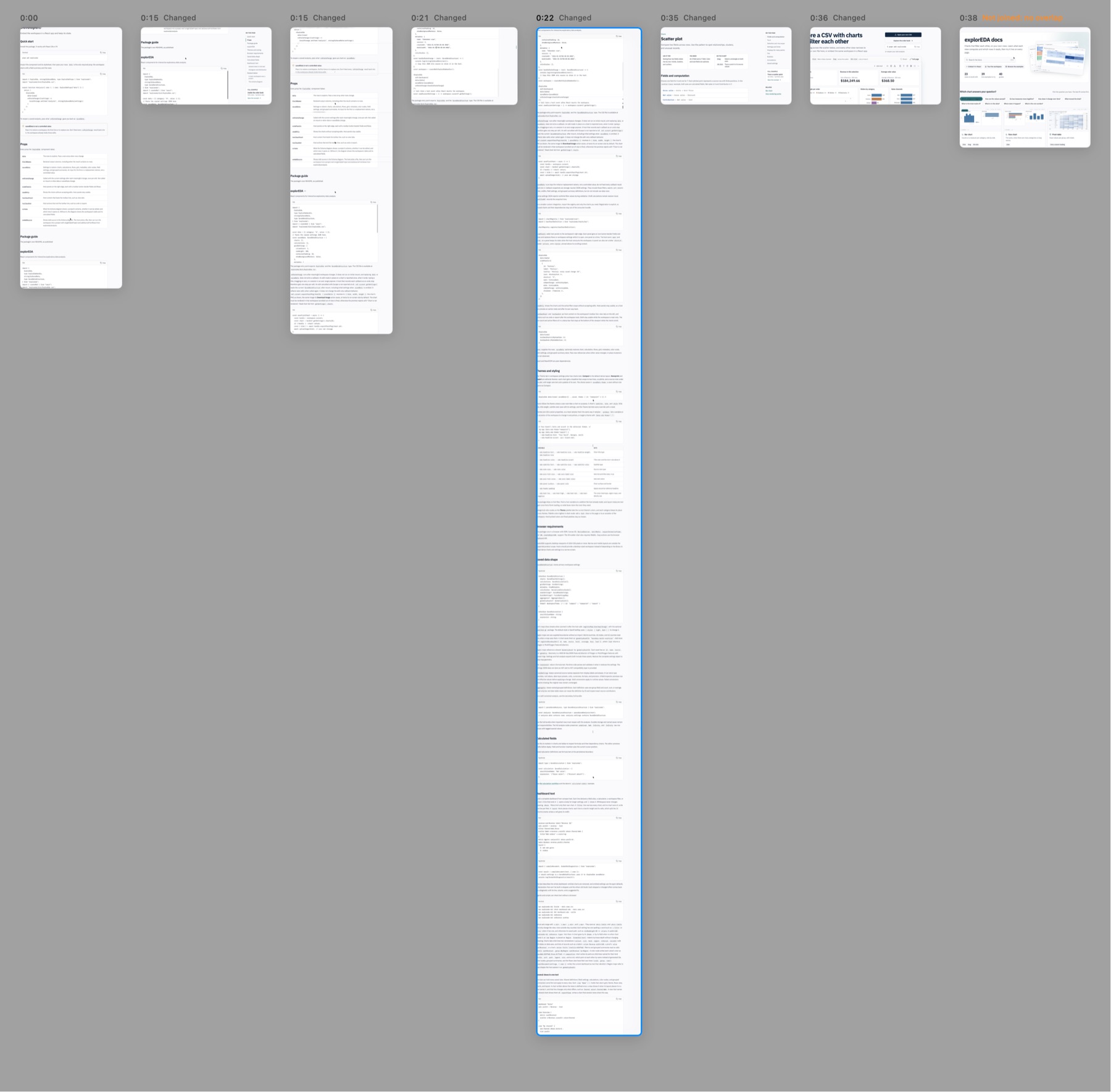
That is a 97-second walkthrough of the explorEDA docs. Most items are cards, one per settled screen. The highlighted one at 0:22 is different. I scrolled a long way down a docs page, and the canvas joined those frames into one column 8,867 pixels tall. It is a coherent picture of a page that was never on screen all at once.
Truthful pixels
The rule I cared about most was that the canvas can't make things up. Every pixel comes from a real frame at a known time. Areas that were never observed stay empty, and a composite never pretends to be a single instant.
So the joiner refuses a lot. When it can't verify a join, it shows a card with a reason instead of guessing:
- no-overlap: I jumped further than one screen, so there is nothing to line up.
- ambiguous: repeated rows or blank space could match in more than one place.
- change: the content changed while it was lined up, so it is a new state, not more of the same page.
A mouse pointer moving over a still page is ignored. A fixed header or footer is kept out of matching, so the header shows once at the top of a column instead of repeating every screen. A sticky sidebar inside the content box is detected and cropped off.
Picking the matcher
To find scroll offsets, the agent compared three engines on 295 frame pairs with known answers:
| Engine | Exact (≤ 1 px) | Worst miss | Time per pair |
|---|---|---|---|
| Row profile (Swift, in-app) | 100% | 0 px | 3.9 ms |
| Apple Vision | 99.7% | 416 px | 6.0 ms |
| OpenCV phase correlation | 100% | 0 px | 25 ms |
The simple one won. The row-profile estimator is a small piece of Swift inside the app. It was exact on every pair, it was the fastest, and it needs no dependency. OpenCV matched it on accuracy but meant a 50 MB Python wheel. Every join the estimator proposes still has to pass an independent pixel check, which allows for sub-pixel error because recordings are scaled down from Retina.
The test clips are synthetic. A generated page scrolls inside a fixed box, and a barcode under the box encodes the frame number. Every seek can then be checked against the exact frame it should show, and every column row against the page row it should contain.
Getting back to the video
Rows in one column come from different moments, so hovering a column shows a time badge for the row under the pointer. The transcript and the timeline strip follow that time. Clicking jumps the video to that exact frame.
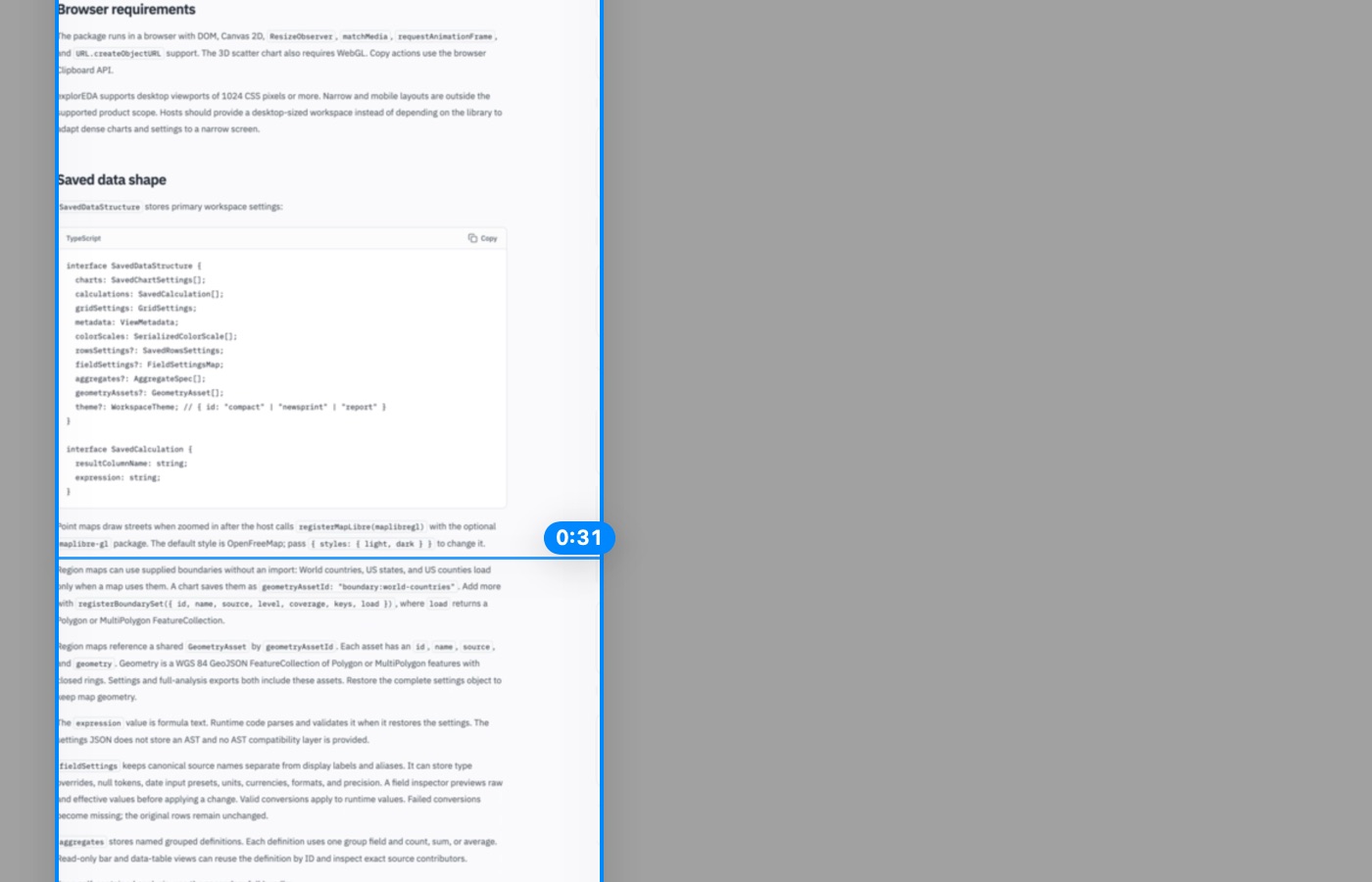
The canvas also feeds the review notes the app already had. M adds a review mark at the moment under the pointer. Dragging a region over a column captures a screenshot from the single frame that supplied the middle of the selection, clipped to what that frame actually showed. A mark never mixes moments, even if the selection does.
Before any stitching, the first milestone was just a storyboard: one card per settled state. That is still the fallback whenever a join can't be verified.

What it doesn't prove yet
Four milestones are built and merged. The 97-second walkthrough builds in 4.7 seconds, and a 224-second session in about 5. The synthetic checks all pass. But nobody has clicked through Canvas mode with a real mouse. The agent's shell had no Screen Recording permission, so hover and click were tested through dev hooks that call the same code paths. The screenshots here are offscreen renders, not window captures.
The bigger question is still open: does this actually beat scrubbing on my own recordings? That was always the bar. If stitching doesn't earn its place, the storyboard alone is enough.
The next plan starts with detecting the content pane automatically, so I don't have to drag a box around it for every session. After that come continuous scrolling with edits and overlays kept in place, then pages that know when I came back to them. The return arrows and narration-on-canvas from the original idea are still ahead.
Source: byronwall/context-recorder