I want to make diagrams with an agent. The agent is good at writing the first version: the boxes, the groups, the connections. I am better at looking at the result and saying "move that over there." Most tools make you pick one of those modes. Either the agent writes Mermaid and you live with the layout, or you drag things around in a canvas the agent can't read.
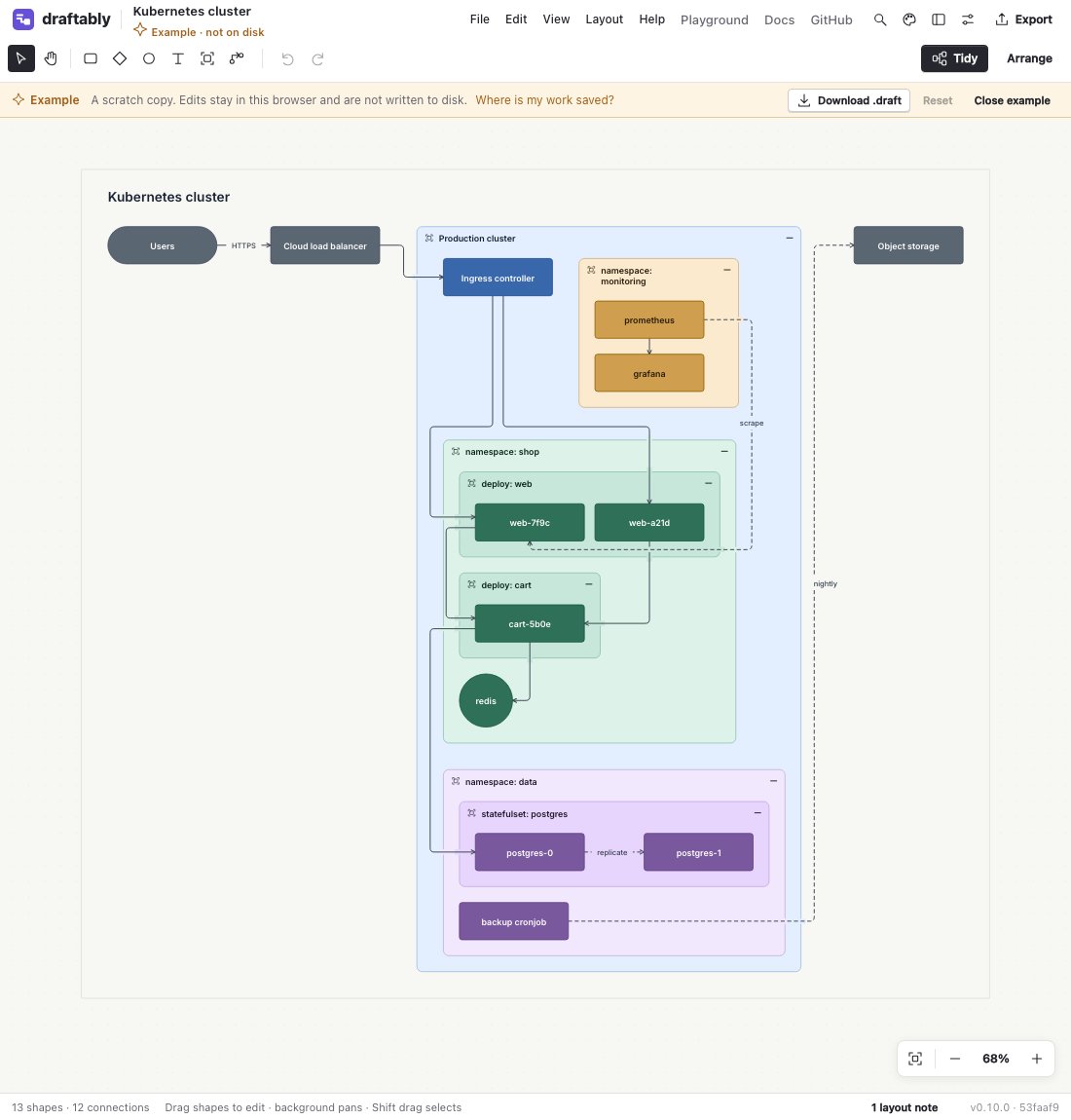
Diagram Studio was the second kind. It ran entirely in the browser and saved to browser storage, which is fine when I'm the only one drawing. An agent can't reach into my browser's storage, though.
What I wanted was one local file that both of us edit. The agent writes the diagram. I open it, get a good automatic layout, and drag a few things where they belong. The agent adds a node later, and my arrangement mostly holds. There is no export-and-import step anywhere in that loop.
That is now Draftably, and it is on npm:
pnpm dlx draftably open checkout.draft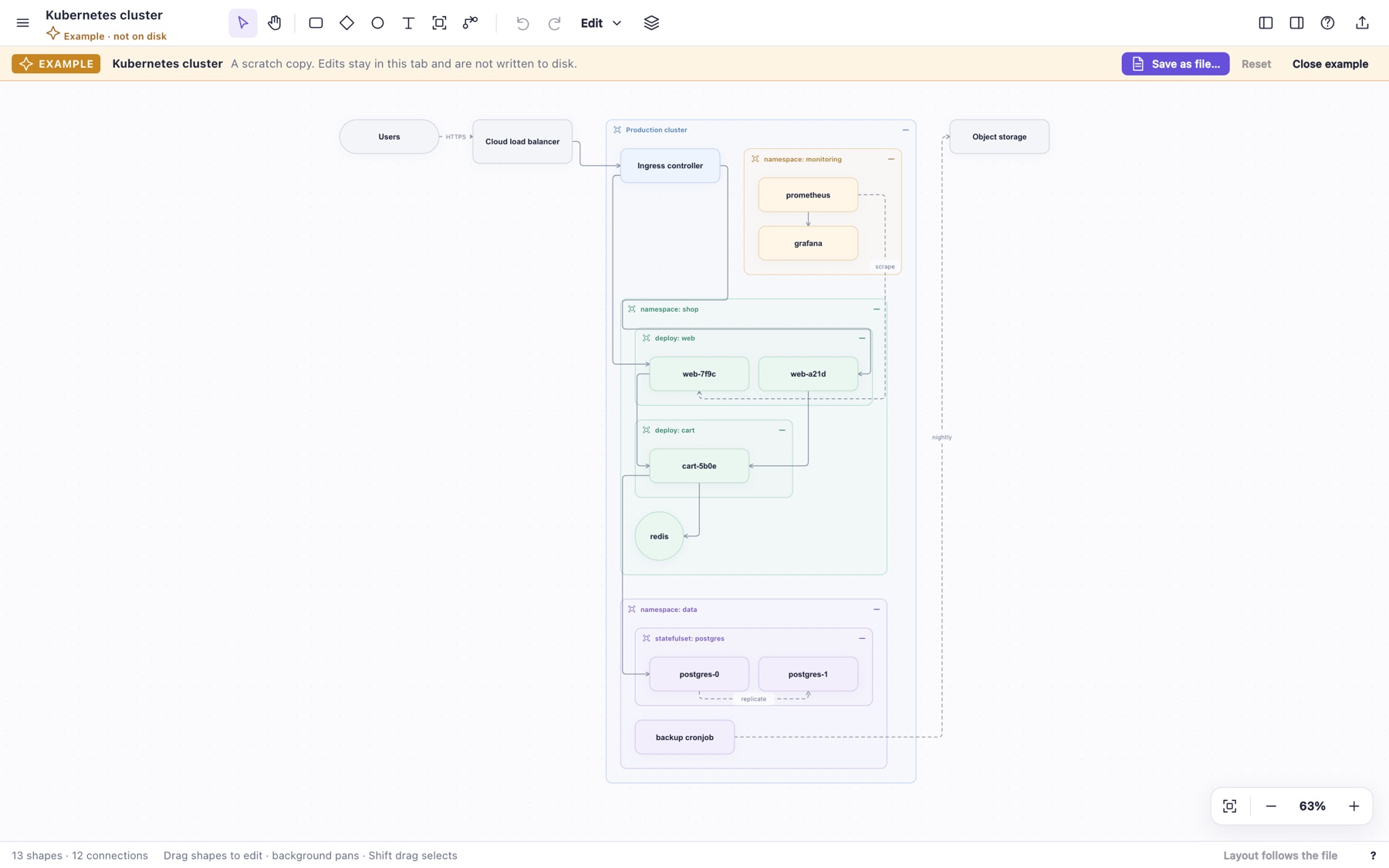
Starting from a sandbox blob
Diagram Studio started as output from a GPT Pro thread. It worked, but it was built in an odd sandboxed way: a thin SolidJS shell around about 8,500 lines of minified-style JavaScript. The interface was built as HTML strings, the whole scene re-rendered on every mouse move, and files shared global variables named D and S. The stylesheet was 3,250 lines that redefined the same selectors several times.
Nothing useful could be built on that. So the first step was making it a normal front-end app: plain typed model code with no DOM in it, Solid stores per concern, JSX components, one set of design tokens. The line count actually went up, to about 12,000, almost all of it types and JSX on separate lines. That was fine. The point was code an agent and I could both change without guessing.
The file
The same GPT Pro thread had sketched a diagram language. I pulled that in, ran it through intent and shaping, and kept the target narrow: open a file, watch it for agent edits, save viewer edits back, never lose source content.
Here is a file after an agent wrote the start of it and I made some changes in the viewer:
diagram "Agent handoff - Checkout" version=1

# Agent-authored starting model. Keep this comment during visual edits.
group platform "Commerce platform" color=mint
node web "Web app"
node api "API gateway" in=platform
node orders "Order service" in=platform
node db "Postgres" color=violet
node next-step "Payments" in=platform shape=pill
edge request web -> api "HTTPS"
edge create api -> orders "create order"
edge persist orders -> db "persist" kind=async
edge orders-next-step orders -> next-step
layout root flow gap=48
layout platform row gap=32

# Layout refinements
near next-step api side=below gap=24 offset=412
stay platform x=212 y=0
near orders api side=right gap=99
The top half is meaning: nodes, groups, edges, a layout rule. The file never holds a picture of the finished layout. The same file always compiles to the same geometry, and draftably inspect --json is byte-identical across runs. An agent can check its own work with draftably check and inspect --svg without opening a browser. The CLI and the viewer share one router, so they agree.
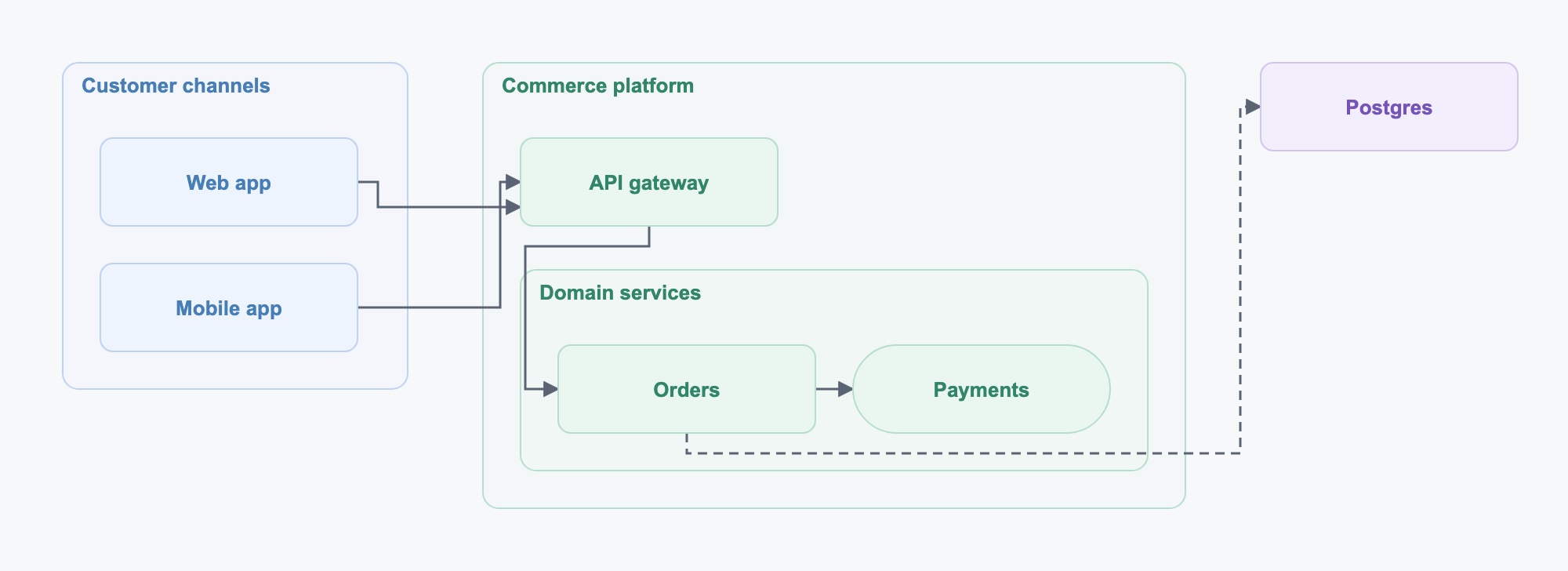
The bottom half is what my drags turned into, and that's where most of the design went. A drag shouldn't become a permanent absolute coordinate, because then the next change can't move anything. Dragging Payments under the gateway wrote near next-step api side=below, a placement relative to another node. near and stay are soft and give way to keep siblings from overlapping. pin is hard and deliberate. Positions are relative to the parent group, so moving a group moves everything inside it. If the agent adds three more nodes later, Payments still sits under the gateway instead of getting stranded at a stale x/y.
The agent's comment survived my edits, and so did its IDs. The viewer formats the file on save, so agent-written and viewer-written files look the same.
The loop
draftably open serves the editor and watches the file. When the agent edits the file, the drawing updates. When I edit in the viewer, the change saves to the file.
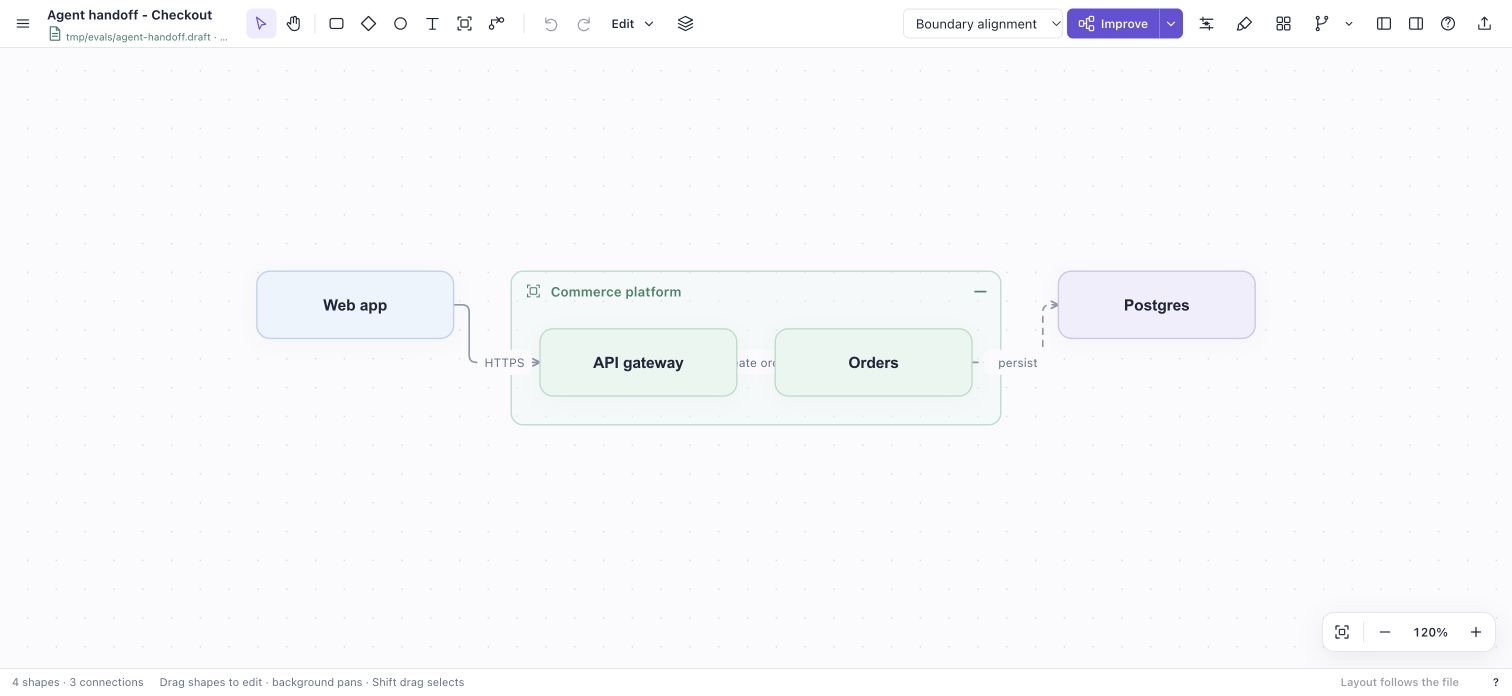
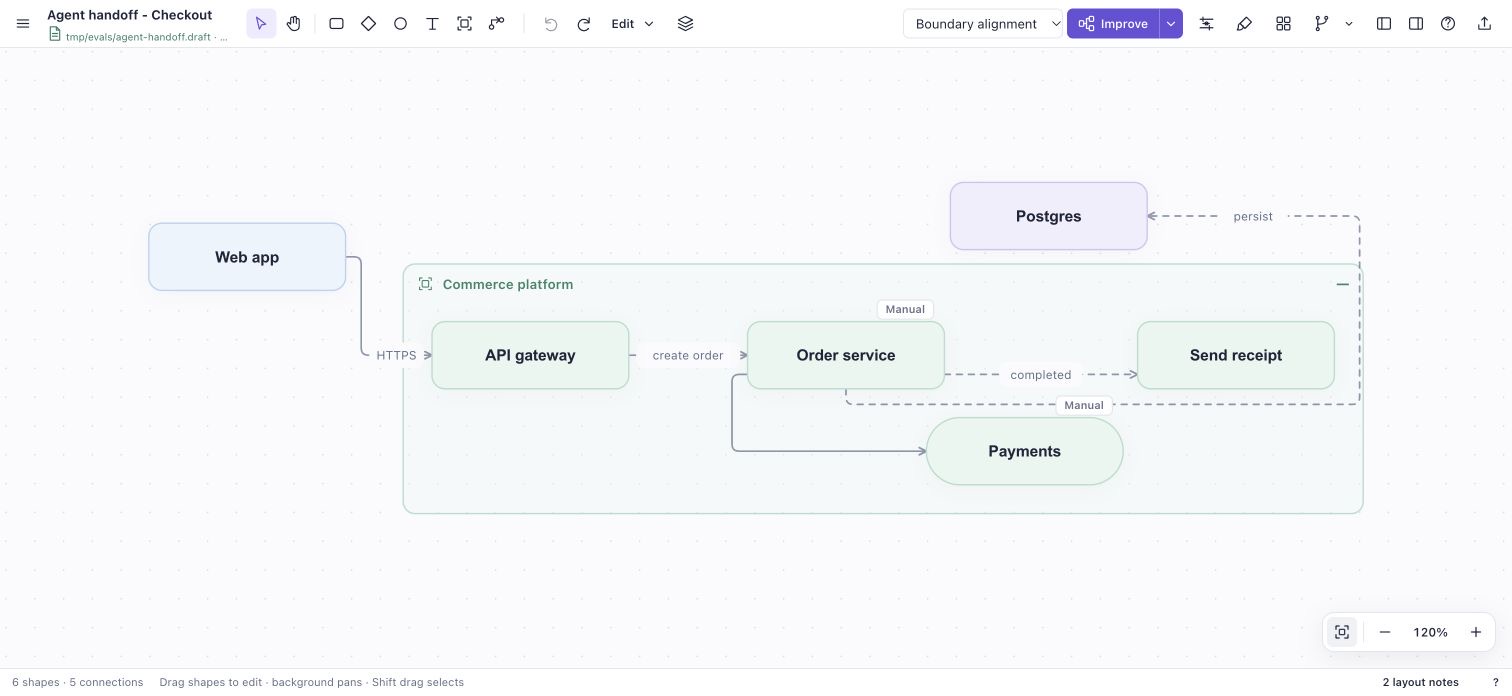
The first image is what the agent wrote. In the second, the rename to Order service, the Payments pill and the drag came from the viewer. Send receipt and its dashed edge came from the agent editing the file on disk afterward. The browser picked that up without a reload and kept every manual change.
Two writers on one file need a rule so neither silently erases the other. Each save carries the revision it started from. A stale save gets a 409, and invalid source gets a 422. Writes are atomic, and the watcher looks at the folder, so editors that save by renaming still get noticed.
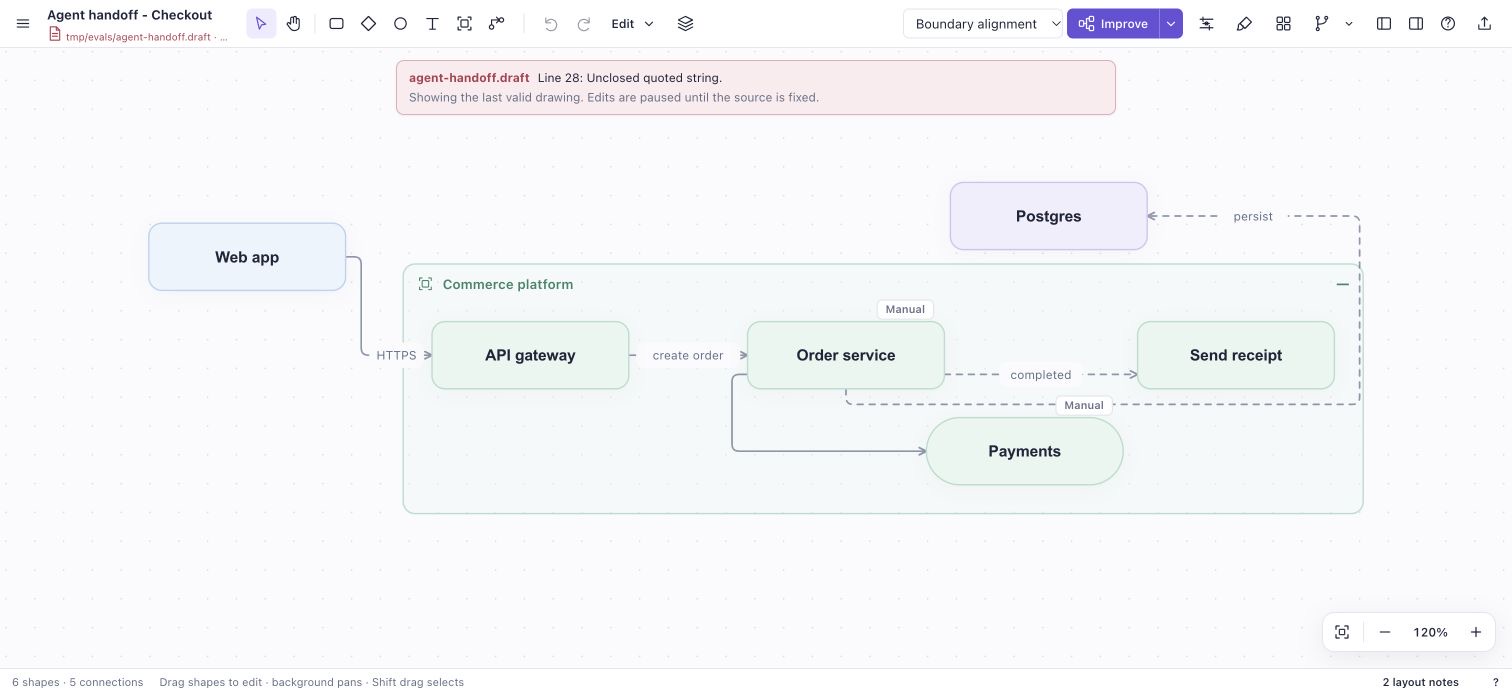
If the agent writes a broken file, the viewer names the bad line, keeps showing the last valid drawing, and pauses edits until the source is fixed. Nothing gets saved over a file it can't read.
Layout in the file
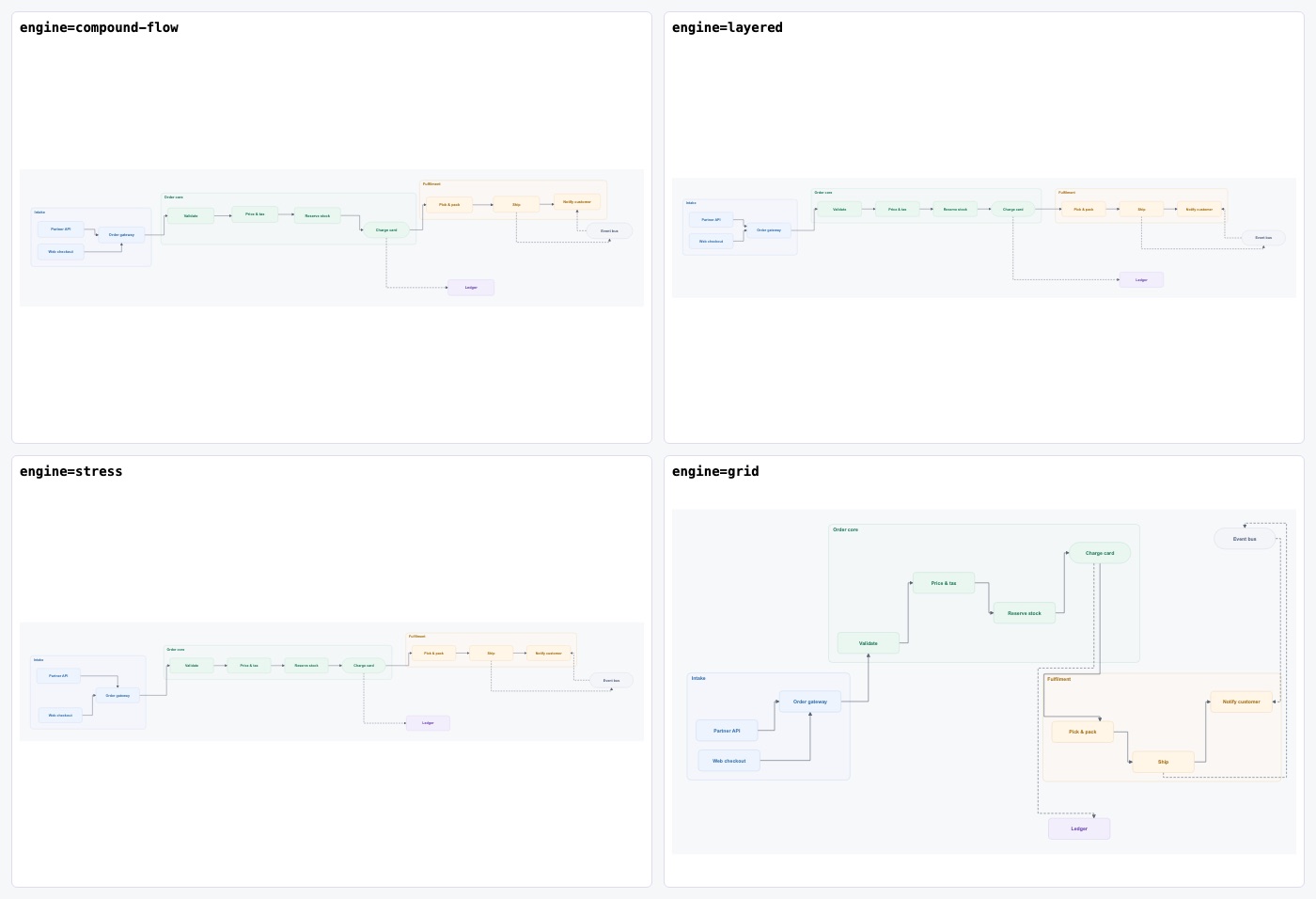
The editor already had several layout engines. The question was whether their results could be saved as source. An engine has to give the same answer from the file alone, no matter where the boxes happened to start. Every engine was checked on three samples. Moving the starting positions never changed the result, except for one engine, which was left out. The rest can be named per scope:
layout root engine=compound-flow
layout services engine=grid
routing edge-gap=24 corner-radius=0
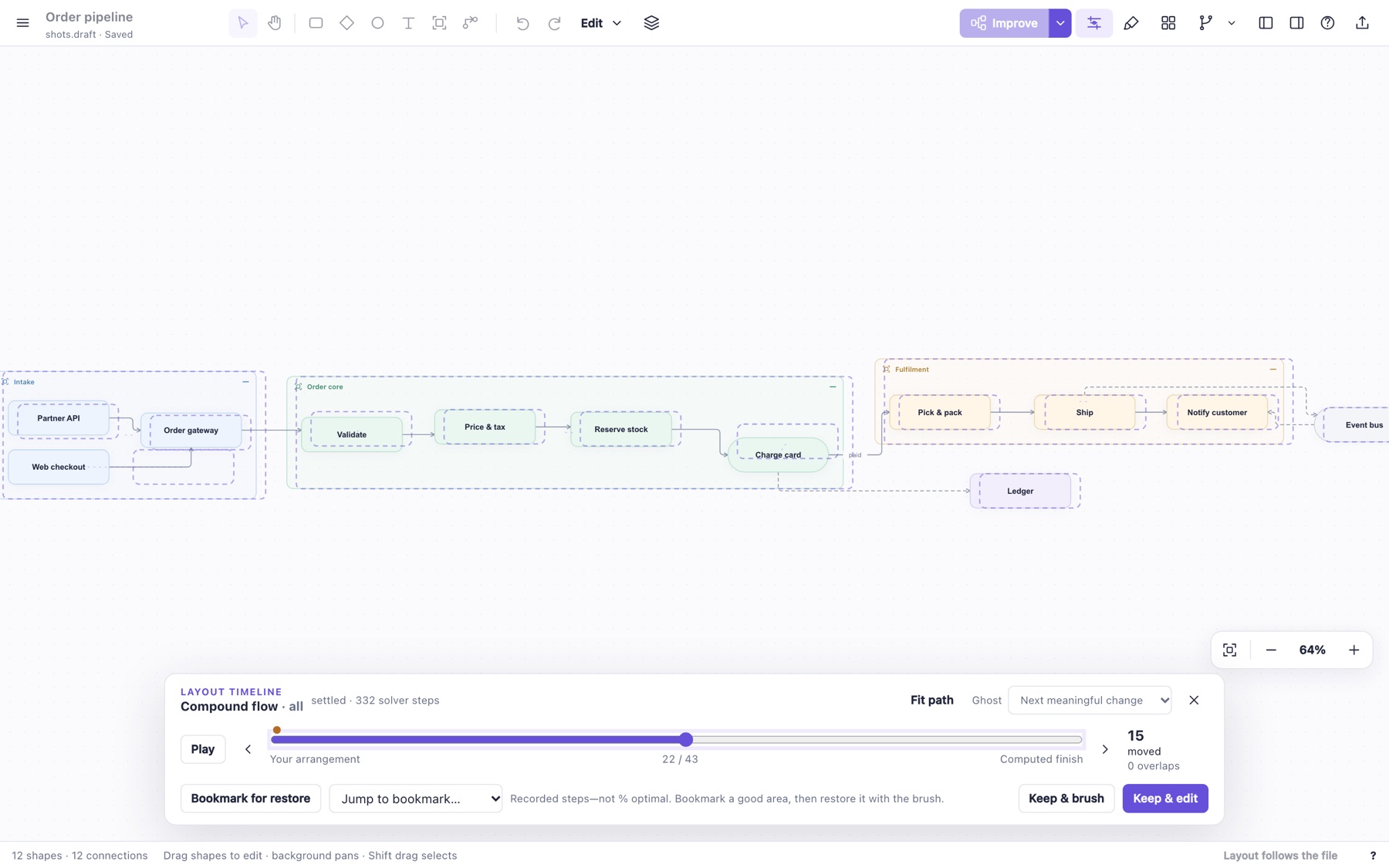
The interactive tools were harder. Improve, the layout timeline and the layout brush all start from whatever is currently drawn, so no recipe can reproduce their results. Those save as soft stay positions for just the objects that moved. A second brush stroke updates a few numbers in place instead of rewriting the block. One test runs Apply, Improve, a timeline Keep, a brush stroke, an outside addition and a server restart in a row. After every step, the viewer's geometry has to match draftably inspect of the saved file.
Naming it
Getting it on npm needed a name, and this took longer than the release machinery. I had a subagent brainstorm, then ran several rounds of comparing options.
The first shortlist was Knotdraft, Relweft and Frameweft. All three were available, which is about all they had going for them. I don't know what "weft" means, and "knot" implies tangles, which is the opposite of the point. The next rounds went through Well Drawn, Boxdraft, DiagramRails, DiagramHelm, BoxNudge and GraphSteer. I wanted the name to imply diagrams without saying "diagram," and to suggest that you are in control while the tool keeps things on rails. Rails and Helm were out because they already mean Ruby and Kubernetes.
Draftably came out of a later pass. It sounds like a product, it suggests drafting, and npm and GitHub were clear. Good enough. In the 0.1.0 release, a fresh install passed all 19 browser checks for saves, reloads and external edits. Releases since then go through Changesets and GitHub trusted publishing.
Testing it as a person would
Once it was published, I had an agent use the app the way a person would. It used only the mouse and keyboard, with no internal APIs. It recreated three of the bundled examples and then ran the agent-to-person handoff above.
The handoff held up. The recreations all finished, but each needed recovery steps, and the report was blunt about why:
- The worst bug: create a connected shape, type its title, press Enter. The editor shows your text, then the shape commits as "Next step." The app looked like it accepted input and then threw it away.
- Fit ignored both the layout preview and the docked panels, so "fit" left part of the diagram hidden.
- Automatic spacing could hide an edge label between two nodes.
There were seven findings in all, fixed across three stacked PRs. The lost first title was the useful one. I would have hit it constantly and probably blamed myself.
Teaching the agent the format
The last piece is a skill. draftably skill install drops a SKILL.md into .claude/skills. It covers the write → check → inspect → open workflow and the full syntax. A test compiles every example in the skill and fails if the skill leaves out a statement or engine that the parser accepts. CI fails any PR that changes the syntax without also updating the skill. Without that, the skill would drift from the parser and agents would write diagrams the parser rejects.
Where it stands
The loop I wanted works: an agent writes a diagram, I fix it by hand, and the agent keeps going without wiping out my changes. Architecture diagrams and user flows were the first targets. Dependency trees and call stacks matter too but haven't been pushed as hard. Diagram themes landed after this; they have their own post.
Still open: images inside nodes, which has a plan but no code yet, plus physical touch and screen-reader testing. Views, presentation modes and checkpoints are left out on purpose. The file format leaves room for them, but the loop didn't need any of them.
Source: byronwall/draftably · npm: draftably