I keep running into the same Suspense problem from two directions. The code can be technically correct, but the loading state is still hard to inspect. A resource is fast locally, the cache is warm, the server responds before I can look at the fallback, or the exact pending state only happens during a route transition I do not want to recreate ten times.
For Pluck, I wanted something more direct: show me the Suspense boundaries that exist on the page, then let me force one into its fallback on purpose.
The first version is intentionally small. It is not a package yet. It is a dev-only utility inside one repo, wired into one route first so I can prove the interaction before trying to make it general.
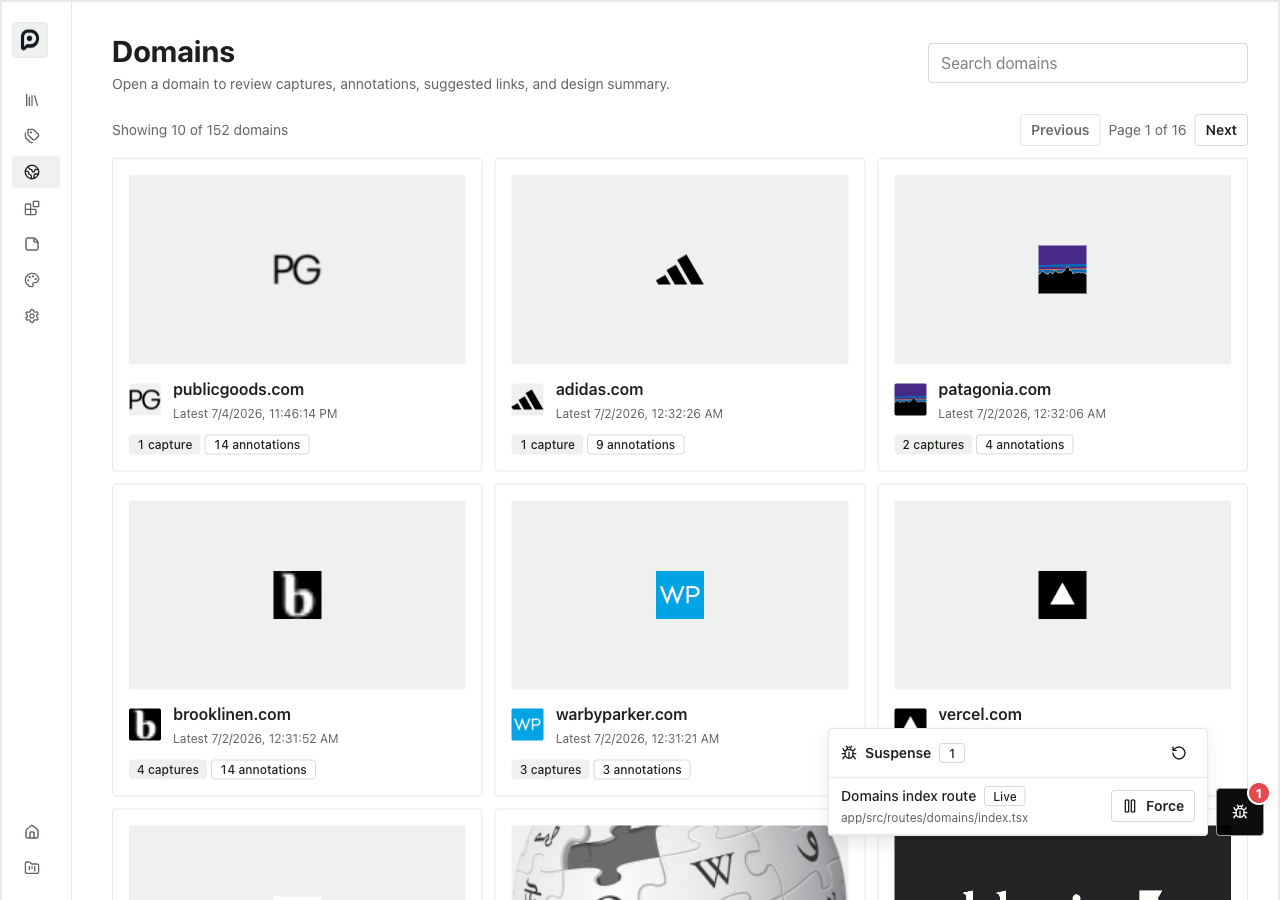
The collapsed control sits out of the way as a notification-style badge. The number is the count of registered debug Suspense boundaries on the current page.

The control is deliberately closer to a devtool badge than a panel. It should be visible, but it should not become part of the app layout.
Clicking it opens the controller. For now, the controller lists every boundary that opted into the wrapper component. It shows a readable label, the source file, and a button to force or release that boundary.
The wrapper
The implementation starts with a wrapper around Solid's normal Suspense component. In production it should behave like plain Suspense. In development it registers itself, marks the rendered content and fallback, and adds a tiny suspender component inside the boundary.
The domains index route is the first test case:
<DebugSuspenseBoundary
  id="domains-index-route"
  label="Domains index route"
  source="app/src/routes/domains/index.tsx"
  fallback={<DomainIndexRouteSkeleton />}
>
  <DomainsIndexRouteContent />
</DebugSuspenseBoundary>
That is the part I like about the component approach. It is explicit, boring, and reversible. A route can opt in without changing its resource code or adding fake delays. If the wrapper is not present, the app falls back to ordinary Suspense behavior.
The debug wrapper owns three pieces of state:
- a registry of mounted boundaries
- DOM markers for the content and fallback regions
- a controlled pending promise for any boundary that is currently forced
When I click Force, the registry marks that boundary as forced and increments a version number. The child suspender reads a Solid resource tied to that version. While the boundary is forced, that resource waits on a promise that only resolves when I click Release.
That is enough to make the nearest Suspense boundary show its real fallback. There is no need to slow the network down, edit a fetcher, or add a temporary await new Promise(...) in application code.
The useful state
Here is the important moment: the data already loaded, but the debug tool can still put the route back into the loading state.
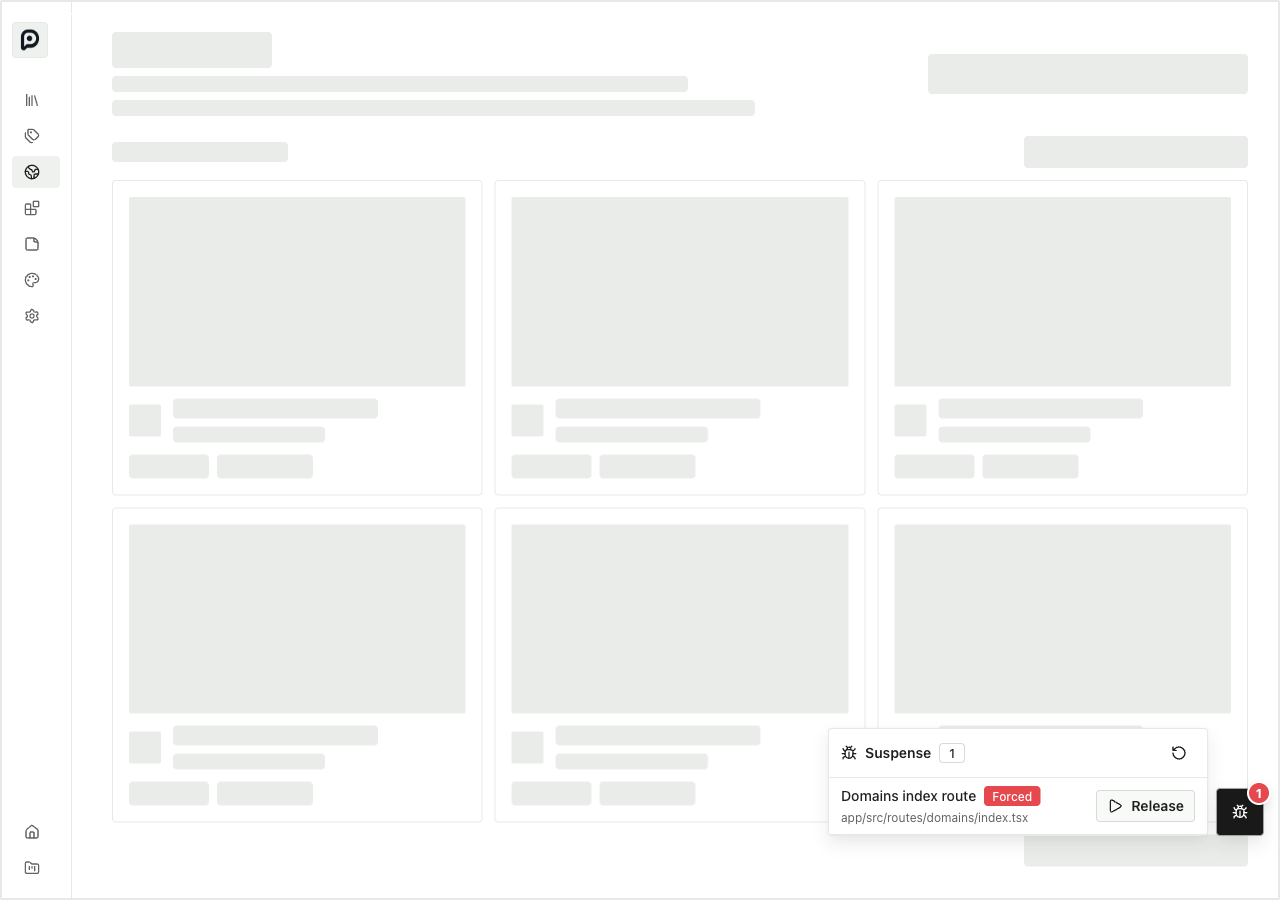
That screenshot answers a question that is otherwise annoying to ask: what does this page actually look like while the boundary is pending?
For this route, the app shell stays mounted. The page area becomes the domain index skeleton. The debug panel stays available and shows the boundary as Forced. That gives me a direct way to inspect the boundary geometry and the fallback quality without depending on timing.
It also makes the boundary model visible. The overlay can measure the marked content or fallback region and draw an outline around the active boundary when the panel is open. That matters because Suspense bugs often come from a boundary being higher or lower in the tree than I thought. Seeing the boundary overlaid on the DOM is faster than reading JSX and mentally mapping it to the page.
Why this is only local for now
The current version is a nice-to-have inside Pluck, not a general tool. That is the right stage for it.
The explicit wrapper gives me a controlled surface to learn from:
- Does forcing a boundary feel useful during normal UI work?
- Does the panel stay out of the way enough to leave mounted in development?
- Are the labels and source paths enough to orient me?
- Does the forced fallback reproduce the same layout I care about during real loading?
Those are product questions more than packaging questions. I do not want to build a general library around the wrong interaction.
But the shape is already pointing toward extraction. The wrapper and registry can become a small reusable component. The overlay can become a dev-only mount that any Solid app can include once. After that, the more interesting step is a Vite transform that auto-wraps Suspense boundaries in development.
That transform would let an app keep normal source code:
<Suspense fallback={<PageSkeleton />}>
  <PageContent />
</Suspense>
and have the dev build instrument it as if it had been written with the debug wrapper. The overlay would then list boundaries without requiring every call site to opt in manually.
I still like starting with the wrapper. It proves the core behavior with almost no magic. Once the interaction is right, the transform becomes an ergonomics layer instead of the foundation.
The bigger pattern
This is the same debugging pattern I keep wanting in UI code: turn an implicit state into a visible, controllable state.
Suspense usually depends on timing. The boundary is pending only when a resource read happens before the data is available. That is exactly the wrong shape for visual review, because the interesting state is temporary.
The debug overlay makes the temporary state durable. It turns loading into a switch.
That makes it useful for more than this one route. I want to use it when designing skeletons, reviewing whether app chrome stays mounted, checking that resource.latest is being used intentionally, and finding boundaries that are too broad. Eventually I want it available in every Solid project as a small development dependency.
For now, it is one repo and one wrapped route. That is enough to prove the point: loading states should not be something I have to chase. They should be something I can put on screen when I need to think about them.
Related: