Product Grid Management has changed substantially over the past week. The interface is denser, the CLI ships the editable viewer, and releases run through version pull requests. It also has a real icon now.
The useful result is a shorter path from product context to agent work. You can keep notes, screenshots, and relationships in one graph, inspect them in a browser, and let Codex or Claude read and update the same data through pgm.
Less space between the work
The old interface spent a lot of space around the workspace. The new shell has one header, a full canvas pane, and compact controls. Neutral grays keep the controls quiet while node colors still carry type or status.
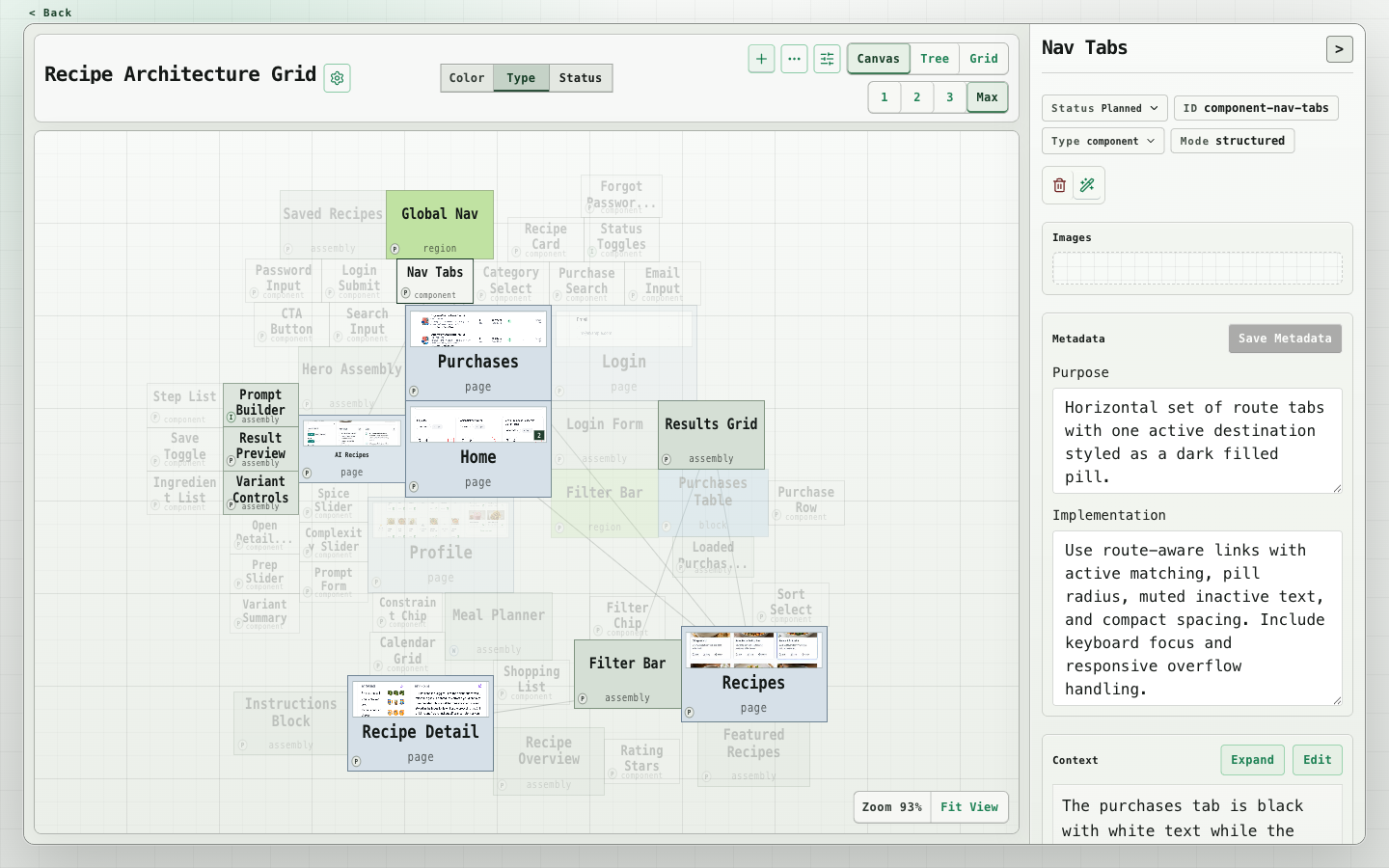
The inspector puts context near the top. Metadata, connections, and activity sit in collapsible groups. Click rendered context to edit it, then click away or press Cmd/Ctrl+Enter to save. The title and actions stay visible while the body scrolls.
There are smaller changes that matter once you use the graph for actual work. Image previews respect portrait and square images. The type picker accepts a search. A structure peek shows ancestors and children without changing the canvas view. Filters, including last editor, stay in the URL. Zoom and pan survive a refresh too.
The grid now has bulk status and archive actions, sticky headers, and resizable columns. Selecting rows leaves the table in place; bulk actions use the existing header space.
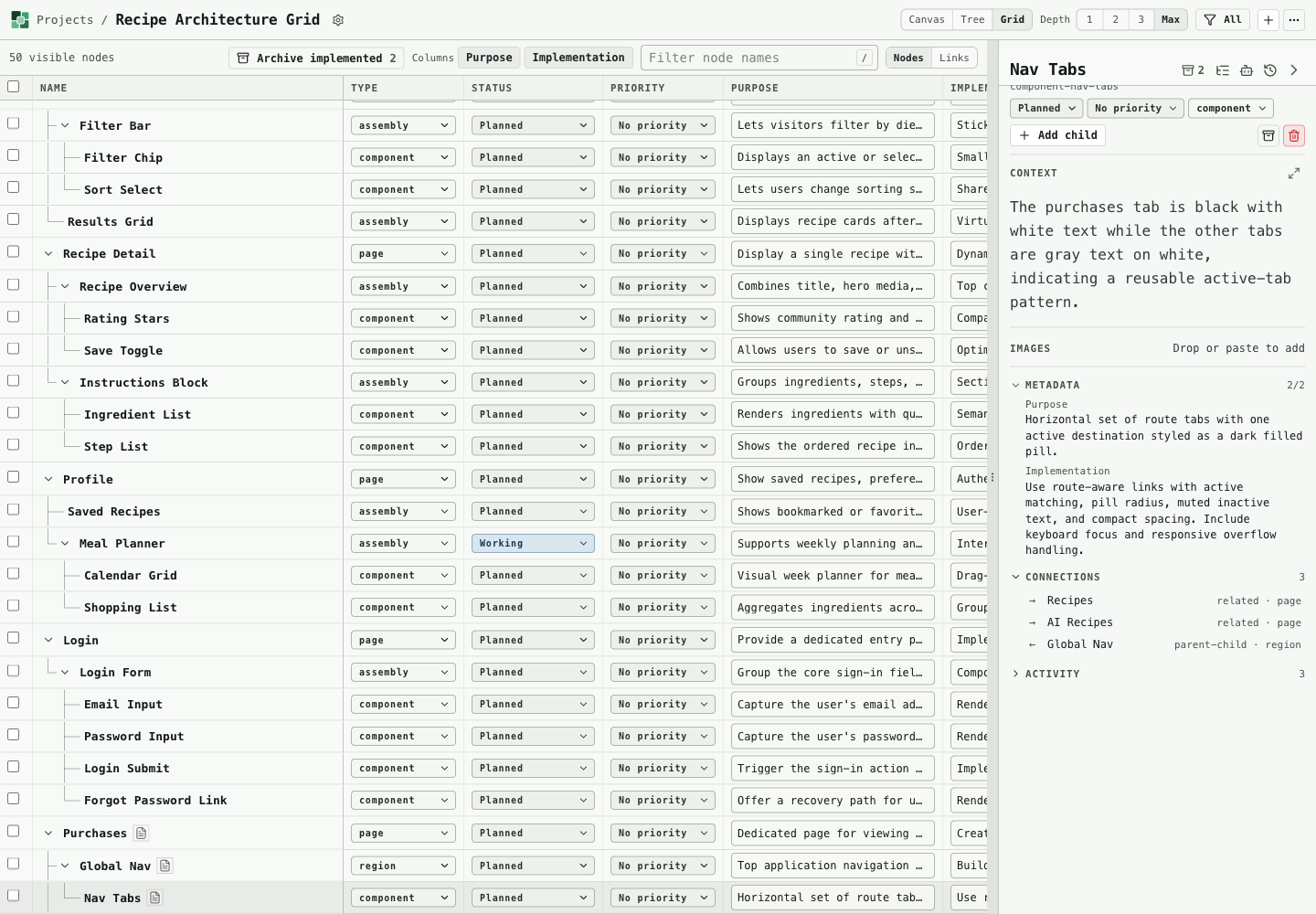
The tree remains useful when you need to read the context rather than scan the map. Branches collapse, screenshots have room, and the table of contents tracks the current heading.
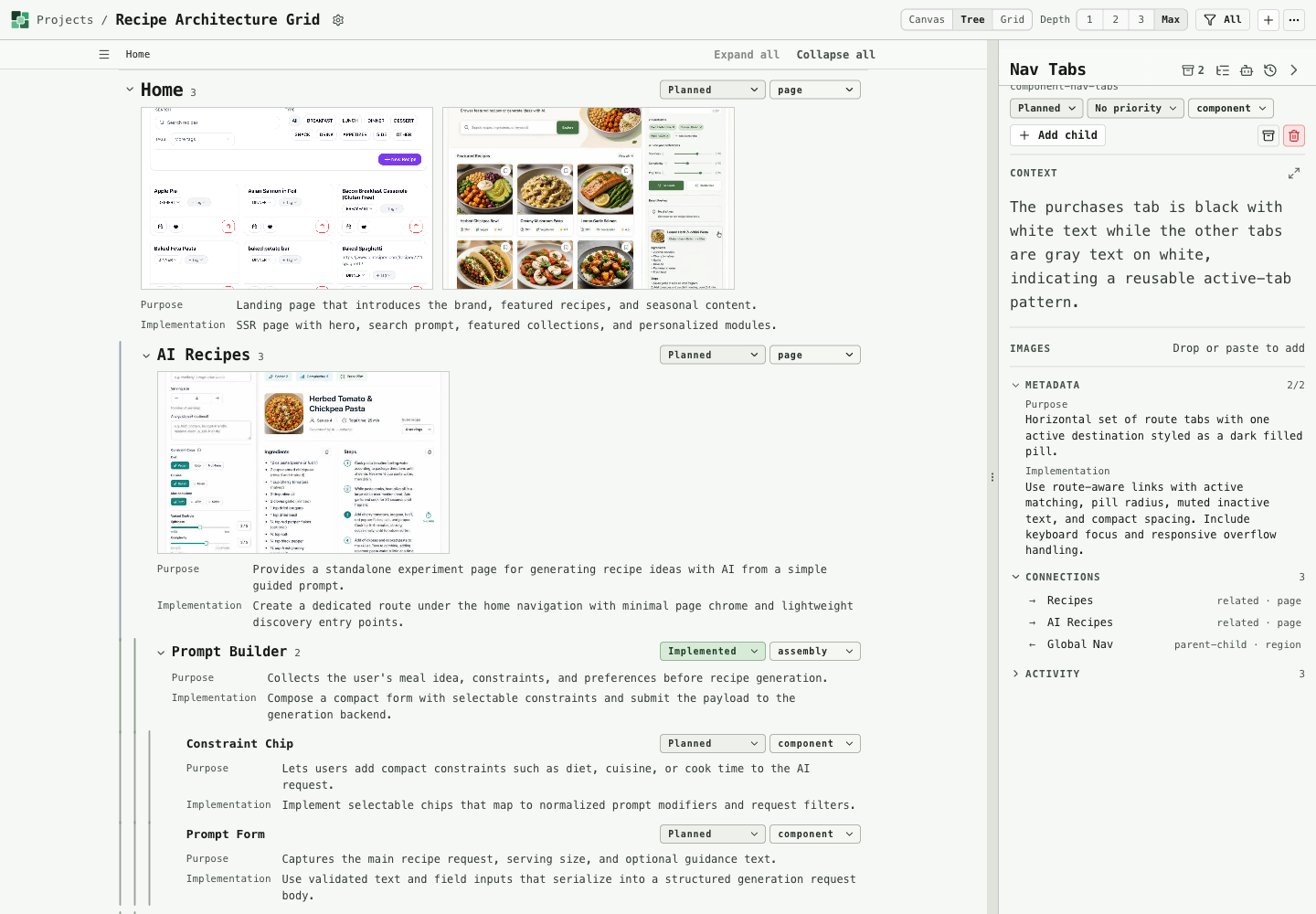
These are fresh captures from the packaged viewer, using a copy of the recipe architecture project.
Start with the CLI, open the viewer when useful
Previously, using the CLI meant having an app server available. The package now includes the editable viewer and its server runtime:
pnpm add --global @byronwallrus/product-grid-cli
pgm viewer --data-dir ./product-grid-data
That command opens the browser and prints the local URL and data folder. Stop it with Ctrl+C; the project files and images stay in the folder.
Agents can use that same folder:
pgm project list --local ./product-grid-data --json
pgm node list --local ./product-grid-data --project <project-id> --json
pgm node update <node-id> --local ./product-grid-data --project <project-id> --status working --json
If a viewer is open, commands reuse it. Otherwise, a command starts a temporary runtime and stops it afterward. CLI writes reach an open viewer through production WebSocket events. The browser and terminal can therefore work against the same project without separate imports.
That makes save behavior more consequential. Project writes now run in sequence so overlapping edits retain both changes. Pending browser edits also remain visible when another save or server event arrives. A failed save rolls back that edit and reports the error.
Codex and Claude, with concrete review targets
Both Codex and Claude contributed to this update. The merged PRs show the work more clearly than a broad claim about agent productivity.
Claude branches added grid multi-select, structure peek, and searchable node types. Codex branches added serialized project writes, the release workflow, and the packaged local viewer.
The integration work is part of the story. The pending-edit PR retained the server write queue already on main and removed its duplicate lock. The last-editor filter reused the existing history projection. An optional overlapping canvas layout landed, then was removed. A merged feature does not have to remain part of the product.
Product Grid also supplies context for this kind of work. A node can carry the issue, its screenshot, and the parent context. The CLI can export that scope, and an agent can attach evidence or update the node afterward. The package includes a Codex skill installer:
pgm skill install --agent codex --globalThe app's own LLM features have been removed. Codex, Claude, and other external tools create content; the CLI brings it into the graph. The workspace does not need another provider integration to hold the result.
Release the viewer with the tool
CLI changes now include Changesets release notes. When those reach main, GitHub Actions opens or updates a Version Packages PR. Merging it runs release checks, publishes to npm through trusted publishing, and creates a GitHub release. Ordinary commits do not start a release.
The package checks include the bundled app. That matters because a working CLI alone cannot prove that the installed viewer works. The repository also has a relocated-runtime smoke check for running outside the source checkout.
And an icon

The new mark uses green tiles around a lighter center tile, with a matching favicon. It gives the project a recognizable home link and browser tab while the workspace controls stay neutral.