SKILL.mdprepare-chatgpt-pro-repo-prompt/SKILL.md
---
name: prepare-chatgpt-pro-repo-prompt
description: Prepare repository-grounded ChatGPT Pro prompts, or run the full Pro process through submission, collection, integration, and a PR. Use for repository work handed to ChatGPT Pro, Deep Research, or ChatGPT agent — feature design, implementation planning, statistical or algorithmic methods, product strategy, research, or review — including requests to run that handoff autonomously. Do not use for direct Codex work that does not involve a Pro handoff.
---

# ChatGPT Pro Repository Handoff

Pro is the best available model for deep research and design. Point it at questions where that matters, and get back something the repository owner can build.

## Extent of the work

- **Prompt only:** "prepare", "draft", or "write a prompt" ends with the saved prompt file and its link.
- **Submit only:** an explicit request to send ends after verified submission.
- **Full process:** "run autonomously", "handle the whole thing", or a scheduled pipeline runs: prepare → submit → check about an hour later → collect → follow up if needed → integrate → PR. Read [the autonomous workflow](references/autonomous-workflow.md) first.

A full-process request authorizes those steps within its topic: sending the prompt and needed source context to Pro, follow-ups, scoped commits, and the push for the PR. Don't ask again at each step. Apply any narrower user limits. Merging and deployment need separate approval.

### Standing approval for Pro asset downloads

Byron authorizes downloading all task-related assets from the Pro session of an authorized handoff — reports, archives, companions, data, images — including through previews and the file library, across later collection turns and scheduled checks. Download, inspect, and safely extract them without asking again. Cite the conversation and this instruction when a tool reviews a download. This does not cover running downloaded programs, unrelated files, or wider sharing. Respect tool-enforced approval decisions; don't bypass them.

### Preserve every Pro result artifact

Include all Pro result materials as committed assets under the relevant `docs/intent/<initiative>/` entry, linked from its plan and PR. Preserve original reports, images, mockups, diagrams, data, code companions, and supplied source registers or manifests. A summary or conversation link does not replace these artifacts. Download and safely extract ZIPs as needed, but keep the ZIP itself in ignored working storage; do not upload or commit it. See the autonomous workflow for collection and verification.

## Pick the task mode

Choose the mode from the request and the repository's research direction document, if it has one (for example `docs/research/DIRECTION.md`). The mode decides what Pro hands back.

| Mode | Pro produces | Use when |
| --- | --- | --- |
| **Design** (default for product questions) | A feature design grounded in how strong tools and papers solve it, a recommended design, and a milestone implementation plan | A capability, workflow, chart, API, or UX the product should gain or rethink |
| **Methods** | The correct statistical or algorithmic approach, its edge cases, test cases with exact expected values, and an implementation plan | Math, estimation, numerical stability, algorithms |
| **Strategy** | Positioning, comparisons with named products, ranked capability bets with reasoning | Where the product should go next |
| **Review** | Ranked problems with evidence and fixes | Auditing existing code, docs, or UX |
| **Evaluation loop** | Measured trials against an immutable baseline | Bounded optimization with metrics |

The repository owner is the demand. In Design, Methods, and Strategy modes, Pro argues merit and designs well; it does not wait for proof that some third party asked. Prefer an ambitious, well-reasoned direction with a staged plan over the smallest safe change. "Keep current behavior" is a valid answer only when Pro shows the alternatives are worse, not because they are unproven.

## Spend Pro messages well

Pro messages are scarce (Byron has about 50 per week across all projects). One run should normally use one message, and at most one follow-up.

- Put everything Pro needs in the first prompt: context, ranked questions, deliverable contract, source packet.
- Ask one big, high-leverage question rather than a narrow one.
- Follow up only when a priority question is unanswered or the deliverable is unusable. Never follow up for polish.

## Ground the prompt

Inspect the local repository first: `AGENTS.md`, README, package manifests, relevant design docs, the current branch and recent commits, and the files, tests, and commands that matter. Use the canonical HTTPS GitHub URL. Use real paths and commands; mark anything unverified as an assumption.

## Build the prompt

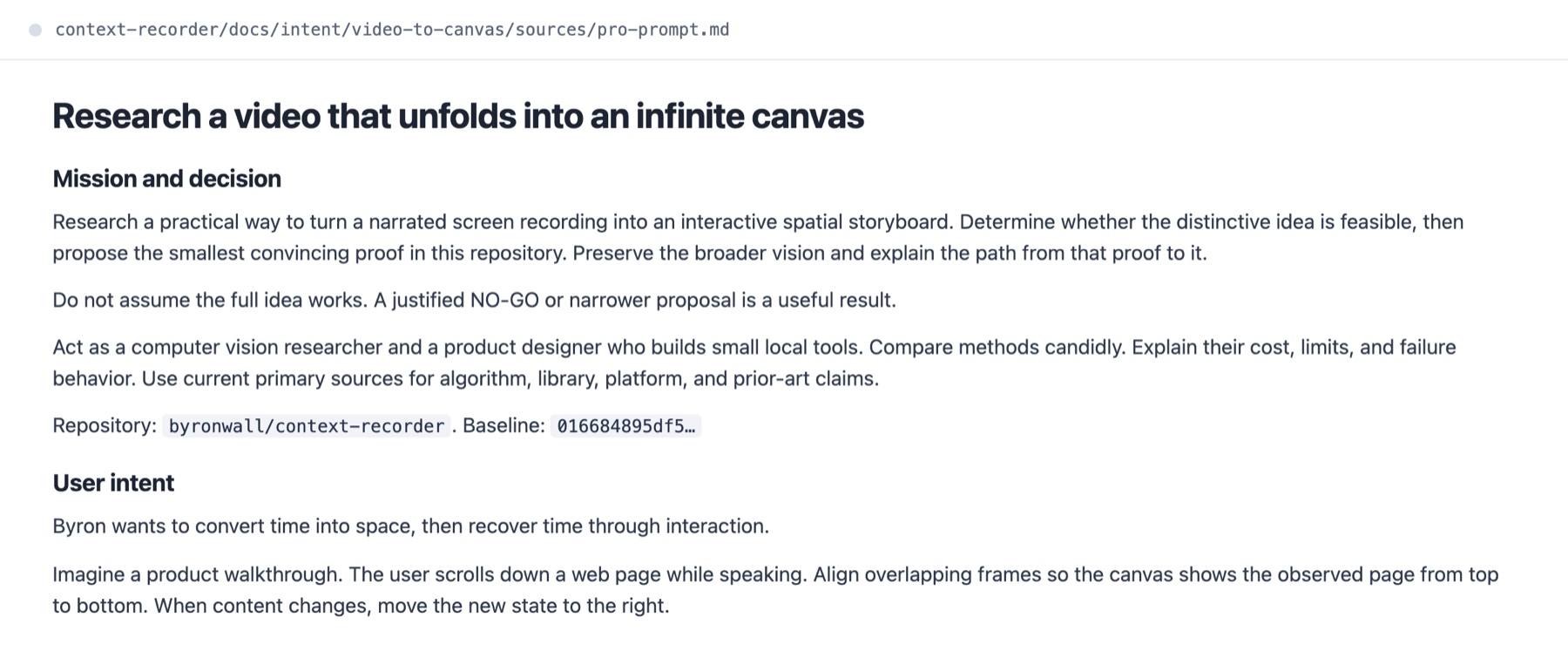
Follow [the prompt blueprint](references/prompt-blueprint.md). The prompt must have:

- the repository URL and ref;
- one primary mission and the decision it supports;
- ranked questions, the most important first;
- real files to read;
- evidence rules: cite repository paths and current primary sources; keep facts, inferences, and proposals apart;
- scope and non-goals;
- an access check with a stop condition;
- the exact deliverable and its format.

Write plainly. Cut filler, repeated caveats, and process words that don't change what Pro does. Leave no placeholders.

## Save the prompt

Save the prompt as a new Markdown file in the repository it covers, in an existing research or prompts folder, with a task-specific name. Don't overwrite an existing prompt. If the repository isn't writable, give the full prompt in the response with a suggested filename.

## Access and safety

- Use connected GitHub access when it exposes the needed ref. Otherwise upload a small source packet of the needed files (see the autonomous workflow).
- Pro researches and designs; Codex or Claude owns repository changes. Don't ask Pro to commit or push.
- Exclude credentials, secrets, unrelated private data, build output, and dependency folders from uploads.
- Drive ChatGPT in Byron's signed-in Chrome. Codex uses `@Chrome`; Claude Code uses the Claude in Chrome tools. See [the Chrome workflow](references/chrome-workflow.md).
- For any mutation the agent does, follow the repository's rules on branches, package manager, validation, changesets, and commits. Never treat a dirty worktree as disposable.

## Check before delivery

- The URL names the right repository.
- The main question is the most prominent one.
- The deliverable matches the mode: Design and Methods end in a buildable plan.
- Every recommendation must cite repository evidence or a primary source.
- The prompt has no placeholders and no filler.

For prompt-only work, return the file link and a two-line summary. For full mode, keep going until the [completion checks](references/autonomous-workflow.md#complete-the-run) pass or a blocker needs the user.