I wanted a faster way to look at a page and say what should change.
The immediate goal is fairly specific. While I am reviewing this site locally, I want to dictate a note about the page I am already looking at. If the note belongs to one heading, paragraph, image, or control, I want to point at that element. Then I want to move on.
I do not want to copy the URL, explain which section I mean, take a screenshot, or move back and forth between the site and a chat. I also do not want ChatGPT's built-in browser to be the only path for giving an agent visual context. Browser control is useful for verification, but it is a fairly heavy interface for a thought that might only be, “this title is too long.”
So I added a small feedback tool to the development version of this portfolio.
Capture the thought where it happens
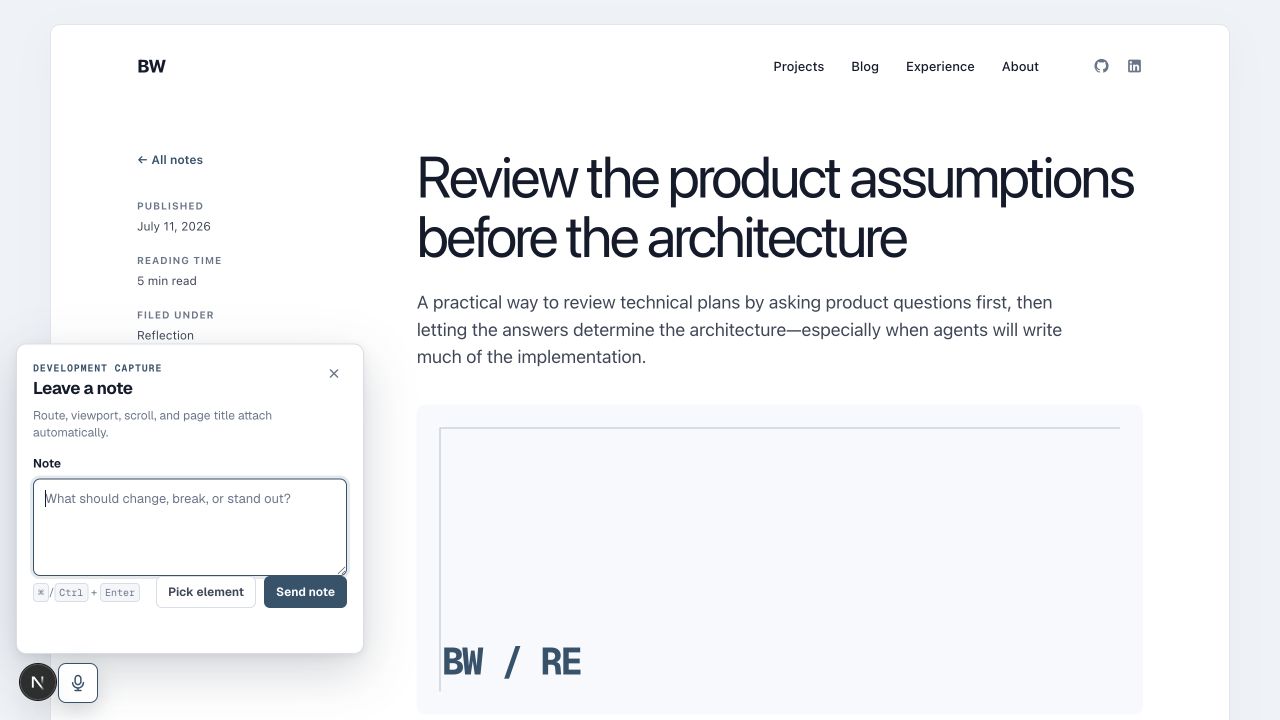
There is now a microphone button beside the Next.js development control on every local page. The microphone is mostly a cue. The first version does not record audio. It opens a normal textarea, and I can use system dictation to turn speech into text.
The form asks for one thing: the note. Everything else attaches automatically. The saved record includes the route, page title, viewport, scroll position, and any selected text or targeted element.
That last bit matters. If I select a sentence before opening the panel, the selection becomes the initial context. The act of focusing the note field normally clears a browser selection, so the overlay captures it before focus moves and keeps it with the draft. If I close the panel, clear the selection, and start a new note, the old context does not leak into the new one.
This feels like a small interaction detail, but it changes the job. I can read normally, select the part that triggered a thought, open the panel, dictate the thought, and submit it.
Point at the actual element
Text selection is not enough for every kind of feedback. Sometimes the issue is the image treatment, the width of a card, or the relationship between two controls.
The element picker temporarily turns the page into a targeting surface. Moving over the page outlines the current element. One click attaches it to the note. Escape cancels the picker.
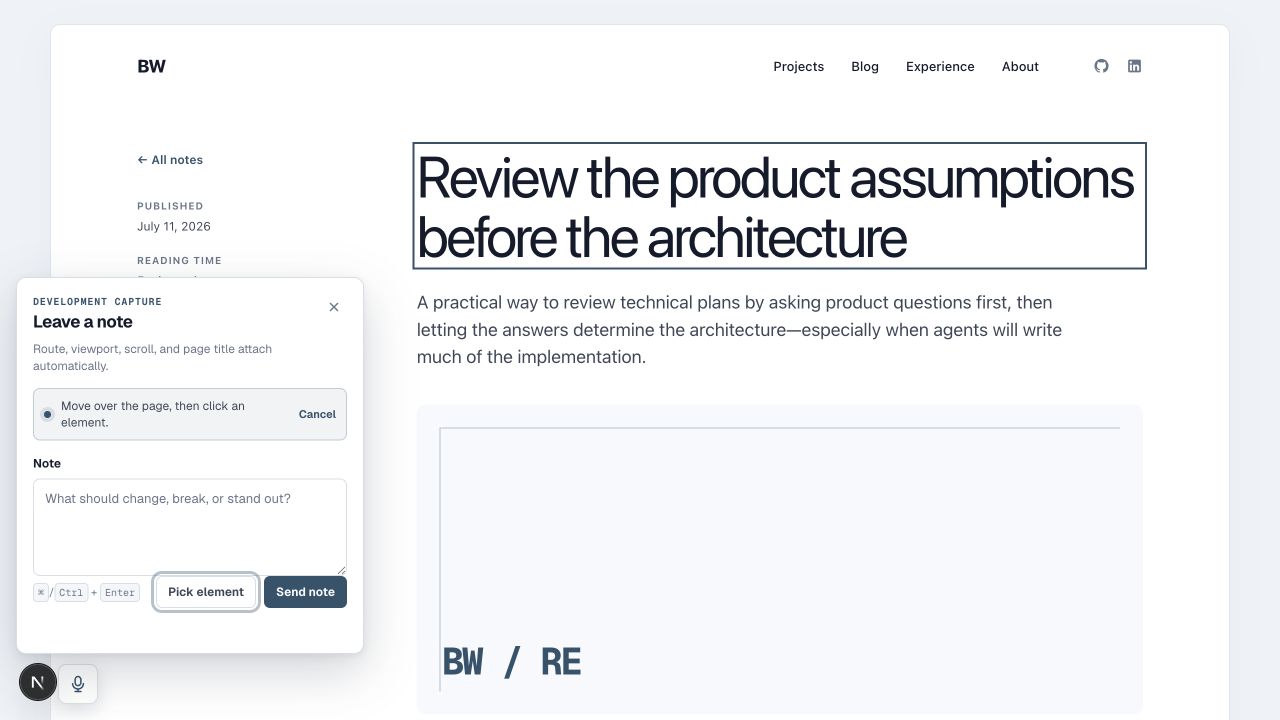
A CSS selector alone would be too brittle. The saved target includes several pieces of evidence: an explicit ID when one exists, a selector, tag and role information, accessible text, nearby headings, a short text excerpt, and the element rectangle. An agent can use all of that to find the right part of the page later.
The matching side is deliberately conservative. If the target disappears or several elements match, the system reports that it is missing or ambiguous. It should not confidently move a question onto the wrong paragraph.
A queue on disk
Submitting a note writes one JSON file into a local, ignored .dev-feedback directory. The queue has separate locations for inbox, processing, completed, and failed work. An agent claims one record with an atomic move, implements the feedback, verifies the change, and moves the same record to its final state.
That choice keeps the web process and the agent process separate. The portfolio does not start Codex, ChatGPT Desktop, Claude, or anything else. It only records useful context. A repository skill explains how an outside agent should claim a note, preserve its history, and finish it safely.
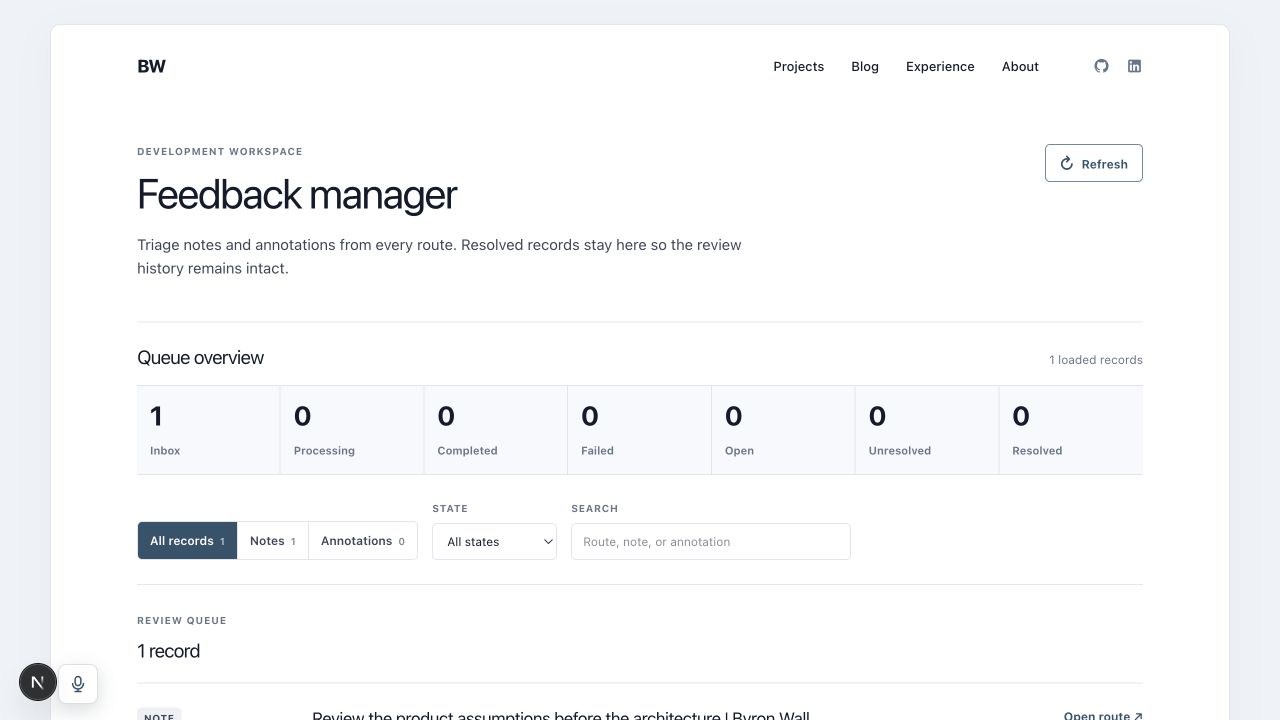
There is also a development-only manager at /dev/feedback. It shows notes and annotations from every route, including resolved records. I can see what is waiting, what an agent claimed, and what already finished without treating the queue as a disposable pile of prompts.
Let the agent ask in the same place
The other half of this loop goes in the opposite direction.
An agent can write an annotation that names a route, asks a question, and carries the same kind of target evidence. When I open that page locally, the site matches the target, outlines the region, and places the question beside it. I can answer there, mark it complete, or find it later in the manager.
This is useful when the implementation problem is not technical. Maybe a sentence could be removed or expanded. Maybe two layouts are both reasonable. Maybe the note points to the correct region but does not say which behavior I want. Instead of describing that ambiguity in a detached chat, the agent can put the question next to the thing that needs a decision.
Annotations stay on disk when they are resolved. Completing one changes its state; it does not erase the exchange.
What I am testing next
This is the initial version, not yet a retrospective. The interface feels good in the first few passes, but the real test is whether I actually use it while reading the site and whether the resulting notes are specific enough for an agent to implement without another round of explanation.
I will come back to this post after I have used the loop a few times. The useful questions are fairly concrete: which context fields matter, how often element targets survive an edit, whether annotations resolve ambiguity in practice, and whether the queue stays pleasant once it contains more than one or two notes.
For now, the smallest useful result is already there. I can see something on a page, say what I think, point at the exact region when needed, and keep reading.